EasyManua.ls Logo

Omron SYSDRIVE 3G3EV - User Manual

Omron SYSDRIVE 3G3EV
119 pages
Print Icon
To Next Page IconTo Next Page
Loading...
C a t . N o . I 0 1 3 -- E 1 -- 4
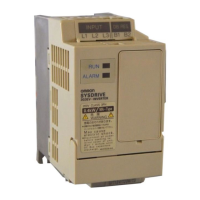
SYSDRIVE 3G3EV
Compact Low-noise Inverter
(Multi-function Models)
USER’S MANUAL

Table of Contents

Questions and Answers

  • L
    Lucas CaseyAug 2, 2025
    What to do if Omron SYSDRIVE 3G3EV motor stops during acceleration?
    • S
      Stephanie GriffinAug 2, 2025
      If the Omron Inverter's motor stops during acceleration or when connected to a load, it might be due to an excessively high load. To resolve this, try increasing the acceleration time, reducing the load, or increasing the motor capacity.
  • M
    Mark EdwardsAug 8, 2025
    Why Omron SYSDRIVE 3G3EV Inverter motor fails to operate?
    • J
      Joseph VaughanAug 8, 2025
      If the Omron Inverter motor fails to operate, ensure the correct operation mode is selected by setting “0,” “2,” or “4” in n02. Also, check that the reference frequency is at least 1.5 Hz. Finally, verify that the sequence input method matches the constant setting, and adjust if necessary.
  • N
    Nancy BennettAug 14, 2025
    What to do if Omron SYSDRIVE 3G3EV Inverter motor does not operate when pressing RUN key?
    • W
      Wendy CruzAug 14, 2025
      If the Omron Inverter motor does not operate when the RUN key is pressed, make sure that operation mode is correctly selected. Set “0,” “2,” or “4” in n02. Also, the reference frequency may be too low. Change the reference frequency to 1.5 Hz or more. The sequence input method may also be wrong. Change the constant or change to the sequence input that matches the constant setting.
  • L
    Laura SimsAug 20, 2025
    Why Omron Inverter motor rotates in the wrong direction?
    • J
      Justin MendozaAug 20, 2025
      If the Omron Inverter motor rotates in the wrong direction, the motor output line may be connected incorrectly. Check the motor specifications to ensure proper connection.
  • S
    Susan HernandezAug 26, 2025
    How to fix Omron SYSDRIVE 3G3EV when constants fail to set?
    • P
      Paul WashingtonAug 27, 2025
      If constants fail to set on your Omron Inverter, check the setting range and correct any errors. Also, set “1” in n01. If the problem persists, turn the power off, wait for all front panel indicators to go off, then remove and reinstall the Digital Operator.

Summary

Getting Started with SYSDRIVE 3 G3 EV Inverter

Items to Check Before Unpacking

Verify product delivery, model, specifications, and check for shipping damage. Crucial initial step.

Essential Precautions for Safe Operation

Key safety guidelines including handling residual voltage, component interaction, and general warnings. Crucial for safe operation.

SYSDRIVE 3 G3 EV Inverter Overview and Features

Key Features and Benefits

Highlights ease of use, installation, connectivity, operational capabilities, and specific features like low noise and high torque.

Component Identification and Description

Identifies main unit components, digital operator parts, and terminal blocks for clear understanding of the physical layout.

SYSDRIVE 3 G3 EV Inverter Design and Installation

Installation Guidelines and Dimensions

Covers outside dimensions, mounting details, and environmental conditions for proper placement and setup.

Wiring Procedures for Main and Control Circuits

Details terminal blocks, main circuit, control circuit wiring, and standard connection diagrams for safe electrical setup.

Preparing the SYSDRIVE 3 G3 EV for Operation

Step-by-Step Preparation Procedure

Covers installation checks, wiring, power-on, display status verification, and initial constant setting for readiness.

Using the Digital Operator Interface

Explains component identification, operation outlines, and methods for setting constants via the digital interface.

Performing Test Runs and Checks

Guides through wiring checks, power-on, constant initialization, V/f setting, and operational tests before system activation.

Operating the SYSDRIVE 3 G3 EV Inverter

Protective and Diagnostic Functions Overview

Explains error codes, warning status displays, and actions for protective mechanism activation and system monitoring.

Troubleshooting Common Issues

Provides solutions for constant setting errors, motor operation failures, direction issues, noise problems, and other operational faults.

Maintenance and Inspection Procedures

Details daily inspection, regular maintenance, and parts replacement guidelines for ensuring long-term reliability and performance.

SYSDRIVE 3 G3 EV Inverter Technical Specifications

Main Unit Specifications and Ratings

Lists power ratings, voltage, frequency, motor capacity, output specifications, general specs, and cooling methods.

Appendix A: Inverter Usage Notes and Models

Notes on Using Inverter with Motors

Discusses using standard motors, special motors, vibration, noise, and power transmission compatibility for optimal performance.

Frequency Reference by Amperage Input Setup

Explains configuring amperage input using DIP switches and procedures for removing the digital operator for access.

Product Model List

Catalog of available inverter models across different series, power ratings, and specifications for selection assistance.

Omron SYSDRIVE 3G3EV Specifications

General IconGeneral
BrandOmron
ModelSYSDRIVE 3G3EV
CategoryInverter
LanguageEnglish

Related product manuals