EasyManua.ls Logo

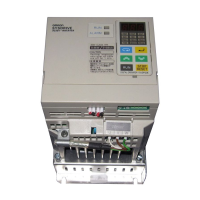
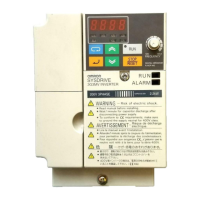
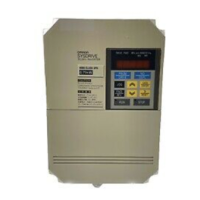
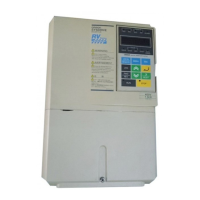
Omron SYSDRIVE 3G3RV Series - User Manual

Omron SYSDRIVE 3G3RV Series
446 pages
Print Icon
To Next Page IconTo Next Page
Loading...
USERS MANUAL
SYSDRIVE 3G3RV
High-function General-purpose Inverters
Cat. No. I532-E1-1

Table of Contents

Questions and Answers

  • N
    Nina ParksSep 23, 2025
    What does HSB-OL error mean on Omron SYSDRIVE 3G3RV Inverter and how to resolve it?
    • E
      Emily KennedySep 23, 2025
      The HSB-OL error on your Omron Inverter indicates that the inertia returned to the load is too large. Ensure the load is an inertial load and set the system so that the deceleration time that does not produce 0 V is 120 s or less.
  • C
    Christine MunozAug 23, 2025
    Why is my Omron SYSDRIVE 3G3RV showing a Motor Overloaded error?
    • T
      Teresa IngramAug 23, 2025
      A Motor Overloaded error on your Omron Inverter may occur because: * The load is too heavy. * The acceleration time, deceleration time, and cycle time are too short. * The V/f characteristics voltage is too high or too low. * The Motor Rated Current (E2-01) is incorrect. To resolve this, check the size of the load, the length of the acceleration, deceleration, and cycle times, the V/f characteristics, and the Motor Rated Current (E2-01).
  • J
    Jeffrey JacksonAug 25, 2025
    What causes an Inv Over-loaded error on an Omron SYSDRIVE 3G3RV Inverter?
    • F
      freemandianaAug 26, 2025
      An Inv Over-loaded error on your Omron Inverter can be caused by: * The load being too heavy. * The acceleration time, deceleration time, and cycle time being too short. * The V/f characteristics voltage being too high or too low. * The Inverter capacity being too low. To fix this, check the load size, acceleration, deceleration, and cycle times, the V/f characteristics and consider replacing the Inverter with one of larger capacity.
  • S
    smarshallAug 27, 2025
    How to fix a Ground Fault error on an Omron SYSDRIVE 3G3RV?
    • M
      Michael SantiagoAug 27, 2025
      A Ground Fault error on your Omron Inverter indicates a ground fault at the Inverter output, which might be due to motor burn damage, worn insulation, or a damaged cable. Reset the fault after correcting its cause.
  • L
    Lisa MolinaAug 27, 2025
    Why does my Omron Inverter display a DC Bus Overvolt error?
    • M
      Michael RobinsonAug 27, 2025
      A DC Bus Overvolt error on your Omron Inverter can occur if: * The deceleration time is too short, and the regenerative energy from the motor is too large. Increase the deceleration time or connect a braking resistor (or Braking Resistor Unit). * The power supply voltage is too high. Decrease the voltage so it is within specifications.
  • G
    Gary DavisSep 18, 2025
    What causes an Over- torque Det 2 error on an Omron Inverter?
    • N
      Nicole RichSep 18, 2025
      If you see an Over- torque Det 2 error on your Omron Inverter, make sure that the current setting in L6-05 and time setting in L6-06 are appropriate. Check the mechanical system and correct the cause of the overtorque.
  • M
    Melinda CobbSep 15, 2025
    What does MC Answer-back mean on my Omron SYSDRIVE 3G3RV Inverter and how to fix it?
    • A
      Anna MosesSep 15, 2025
      The MC Answer-back error on your Omron Inverter may mean that: * The MC in the main circuit failed. * The MC excitation coil is burned out. Try turning the power supply off and on. If the fault continues, replace the Inverter.
  • A
    Abigail DeckerSep 16, 2025
    What to do if my Omron Inverter displays an Over- torque Det 1 error?
    • R
      richard40Sep 16, 2025
      For an Over- torque Det 1 error on your Omron Inverter, make sure that the settings in L6-02 and L6-03 are appropriate. Also, check the mechanical system and correct the cause of the overtorque.
  • R
    Ryan McdonaldSep 6, 2025
    What does Speed Deviation mean on my Omron Inverter, and how can I resolve it?
    • P
      Penny SmallSep 7, 2025
      A Speed Deviation error on your Omron Inverter may indicate that: * The load is too heavy. Reduce the load. * The acceleration time and deceleration time are too short. Lengthen the acceleration time and deceleration time. * The load is locked. Check the mechanical system. * The settings in F1-10 and F1-11 aren't appropriate. Check the settings in F1-10 and F1-11.
  • J
    Jeffrey BrownSep 3, 2025
    What does DynBrk Resistor mean on my Omron SYSDRIVE 3G3RV and how to fix it?
    • J
      Janice AdamsSep 3, 2025
      The DynBrk Resistor error on your Omron Inverter indicates that the deceleration time is too short, and the regenerative energy from the motor is too large. You can reduce the load, increase the deceleration time, reduce the motor speed, or change to a Braking Resistor Unit.

Summary

1 Handling Inverters

2 Wiring

Wiring

General precautions for wiring, including power supply and grounding requirements.

Wiring Check

Steps to check all wiring after completion to ensure correctness and safety.

3 Digital Operator and Modes

Digital Operator

Description of the digital operator's components, displays, and functions.

4 Trial Operation

Cautions and Warnings

Essential safety precautions to observe before and during inverter operation.

Trial Operation Procedures

Step-by-step flowchart for performing trial operation and setting basic parameters.

Adjustment Suggestions

Guidance on adjusting parameters to resolve hunting, vibration, or control system issues.

5 Parameters

Parameter Tables

Comprehensive tables listing all parameters, their settings, and applicable control methods.

6 Parameter Settings by Function

Frequency Reference

Methods for inputting the frequency reference, including analog signals and pulse trains.

Run Command

Explanation of input methods for the run command, using digital operator or control circuit terminals.

Stopping Methods

Details on the four methods for stopping the inverter: deceleration, coast, DC braking, and timer.

Machine Protection

Functions for protecting the machine, including torque limits and stall prevention.

Continuing Operation

Functions for continuing or automatically restarting inverter operation after an error.

Inverter Protection

Protection features for the inverter, including braking resistor and cooling fan overheating.

7 Troubleshooting

Protective and Diagnostic Functions

Description of alarm functions, including fault, alarm, operation, and autotuning error detection.

Troubleshooting

Guidance for resolving issues when the inverter or motor does not operate as expected.

8 Maintenance and Inspection

Maintenance and Inspection

Basic daily and periodic inspection procedures, including part replacement guidelines.

9 Specifications

10 Appendix

Omron SYSDRIVE 3G3RV Series Specifications

General IconGeneral
CategoryInverter
Enclosure RatingIP20
Frequency Range400 Hz
Communication OptionsRS-485, DeviceNet, Profibus, Modbus
CommunicationRS-485
Overload Capacity150% for 60 seconds
Protection FeaturesOvercurrent, Overvoltage, Undervoltage, Overheating, Short Circuit, Ground Fault
Operating Temperature-10°C to +50°C
Storage Temperature-20°C
Cooling MethodFan Cooled
Communication InterfaceRS-485

Related product manuals