10
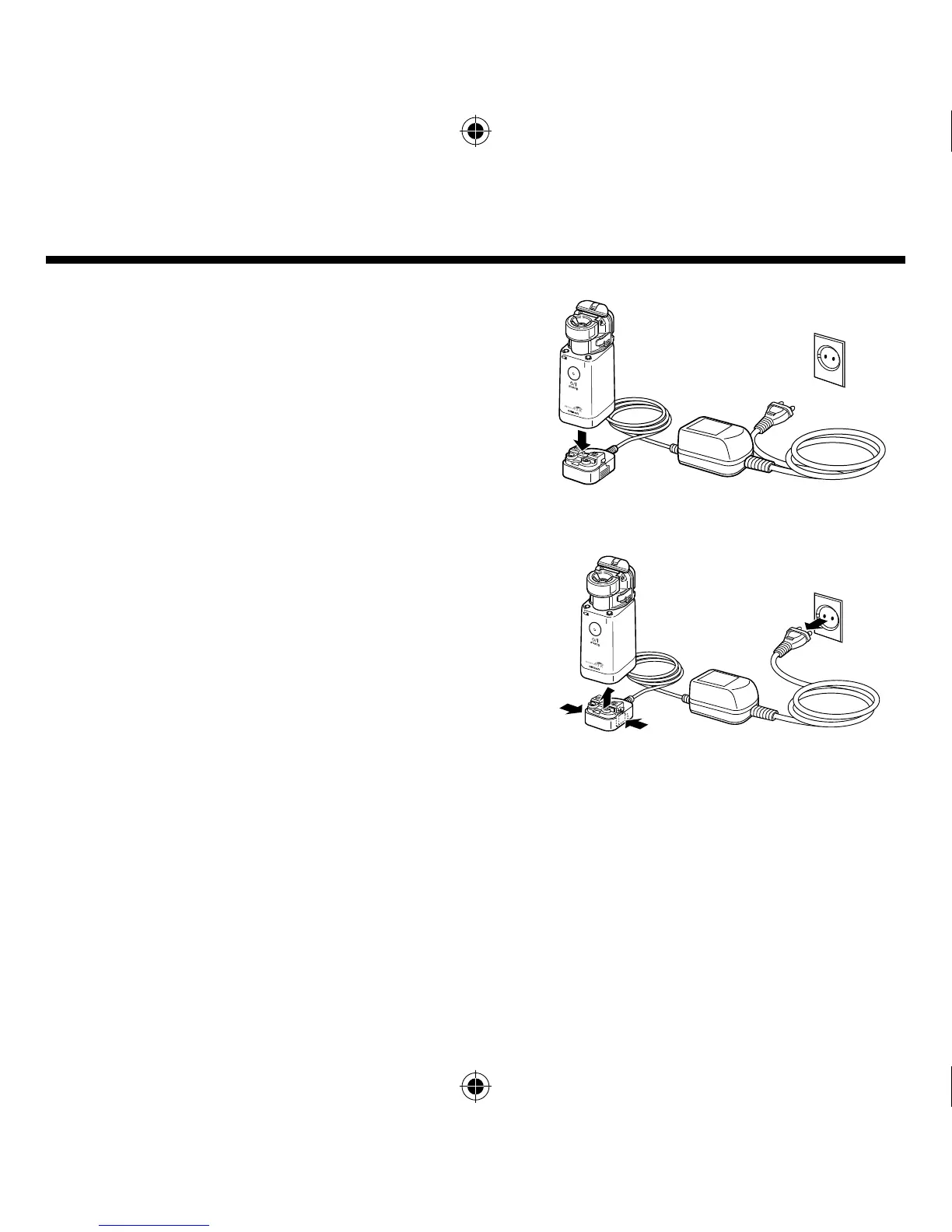
Using the AC adapter
The AC adapter is an optional accessory.
Place the main unit on the AC adapter connector.
Press fi rmly until it clicks.
Plug in the power plug of the AC adapter to the electrical
outlet.
To remove the AC adapter connector from the main
unit, remove the power plug from the electrical outlet
and unlock the AC adapter connector by pushing the
buttons on both sides.
How to use the AC adapter








 To Next Page