14
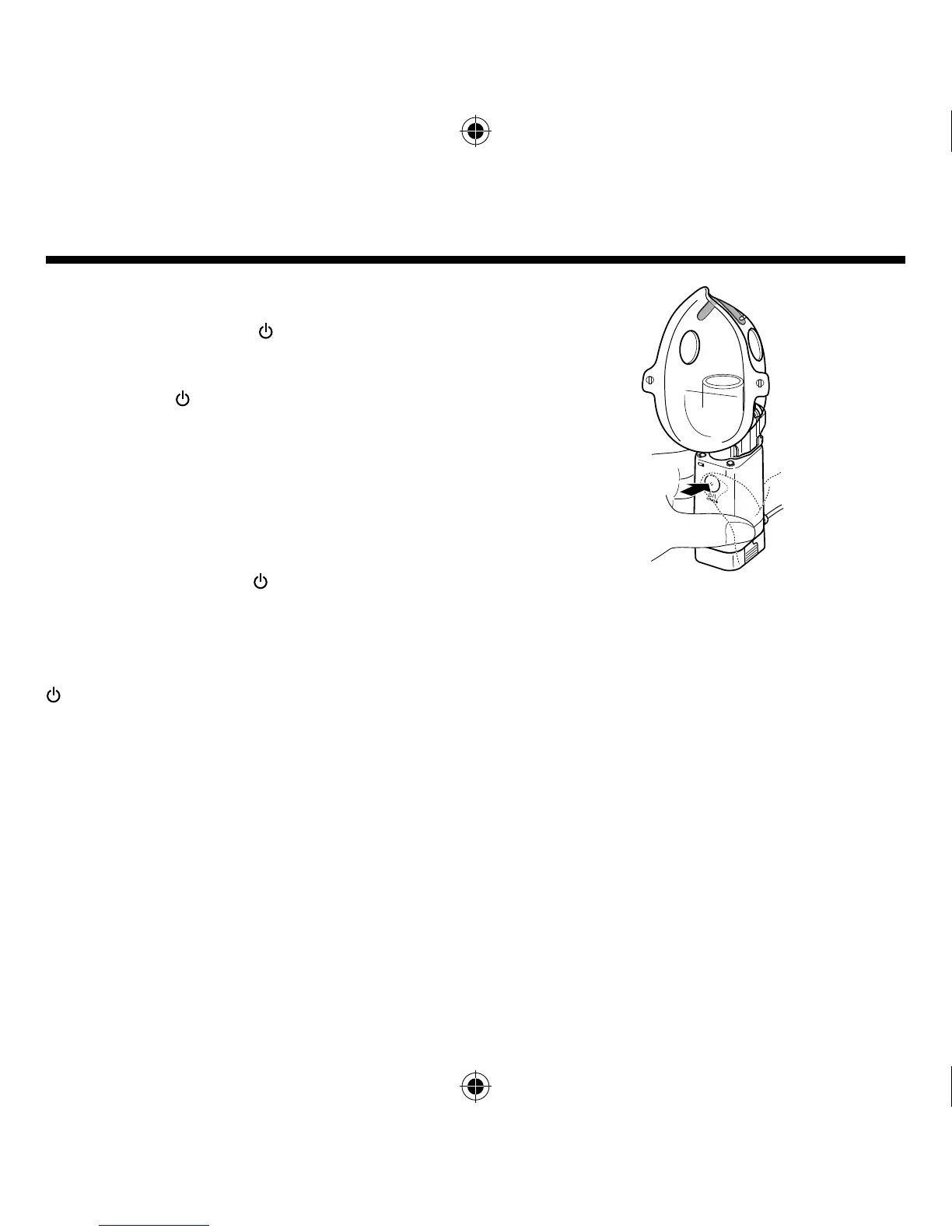
Continuous nebulisation mode
If you push the ON/OFF ( / I) button and release within
approximately 1 second, the unit nebulises in continuous
mode.
If you push the / I button again, the unit stops
nebulisation.
The green power indicator lights up during nebulisation.
Manual nebulisation mode
If you hold the ON/OFF (
/ I) button for approx.
2 seconds or more, the unit nebulises in the manual
nebulisation mode.
The unit only nebulises while you keep on pressing the
/ I button and stops nebulisation when you remove
your fi nger from the button.
In this mode, nebulisation may be synchronised with
your Inhalation/exhalation cycle and medication waste is
minimized.
The green power indicator lights up during nebulisation.
How to select the nebulisation mode







 To Next Page