Extender Network Settings
14
N300RE WiFi Range Extender
Connect the Extender to an Existing Network
You can use this menu selection to wirelessly connect the extender to your home network.
To connect to the WiFi network:
1. Select Setup
> Connect to an Existing Network.
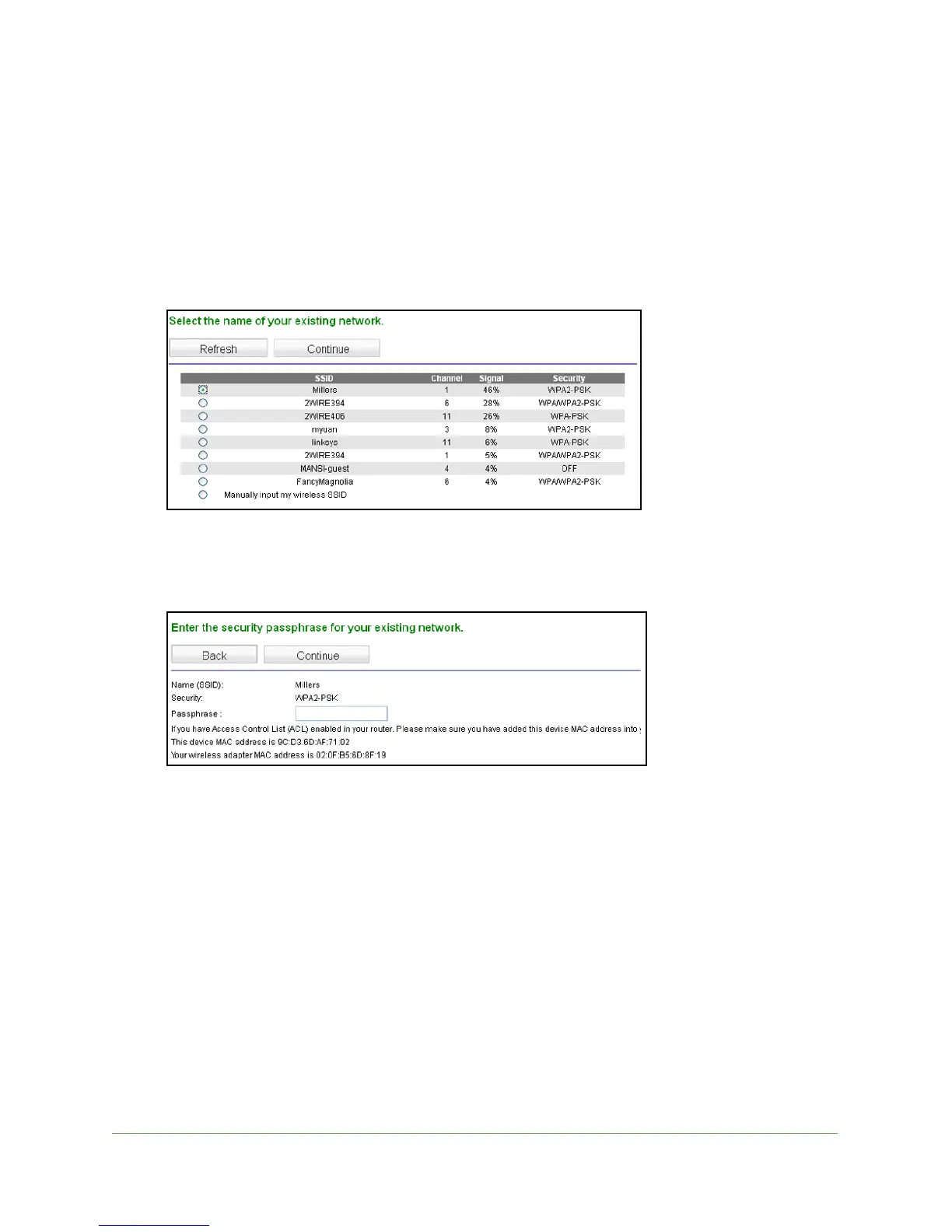
The extender scans for wireless networks, and displays a list.
If your wireless network is not on the list, and it is not hidden (a hidden network does not
broadcast its network name), see Position Your Extender o
n page 7 for suggestions.
2. Click the rad
io button to select your network from the list and click Continue.
3. Enter your network passphrase or key and click Continue.
The extender joins your wireless network.
The Extender’s wireless network name (SSID) changes to the name of your wireless
ne
twork name with _EXT added to the end.

 To Next Page
 Loading...