10
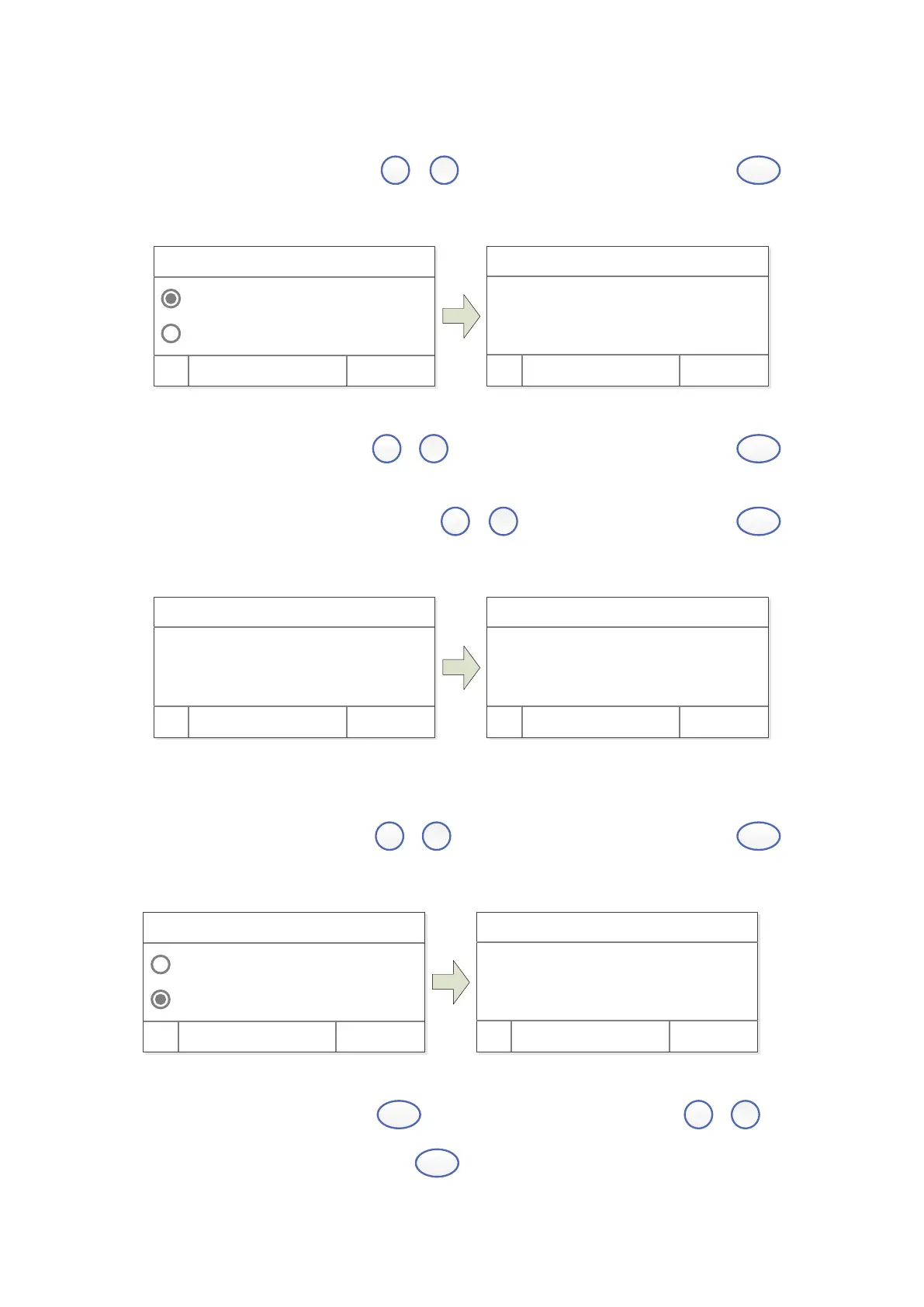
Method 1: Establish Standard Curve by inputting coefficients
1) Starts establish. Press
,
to select “Coefficient” , then press
(left) to confirm.
Coef f i ci ent
St andar d Cur ve
OK Cancel
WL: 500. 0nm
WL: 500. 0nm
Wor k WL. :
500. 0 nm
OK Cancel
2) Set wavelength. Press
,
to input test wavelength value, press
(left) to confirm.
3) Set coefficient K and B. Press
,
to input coefficient K, press
(left), same way set B.
WL: 500. 0nm
Wor k WL. :
500. 0 nm
OK Cancel
WL: 500. 0nm
Coef f i ci ent K:
00000
OK Cancel
Method 2: Establish Standard Curve by using Standard Samples
1) Starts establish. Press
,
to select “Standard Curve”, then press
(left).
Coef f i ci ent
St andar d Cur ve
OK Cancel
WL: 500. 0nm
WL: 500. 0nm 0. 000A
Pl ease i nser t Bl ank:
OK Cancel
2) Set Wavelength. Press
to enter to set wavelength, Press
,
to
input wavelength value, press
(left) to go the setting value.


 To Next Page