EasyManua.ls Logo

OnePlus 12 - OIS-Still

OnePlus 12
31 pages
Print Icon
To Next Page IconTo Next Page
To Previous Page IconTo Previous Page
Loading...
Calibration
items
Operation steps
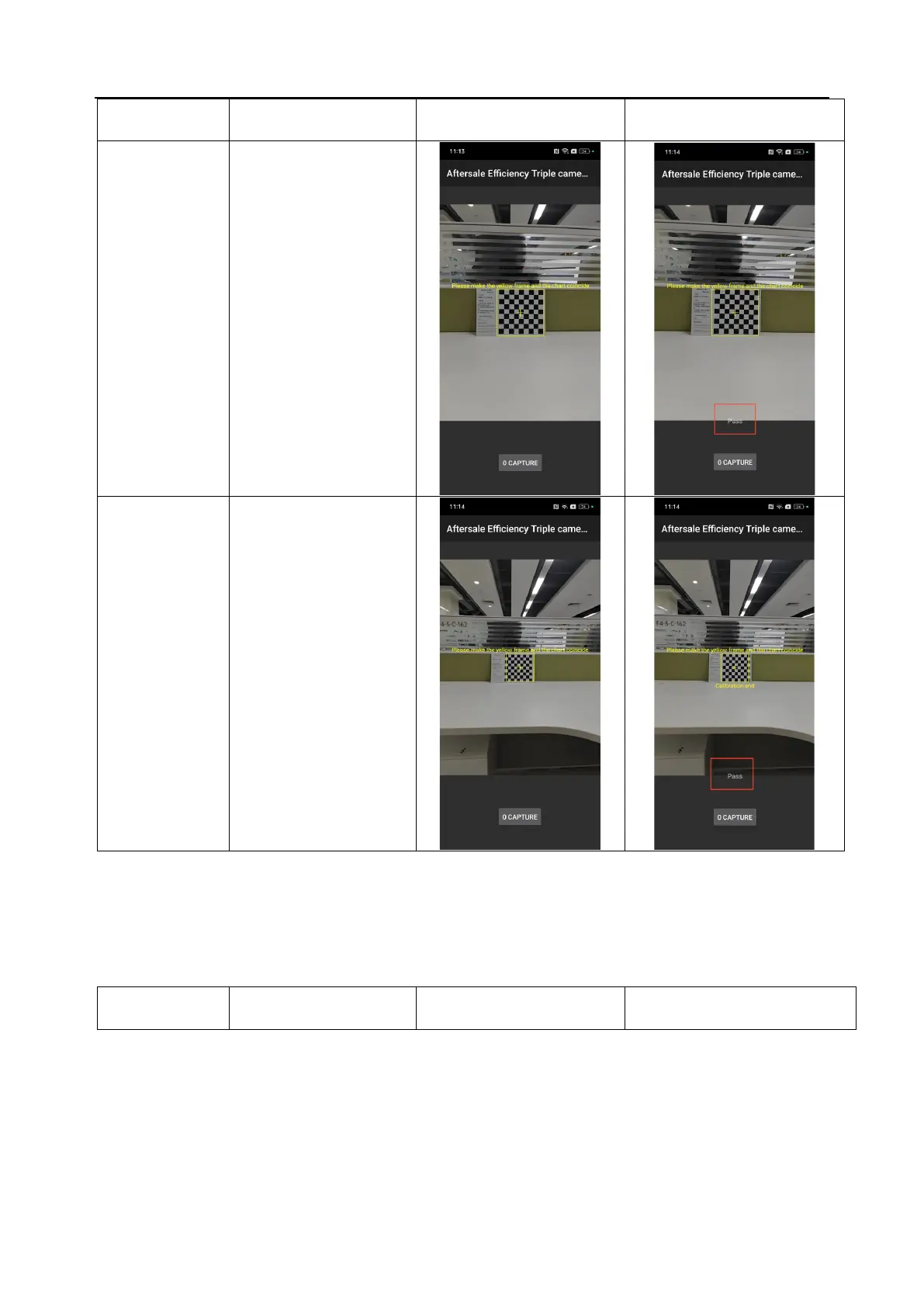
Calibration interface
Calibration result
Aftersale Efficiency
Triple Camera
Calibration
(main camera +
wide angle)
1. Align the calibration frame
with the chart, and then click
the "0 CAPTURE" button to
calibrate;
2. After a brief calculation by
the system, the word "Pass"
appears, indicating that the
calibration is successful.

Aftersale Efficiency
Triple Camera
Calibration(105cm)
(main camera +
telephoto)
1. Move a little farther away,
align the calibration frame
with the chart, and then click
the "0 CAPTURE " button to
calibrate;
2. After a brief calculation by
the system, the word "Pass"
appears, indicating that the
calibration is successful.

6.5 OIS-Still
Calibration
items
Operation steps
Calibration interface
Calibration result

Related product manuals