EasyManua.ls Logo

OnePlus 12 - Assembly Steps; Bill of Must-Be-Replaced Materials

OnePlus 12
31 pages
Print Icon
To Next Page IconTo Next Page
To Previous Page IconTo Previous Page
Loading...
5 Assembly Steps
5.1 Bill of Must-Be-Replaced Materials
During the assembly process, the following material must be replace new one.
No
Material code
Material name
Material specification
QTY
Notice
1
612717000116
Accessories part
AA545 battery cover
structure adhesive
double-sided adhesive
1
Remove the battery cover,
the above accessories
must be replaced
2
612714000261
Accessories part
AA545 front camera
holder with ordinary
double-sided adhesive
tape
1
Remove the front camera,
the above accessories
must be replaced
3
612720000083
Accessories part
AA545 front facing
graphite film
1
Remove the front camera,
the above accessories
must be replaced
5.2 Assembly Steps
Step
Content
Picture
Precautions
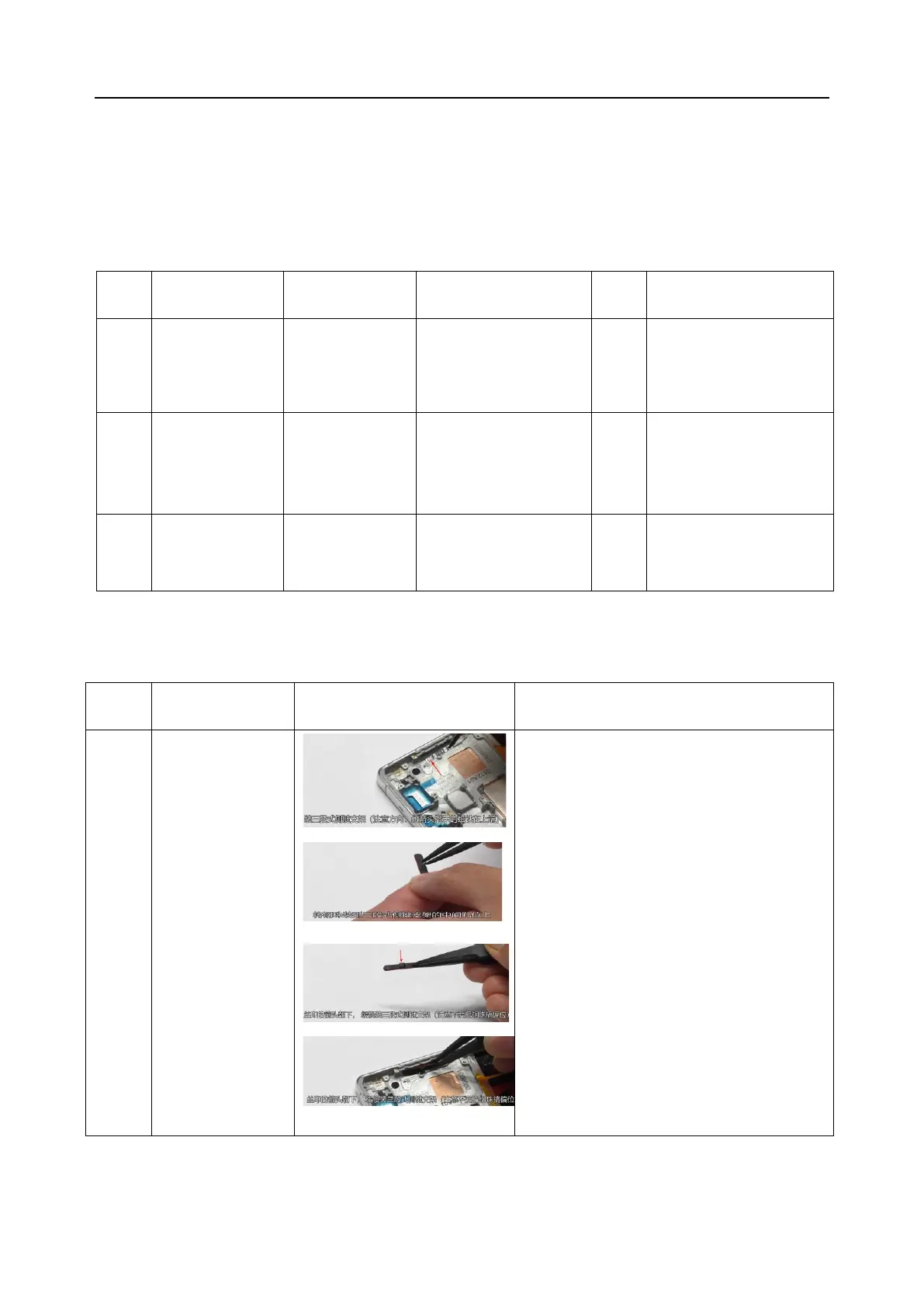
1
Assemble the alert
Slider
1. Install the alert slider into the middle frame,
note that the magnet is at the top, if installed
upside down, it will cause no function issue.
2. Use tweezers to gently place the steel ball into
the center hole of the side key bracket
3. Slowly place the assembled alert slider into the
middle frame, note that the arrow above the
side keys is facing downwards and the steel
balls are not misaligned.
4. Use tweezers to install the alert slider, first
align the upper positioning hole, and then push
it into the card slot. Press the upper and lower
sides into place
5. Use tweezers to press both sides of the lower
end of the cover plate to ensure proper
installation


Related product manuals