4.2 Preparation
The phone must be powered off before disassembly. System Power Off: Press the power key and volume up
key then slide to power off. Forced Power Off: Long press the volume “+” key and power key for about 8
seconds until the display is off.
4.3 Disassembly Steps
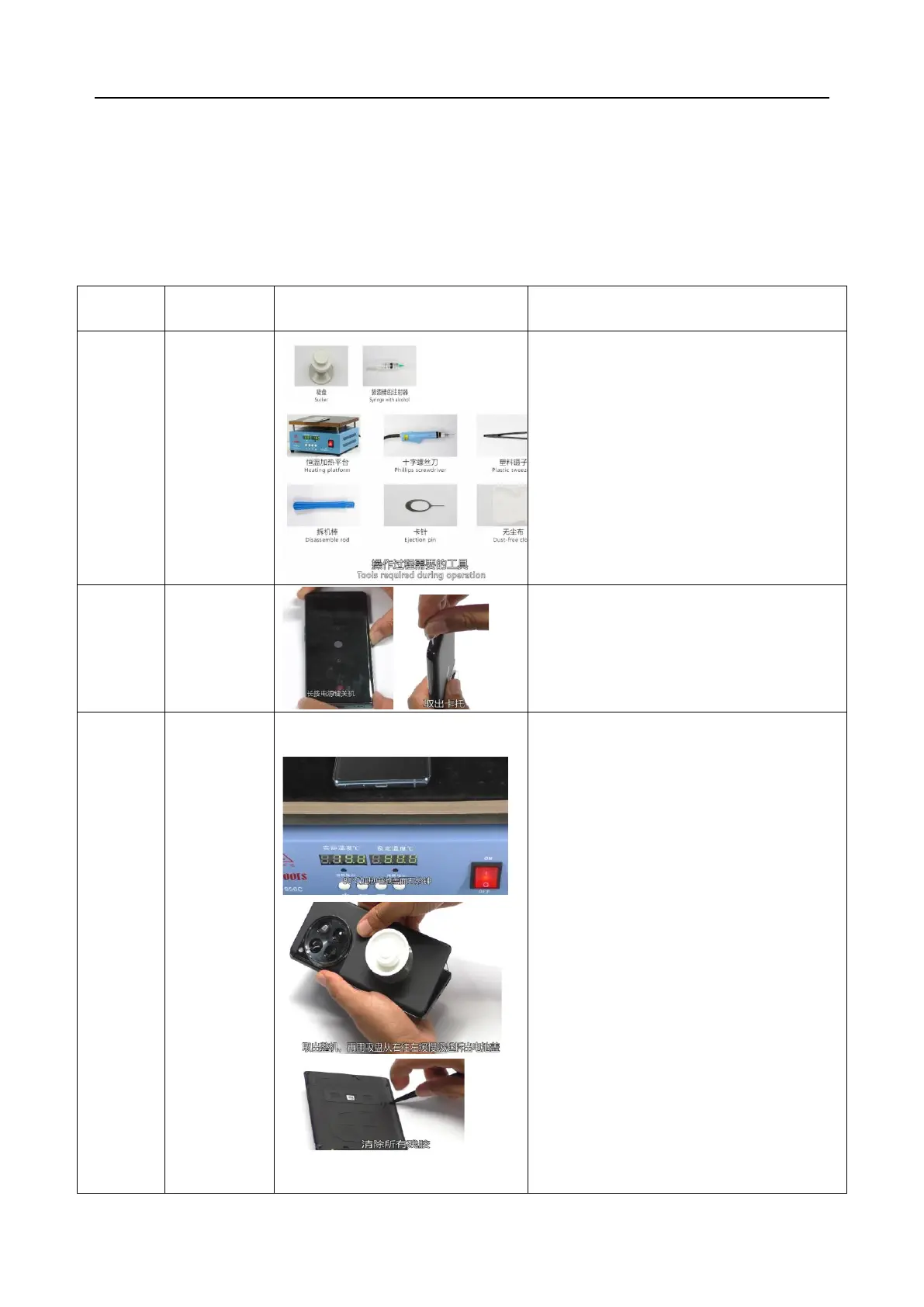
Before disassembling, power off the device.
Remove the SIM card tray and check for any
deformation or scratches.
Machine disassembly steps
1. Heating requirements: The parameters of the
constant temperature platform are required to
be 80℃±5℃, heating for 5min.
2. Put the device into the fixture for
disassembling the battery cover (machine
parameter requirements: air pressure of
0.5~0.6MPa), and press the start button to
automatically disassemble the battery cover.
3. Remove the battery cover, clean the residue on
the battery cover and bracket, and remove the
low adhesive protective film to protect the rear
camera hole and flash hole of the battery
cover.
4. Clean the residual adhesive on the BP surface
of the middle frame, the surface of the
motherboard bracket (as shown in the left 3D
model diagram), and the surface of PET and
the right speaker bracket.



 To Next Page