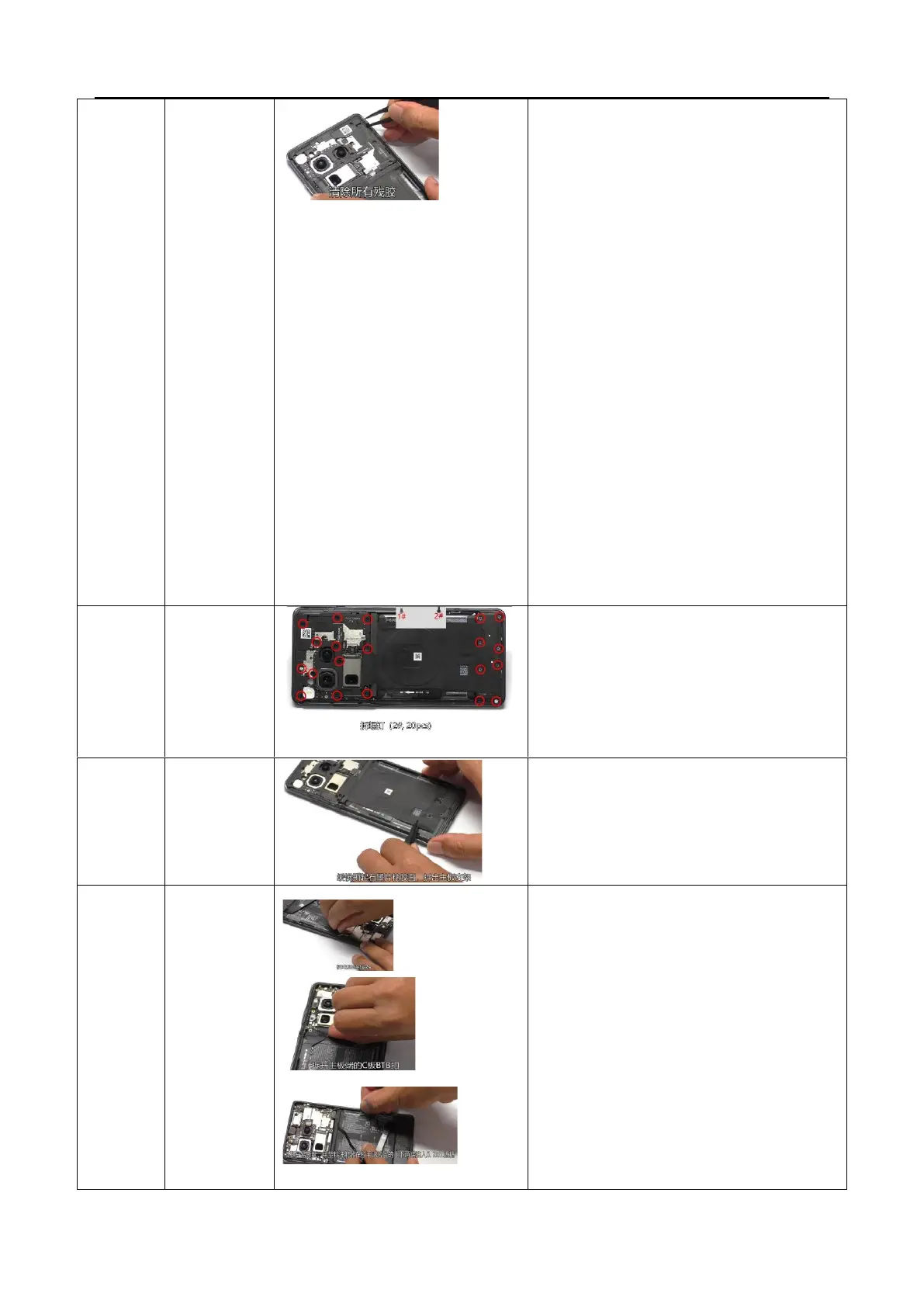
Manual disassembly plan:
1. Heating requirements: The parameters of the
constant temperature platform are required to
be 80℃±5℃, heating for 5min
2. Wear electrostatic gloves on the left hand, and
use a suction cup on the right hand to pull the
bottom until a gap is opened (the suction cup is
close to the bottom edge).
3. Adjust the suction cup position, pull the middle
left position and middle right position in
sequence, until the bottom of the battery cover
is pulled open (if it is not pulled open at once,
reheat it), readjust the suction cup position, pull
the top and middle positions in sequence, and
pull the entire battery cover open.
4. Dismantling the battery cover does not allow
the use of a dismantling stick. Finally, when the
battery cover is separated from the middle
frame, it is forbidden to pull the battery cover
vigorously
Use tweezers to gently cut and tear off the adhesive
area of the graphite sheet from the bottom (be
careful not to touch the battery), and remove the
motherboard bracket from the bottom up
1. Disassemble the BTB of the battery on the
mainboard, and open the BTB of the C board.
Fully open the edge of the easy to tear paper
on the side of the battery, and then use a small
syringe to inject about 0.2ML of alcohol into
the upper and lower handle positions. Tilt the
phone and stand it up for 5-10 seconds to
allow the alcohol to fully penetrate under the
sticker, and the other side of the easy to tear
paper should also follow the above steps.
2. After standing still, hold the handle and slowly
lift the battery (note that try to pull the battery



 To Next Page