En-
16
Disc Playback
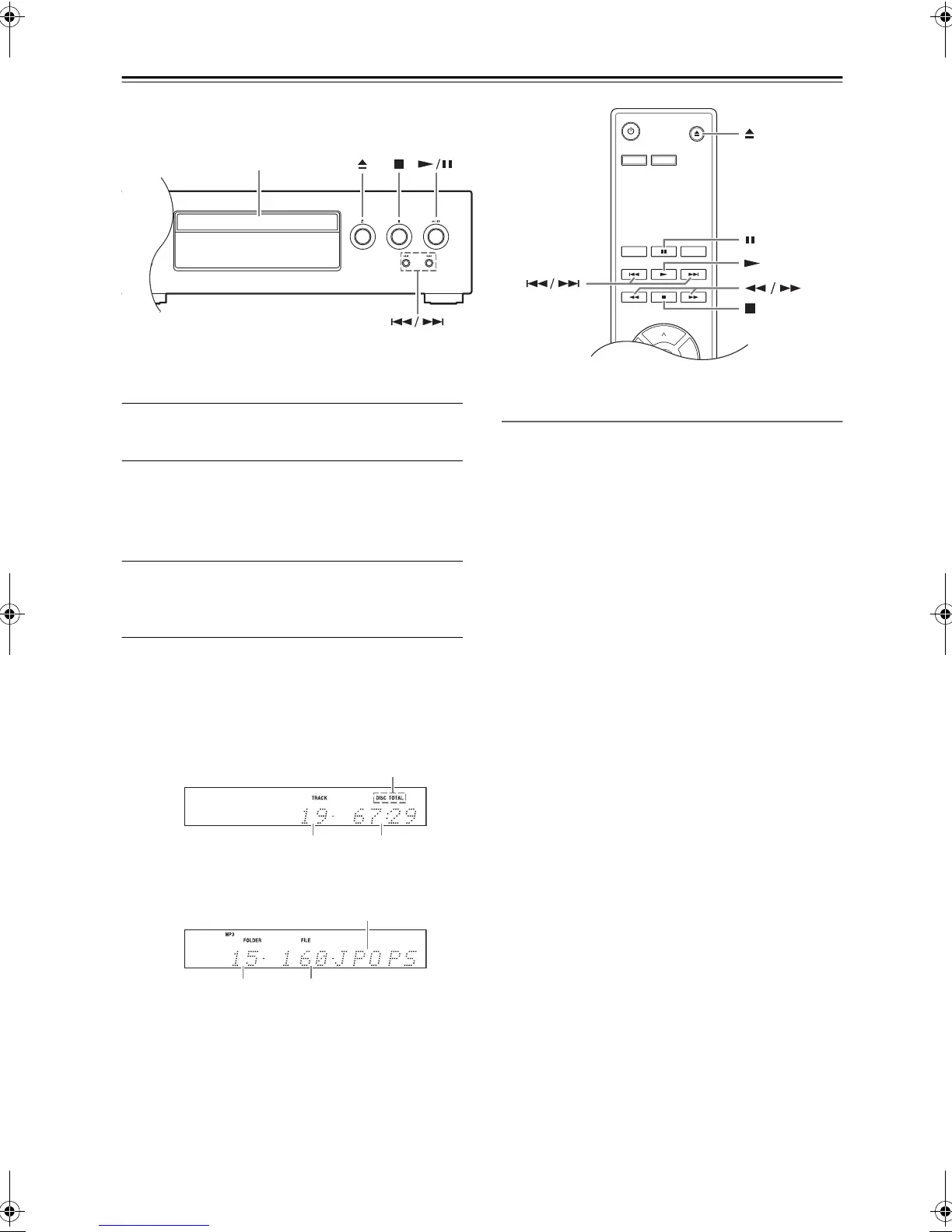
1
Press the Open/Close [
<
] button to open
the disc tray.
2
Place the CD on the tray with the label-side
facing up.
If you're playing an 8 cm CD, place it in the
center of the tray.
3
To start playback, press the Play/Pause [
1
/
;
] button. (Remote controller: [
1
])
The disc tray closes and playback starts.
The contents of the disc are displayed when you use the
Open/Close [<] button to load a disc and when you press
the Stop [
∫
] button during playback.
Example displays:
Selecting Tracks
To return to the beginning of the track that’s currently play-
ing or paused, press the Previous [
:
] button.
Press the Previous [
:
] button repeatedly to select ear-
lier tracks.
Press the Next [
9
] button repeatedly to select subse-
quent tracks.
• To Fast-Forward or Fast-Reverse
During playback or while playback is paused,
hold down the
[
9
]
button on the CD Player to
fast-forward or the [
:
] button on the CD Player
to fast-reverse.
If you use the remote controller, use the [
22
]/
[
11
] buttons.
On MP3 CDs, fast-reverse only works within the
MP3 file that’s currently playing.
• To Pause Playback
Press the Play/Pause [
1
/
;
] button. The Pause
[
;
] indicator appears.
To resume playback, press the Play/Pause [
1
/
;
]
button again. (Remote controller: [
1
])
• To Stop Playback
Press the Stop [
∫
] button.
• To Eject the CD
Press the Open/Close [
<
] button to open the
disc tray.
Notes:
- MP3 CDs -
If you press the [
:
] button during playback or while
playback is paused, the beginning of the current file is
selected.
If you select a file while playback is stopped, press the
Play/Pause [
1
/
;
] button to start playback. (Remote
controller: [
1
])
You can select MP3 files in other folders by using the
[
:
]/[
9
] buttons.
DIMMER DISPLAY
RANDOM REPEAT
ENTER
“DISC TOTAL” lights up.
• Audio CD
Total number
of folders
Total number
of files
• MP3 Discs
Disc name or Format
Total number
of tracks
Total playing time
SN29402439_C-755_En.book 16 ページ 2016年8月9日 火曜日 午後2時14分



 To Next Page
 Loading...