En-
21
Various Playback Modes
You can select the following playback modes:
• Random playback
• Memory playback
• Repeat playback
With random playback, all of the files on the disc
are played in random order.
1
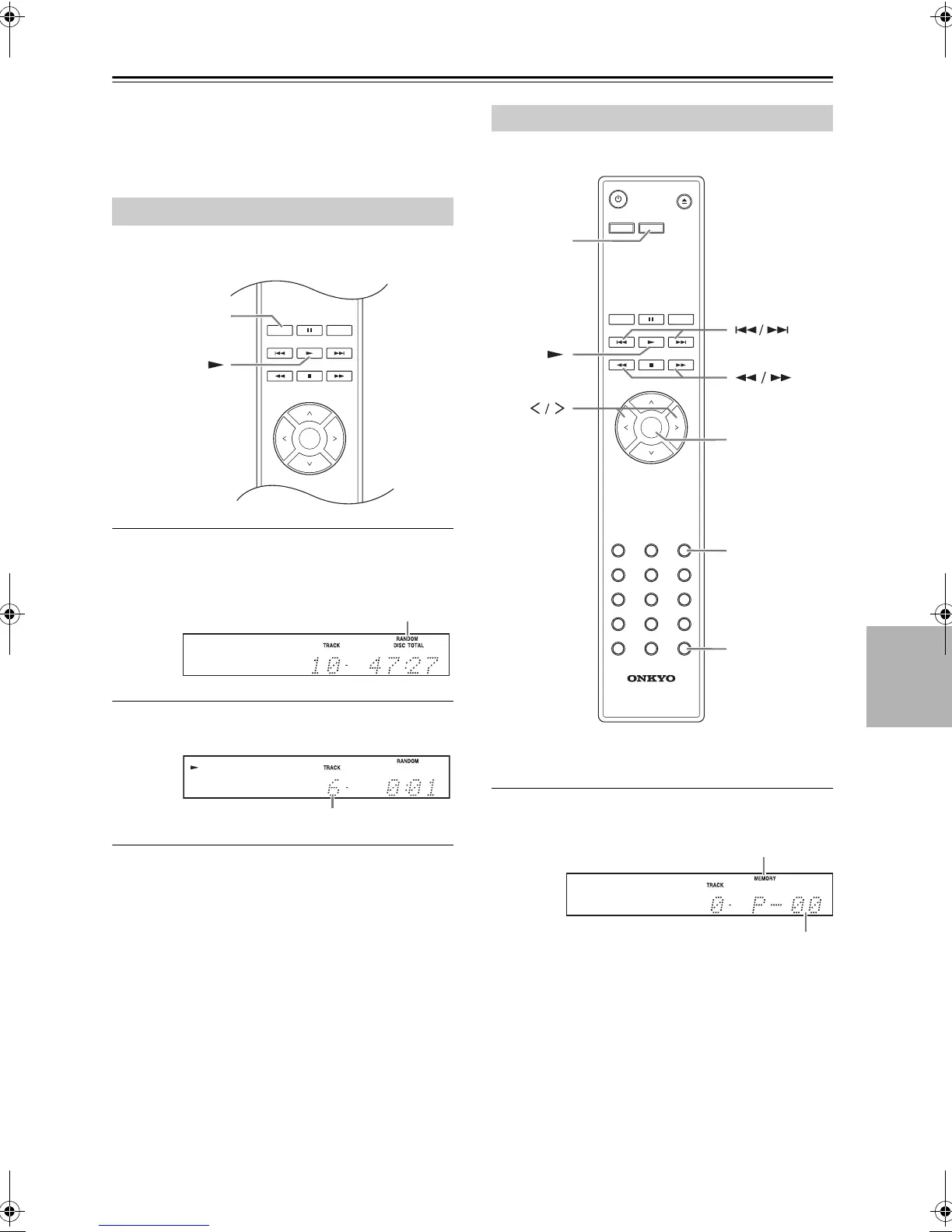
While playback is stopped, press the [RAN-
DOM] button; the RANDOM indicator
appears.
2
To start random playback, press the Play
[
1
] button. (front panel: [
1
/
;
])
∫To Cancel Random Playback
• Stop playback, then press the [RANDOM] button
to change the playback mode. The RANDOM
indicator disappears, and random playback is
cancelled.
• Random playback is cancelled when the disc is
ejected.
In memory playback, you can create a playlist of up
to 25 files.
Memory playback can be set only when playback is
stopped.
1
Press the [MEMORY] button; the MEMORY
indicator appears.
Random Playback
Memory Playback (For Audio CDs)
RC
-
822C
DIMMER DISPLAY
SEARCH MEMORY
SETUP
CLEAR
123
456
7 8 9
>
10
0
RANDOM REPEAT
ENTER
DISPLAY
CLEAR
MEMORY
ENTER
MEMORY indicator
Playlist number
SN29402439_C-755_En.book 21 ページ 2016年8月9日 火曜日 午後2時14分



 To Next Page
 Loading...