EasyManua.ls Logo

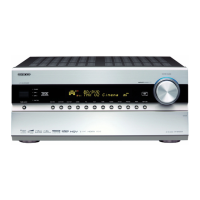
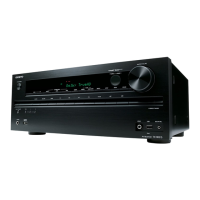
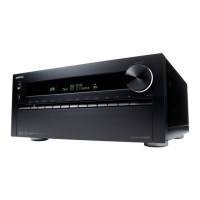
Onkyo TX-NR5009 - User Manual

Onkyo TX-NR5009
4 pages
Print Icon
To Next Page IconTo Next Page
Loading...
SN 29400897
(C) Copyright 2011 ONKYO SOUND & VISION CORPORATION Japan. All rights reserved.
* 2 9 4 0 0 8 9 7 *
Quick Start Guide
TX-NR5009/TX-NR3009
1. Supplied Accessories
Make sure you have the following accessories:
Indoor FM antenna AM loop antenna Power cord
Speaker cable labels Speaker setup microphone Remote controller and two
batteries (AA/R6)
3
2
1
Speaker Cable
FRONT
LEFT
FRONT
LEFT
FRONT
RIGH
T
FRONT
RIGH
T
SURR
OUND BA
CK
RIGHT
SURROUND BA
CK
RIGH
T
FRONT HIGH
LEFT
FRONT
HIGH
LEFT
FRONT HIGH
RIGHT
FRONT HIGH
RIGHT
FRONT
LEFT
FRONT
LEFT
FRON
T
RIGHT
FRONT
RIGHT
SURROUND
LEFT
SURROUND
LEFT
SURR
OUND
RIGHT
SURROUND
RIGHT
SURROUND
LEFT
SURROUND
LEFT
SURR
OUND
RIGHT
SURR
OUND
RIGHT
SURROUND BACK
RIGHT
SURROUND BACK
RIGHT
CENTER
CENTER
CENTER
CENTER
SURROUND BACK
LEFT
SURROUND BACK
LEFT
SURROUND BACK
LEFT
SURROUND
BA
CK
LEFT
FRONT HIGH
LEFT
FR
ONT
HIGH
LEFT
FRONT HIGH
RIGHT
FRONT HIGH
RIGHT
FRONT WIDE
LEFT
FRONT WIDE
LEFT
FRONT
WIDE
RIGH
T
FR
ONT WIDE
RIGHT
FRONT WIDE
LEFT
FRONT WIDE
LEFT
FRONT
WIDE
RIGHT
FR
ONT WIDE
RIGH
T
SP-B/ZONE2
LEFT
SP-B/ZONE2
LEFT
SP-B/ZONE2
RIGHT
SP-B/ZONE
2
RIGHT
SP-B/ZONE2
LEFT
SP-B/ZONE2
LEFT
SP-B/ZONE2
RIGH
T
SP-B/ZONE
2
RIGHT
Using the Remote Controller
Batteries (AA/R6)
Approx. 16 ft. (5 m)
AV receiver
Remote control sensor
2. Connecting Your Speakers
7 8
9
10
11 12
1 2
4 5
3
6
1
2
Front speakers
3
Center speaker
4
5
Surround speakers
6
Subwoofer(s)
7
8
Surround back speakers
9
10
Front high speakers
11
12
Front wide speakers
Speaker Configuration
5.1-channel:
1
2
3
4
5
6
7.1-channel:
1
2
3
4
5
6
+
7
8
7.1-channel:
1
2
3
4
5
6
+
9
10
7.1-channel:
1
2
3
4
5
6
+
11
12
9.1-channel:
1
2
3
4
5
6
+
7
8
+
9
10
9.1-channel:
1
2
3
4
5
6
+
7
8
+
11
12
9.1-channel:
1
2
3
4
5
6
+
9
10
+
11
12
Please connect
1
,
2
,
3
,
4
,
5
and
6
for 5.1-channel surround.
*1
1/2''-5/8''
(12-15mm)
Illustration based on
TX-NR5009.
10
Front high
speaker R
12
Front wide
speaker R
2
Front
speaker R
3
Center speaker
1
Front
speaker L
11
Front wide
speaker L
9
Front high
speaker L
*1 Level and distance can be set individually for each output. If you use one subwoofer, connect it to PRE OUT SW1.
(Plug type varies from
country to country.)
E
n
- 2 -
Powered
subwoofer
6
Surround
speaker R
5
Surround
speaker L
4
Surround back
speaker R
8
Surround back
speaker L
7

Other manuals for Onkyo TX-NR5009

Questions and Answers

  • M
    Michael CaseyJul 30, 2025
    What to do if Onkyo TX-NR5009 Receiver shows error during the update process?
    • M
      Michael Smith Jr.Jul 30, 2025
      If your Onkyo receiver displays an error during the update, disconnect and then reconnect the AC power cord. After that, try the update process again.
  • Q
    qrobinsonAug 5, 2025
    What does error code *-11, *-13, *-21, *-28 mean on my Onkyo TX-NR5009?
    • R
      Raymond PatelAug 5, 2025
      These error codes indicate an Internet connection error. Check the following: * Make sure the IP address, subnet mask, gateway address, and DNS server are configured properly. * Ensure the router is turned on. * Verify the AV receiver and the router are connected with an Ethernet cable. * Confirm your router is configured correctly. If your network allows only one client connection and another device is already connected, the Onkyo receiver will not be able to access the network. If you are still unable to access the Internet, the DNS or proxy server may be temporarily down.
  • C
    Christopher VasquezAug 12, 2025
    What does error code *-10, *-20 mean on my Onkyo TX-NR5009?
    • D
      danielwardAug 12, 2025
      The error codes *-10 or *-20 indicate that the Ethernet cable was not detected. Reconnect the cable properly to resolve this issue.
  • J
    justincarterAug 17, 2025
    What to do if Onkyo TX-NR5009 Receiver displays Error!! *-** on the front display?
    • S
      shannon37Aug 17, 2025
      Retry the update procedure from the beginning. If the error persists, no answer.
  • V
    vburgessAug 23, 2025
    What does 'No Update' mean on the front display of my Onkyo Receiver?
    • C
      Cynthia DavisAug 23, 2025
      If 'No Update' is displayed on the front of your Onkyo AV receiver, you do not need to do anything further.

Summary

Supplied Accessories

Essential Accessories Provided

Lists key accessories included with the AV receiver, such as antennas, cables, microphone, and remote.

Remote Controller Usage

Guidance on operating the remote control for the AV receiver.

Connecting Your Speakers

Speaker Connection Diagram

Diagram showing how to connect front, center, surround, back, high, and wide speakers.

Speaker Configuration Examples

Illustrates connections for 5.1, 7.1, and 9.1 channel surround sound systems.

Onkyo TX-NR5009 Specifications

General IconGeneral
Output level0.001 mV
Frequency range5 - 100000 Hz
Output impedance470 Ω
Input sensitivity200 mV
Pre-out connectivityYes
Audio output channels9.2 channels
Signal-to-Noise Ratio (SNR)110 dB
Total Harmonic Distortion (THD)0.05 %
Dynamic power per channel (3 Ohm)400 W
Dynamic power per channel (4 Ohm)300 W
Dynamic power per channel (8 Ohm)180 W
Power output per channel (1KHz@6 Ohm)220 W
Power output per channel (20-20KHz@8 Ohm)- W
HDMI in8
Remote (IR) input1
Composite video in5
USB ports quantity2
S-Video inputs quantity4
Component video (YPbPr/YCbCr) in3
Speakers connectivity typeBanana connector
Audio formats supportedAAC, FLAC, LPCM, MP3, OGG, WAV, WMA
Wi-Fi-
RDS featuresPS, PTY, RT, TP
AM band range522 - 1611 kHz
FM band range87.5 - 108 MHz
Supported radio bandsAM, FM
Preset stations quantity40
Internet radio services supportedLast.fm, Napster, vTuner
Optical drive includedNo
Product colorSilver
Audio decodersDolby Pro Logic IIz, Dolby TrueHD, DTS-HD Master Audio
Apple docking compatibilityiPhone, iPod
AC input voltage220-240 V
AC input frequency50 - 60 Hz
Power consumption (typical)1160 W
THX-certifiedTHX Ultra2
Package weight29500 g
Cables includedAC
Weight and Dimensions IconWeight and Dimensions
Depth463.5 mm
Width435 mm
Height198.5 mm
Weight25000 g

Related product manuals