19
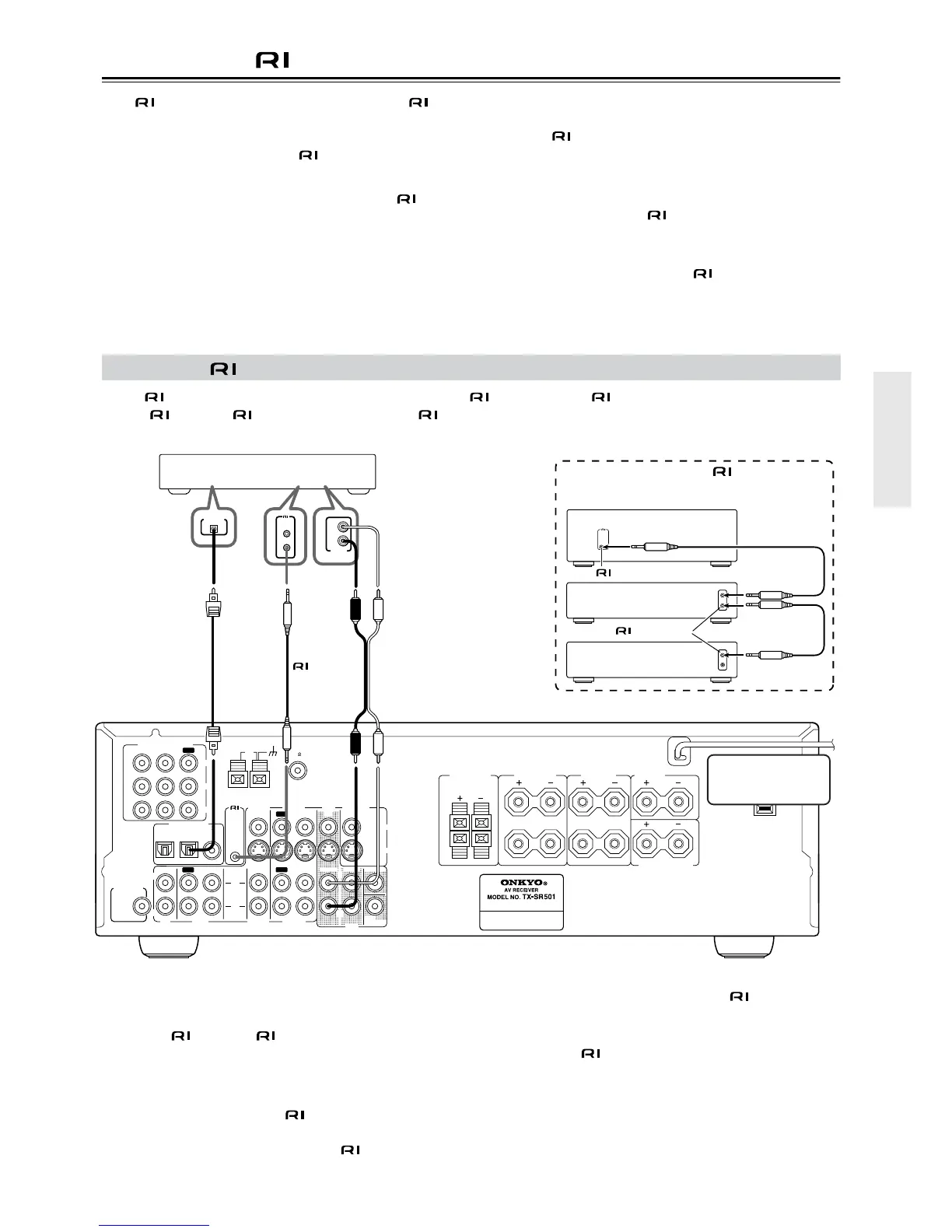
Connecting -compatible AV Components
With (Remote Interactive) you can control your -
compatible Onkyo CD player, DVD player, or cassette
recorder with the TX-SR501/TX-SR501E’s remote control-
ler, and use the following special functions:
■ Auto Power On
When you turn on an AV component connected via while
the TX-SR501/TX-SR501E is in Standby, the TX-SR501/
TX-SR501E automatically turns on and selects that AV com-
ponent as the input source.
This function will not work if the AV component’s power
cord is connected to the TX-SR501/TX-SR501E’s AC OUT-
LET, or if the TX-SR501/TX-SR501E is already on.
■ Auto Source Select
When you press the play button on an AV component con-
nected via , the TX-SR501/TX-SR501E automatically
selects that AV component as the input source.
■ Auto Power Off
When you set the TX-SR501/TX-SR501E to Standby, all AV
components connected via also enter Standby.
See page 40 for information on using the remote controller to
control the other functions of your -compatible AV com-
ponents.
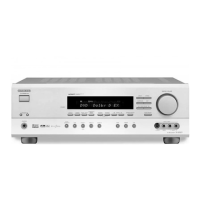
To use , you need to connect the TX-SR501/TX-SR501E’s connector to the connector on the other AV component
with an cable. An cable is supplied with each -compatible CD player, DVD player, and cassette recorder.
Notes:
• Push the plugs in all the way to make a good connection.
• Use only cables for connections.
•You must make an analog RCA/phono connection
between your TX-SR501/TX-SR501E and the other AV
component, even if they are connected digitally.
• If an AV component has two connectors, you can con-
nect either one to the TX-SR501/TX-SR501E. The other
connector is for connecting additional -compatible
components.
• Connect the TX-SR501/TX-SR501E’s connector to
only Onkyo AV components. Connecting to other manu-
facturer’s AV components may cause them to malfunction.
• Some Onkyo -compatible AV components may not
support the special functions described above.
Connecting -compatible Components
L
R
R
L
R
L
ANTENNA
FM
75
AM
FRONT
SPEAKERS A
FRONT
SPEAKERS B
SURROUND
SPEAKERS
CENTER
SPEAKER
R
L
SURROUND BACK
SPEAKER
AC OUTLET
AC 120
V 60
Hz
SWITCHED
120
W 1
A
MAX.
REMOTE
CONTROL
IN
IN
IN
OPTICAL COAXIAL
12
IN
IN
IN
IN
FRONT
SURR
CENTER
SUB
WOOFER
OUT
OUT
OUT
DIGITAL INPUT
VIDEO 2
VIDEO 1
DVD MONITOR
OUT
VIDEO
S VIDEO
DVD
TAPE
CD
L
R
VIDEO 2
VIDEO 1
SUBWOOFER
PRE OUT
VIDEO 1
/2/3
IN
DVD
IN
COMPONENT VIDEO
Y
P
B
PR
OUT
L
R
Onkyo DVD player
cable
You must make an analog
RCA/phono connection
between your TX-SR501/
TX-SR501E and AV
component, even if they are
connected digitally.
Connecting several -compatible
Onkyo AV components
Disconnect the power
cord before making
any connections!
REMOTE
CONTROL
connector
TX-SR501/TX-SR501E
Onkyo CD player
Onkyo cassette
recorder
connector
REMOTE
CONTROL
L
R
ANALOG
OUTPUT
DIGITAL OUT
OPTICAL
Example:


 To Next Page