EasyManua.ls Logo

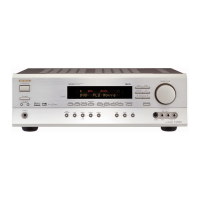
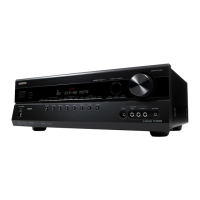
Onkyo TX-SR502 - Service Manual

Onkyo TX-SR502
118 pages
Print Icon
To Next Page IconTo Next Page
Loading...
TX-SR502/E/8250/HT-R520
SERVICE MANUAL
SERVICE MANUAL
AV RECEIVER
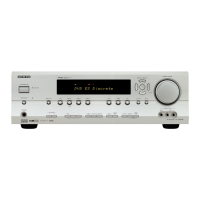
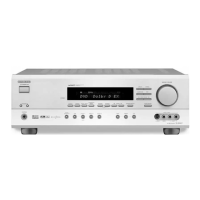
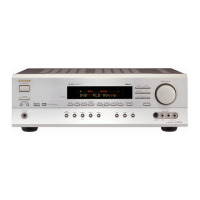
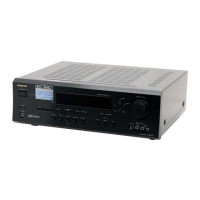
TX-SR502 Black, Golden and Silver models
MODEL TX-SR502
TX-SR502E
TX-SR8250
HT-R520
120V AC, 60Hz
230-240V AC, 50Hz
120V/220-230V AC, 50/60Hz
220-230V AC, 50/60Hz
MDD, MDC
MPA, MPT
MWT
MGK, MGR, MGQ
TX-SR502E Black and Silver models
230-240V AC, 50HzMPP
HT-R520 Black and Silver models
120V AC, 60HzMDD, MDC
TX-SR8250 Golden model
220-230V AC, 50/60HzMGR
Ref. No. 3797
042004
STANDBY/ON
PHONES
STANDBY
DISPLAYTONE TUNING MODEDIGITAL INPUT
LISTENING
MODE
STEREO
MEMORY
RETURNSETUP
VIDEO 2
TAPE TUNER
C D
VIDEO
3
DVD
VIDEO
1
VCR
MULTI CH
SPEAKERS BA
MASTER VOLUME
ENTER
S VIDEO
VIDEO
AUDIO
LR
VIDEO 3
INPUT
CLEAR
TUNING
PRESET
CD
+
10 0
CLEAR
123
456
789
V1 V2 V3
DVD MULTI CH
--/---
TAPE TUNER
INPUT
I
+
-
ENTER
S
E
T
U
P
G
U
I
D
E
R
E
T
U
R
N
E
X
I
T
CINE FLTR
LEVEL
-
LEVEL+
CH SEL
TEST TONE
DSP
DIRECT
STEREO
ALL STSURR
L NIGHT
T
O
P
M
E
N
U
M
E
N
U
VOL
+
-
CDR
SAT
AMP
+
_
TV VCR
CABLE
DVD CD MD
DISC
CH
TONE
TUNER/
TAPE
DISPLAY
TV
INPUT
PREV
CH
DIMMER SLEEP
RANDOM
SP A SP B
MUTING
ANGLE
SEARCH
SUBTITLEAUDIO
MEMORYA
-
BREPEAT
ON STANDBY
T V
TV CH
T V VOL
RC
-
567M
REC
LAST M
REMOTE MODE
OPEN/CLOSEVIDEO OFF
DSP
American model
RC-567M
Others
RC-569M
SAFETY-RELATED COMPONENT
WARNING!!
COMPONENTS IDENTIFIED BY MARK ON THE
SCHEMATIC DIAGRAM AND IN THE PARTS LIST ARE
CRITICAL FOR RISK OF FIRE AND ELECTRIC SHOCK.
REPLACE THESE COMPONENTS WITH ONKYO
PARTS WHOSE PART NUMBERS APPEAR AS SHOWN
IN THIS MANUAL.
MAKE LEAKAGE-CURRENT OR RESISTANCE
MEASUREMENTS TO DETERMINE THAT EXPOSED
PARTS ARE ACCEPTABLY INSULATED FROM THE
SUPPLY CIRCUIT BEFORE RETURNING THE
APPLIANCE TO THE CUSTOMER.

Other manuals for Onkyo TX-SR502

Questions and Answers

  • J
    Jennifer SmithAug 12, 2025
    Why is there no sound coming from my Onkyo TX-SR502 Receiver speakers?
    • R
      randyjacksonAug 12, 2025
      If no sound is coming from the speakers connected to your Onkyo Receiver, first, ensure the receiver isn't muted. If the MUTING indicator is on, unmute it. Check that all audio connecting plugs are fully inserted and the inputs/outputs of all components are correctly connected. Verify the speaker cables have correct polarity and bare wires are properly in the terminal. Select the correct input on your TV that corresponds to the AV Receiver connection. Also, disconnect any connected headphones. Set the input signal format to Auto, increase the volume, and configure the speaker settings, including specifying connected speakers, distances, and levels. Finally, ensure the source component is outputting digital audio in a compatible format.
  • A
    Amanda PayneAug 16, 2025
    How to fix an Onkyo Receiver when the subwoofer is not working?
    • N
      Nicholas ColemanAug 16, 2025
      If the subwoofer connected to your Onkyo Receiver is not working or is very quiet, check the Speaker Configuration to ensure the Subwoofer setting is not set to No. Also, verify that the subwoofer volume is not set to the minimum. If speaker set A is turned off, turn it on, since the subwoofer output doesn't function when only speaker set B is active.
  • T
    Tabitha DixonAug 19, 2025
    What to do if tuner presets no longer work on Onkyo TX-SR502 Receiver?
    • A
      Angela SmithAug 19, 2025
      If the tuner presets on your Onkyo Receiver no longer work, ensure the power cord is properly connected to a wall outlet. If the power has been off for an extended period, this can also cause the presets to be lost; reconnecting the power should resolve the issue.
  • U
    umurphyAug 23, 2025
    What to do if surround speakers are not working on Onkyo TX-SR502?
    • E
      Eric PattersonAug 25, 2025
      If the surround speakers connected to your Onkyo Receiver are not working, first, check the listening mode, as some modes do not utilize surround speakers. If the listening mode is correct, try different source material, as some content may not heavily use surround speakers. Ensure that the surround speaker level is not set to minimum. Finally, verify that the Surround setting is properly configured in the Speaker Configuration.
  • C
    Cynthia DeckerAug 27, 2025
    How to troubleshoot no picture on TV with Onkyo TX-SR502 Receiver?
    • Z
      Zachary LoveAug 28, 2025
      If there is no picture on the TV when using your Onkyo Receiver, change the listening mode, because the Pure Audio listening mode may be selected. Ensure the TV’s input selector is correctly set. Check that the video input and output formats are compatible.
  • O
    owensthomasAug 31, 2025
    Why is the center speaker not working on my Onkyo TX-SR502 Receiver?
    • T
      Thomas VelezAug 31, 2025
      If the center speaker on your Onkyo Receiver is not working or is very quiet, the Stereo, Direct, Pure Audio, or Orchestra listening mode may be selected; try changing the listening mode. Check if the center speaker level is set to minimum and increase it if necessary. Also, ensure that the Center setting is correctly configured in the Speaker Configuration and is not set to None.
  • L
    lisafosterSep 3, 2025
    Why is only the center speaker working on my Onkyo TX-SR502 Receiver?
    • J
      Jonathan TapiaSep 3, 2025
      If your Onkyo Receiver is only outputting sound from the center speaker, you may be listening to a mono sound source (like TV or AM broadcast) with the PL II/PL IIx Movie or PL II/PL IIx Music listening mode selected. Try changing the input source or the listening mode.
  • S
    Stacey RamirezSep 7, 2025
    What causes low frequency noise from Onkyo Receiver?
    • G
      George JamesSep 8, 2025
      To address low-frequency noise or hum coming from your Onkyo Receiver, untangle the audio cables at the rear of the unit and position them as far away as possible from the power cord.

Summary

AV Receiver Models

Safety Related Component Warning

Critical Component Handling

Critical components for fire/shock risk require specific replacement parts.

Adjustment Procedures

Idling Current Adjustment

Details the procedure for adjusting the idling current for power amplifier boards.

Microprocessor Terminal Descriptions-1

IC Block Diagram and Terminal Descriptions-1

Operation Check-1

DC Voltage Detection Protectors

Procedure to check DC voltage detection operation of protection circuits.

Current Detection Protectors

Procedure to check current detection operation of protection circuits.

Operation Check-2

Operation Check-3

Operation Check-4

Remote Controllers-1

Remote Controllers-2

Remote Controllers-3

Remote Controllers-4

Remote Controllers-5

Remote Controllers-6

Schematic Diagrams-1

Schematic Diagrams-2

Schematic Diagrams-3

Schematic Diagrams-4

Schematic Diagrams-6

Specifications-1

Specifications-2

Amplifier Section

Specifications for the amplifier section, including power and THD.

General

General specifications like power supply, dimensions, and weight.

Service Procedures-1

Replacing the Fuses

Instructions for safely replacing fuses, including symbols and types.

Safety Check Out

Safety check procedure involving insulation resistance test.

Service Procedures-2

Onkyo TX-SR502 Specifications

General IconGeneral
Total Harmonic Distortion0.08 %
Input Sensitivity200 mV
Tuner BandsAM/FM
Preset Stations40
Power Output75 Watts
Frequency Response10Hz-100kHz
Amplifier Output Details75W per channel (8 ohms, 20Hz-20kHz, 0.08% THD)
Response Bandwidth10Hz-100kHz
Input Impedance47 kOhm
Built-in DecodersDolby Digital, DTS
Surround Sound EffectsDolby Pro Logic II
Width435 mm
Depth363 mm
Height151 mm
Speaker Impedance8 Ohm
Tuner TypeDigital
Remote ControlYes
Dimensions (W x H x D)435 x 151 x 363 mm

Related product manuals