En-4
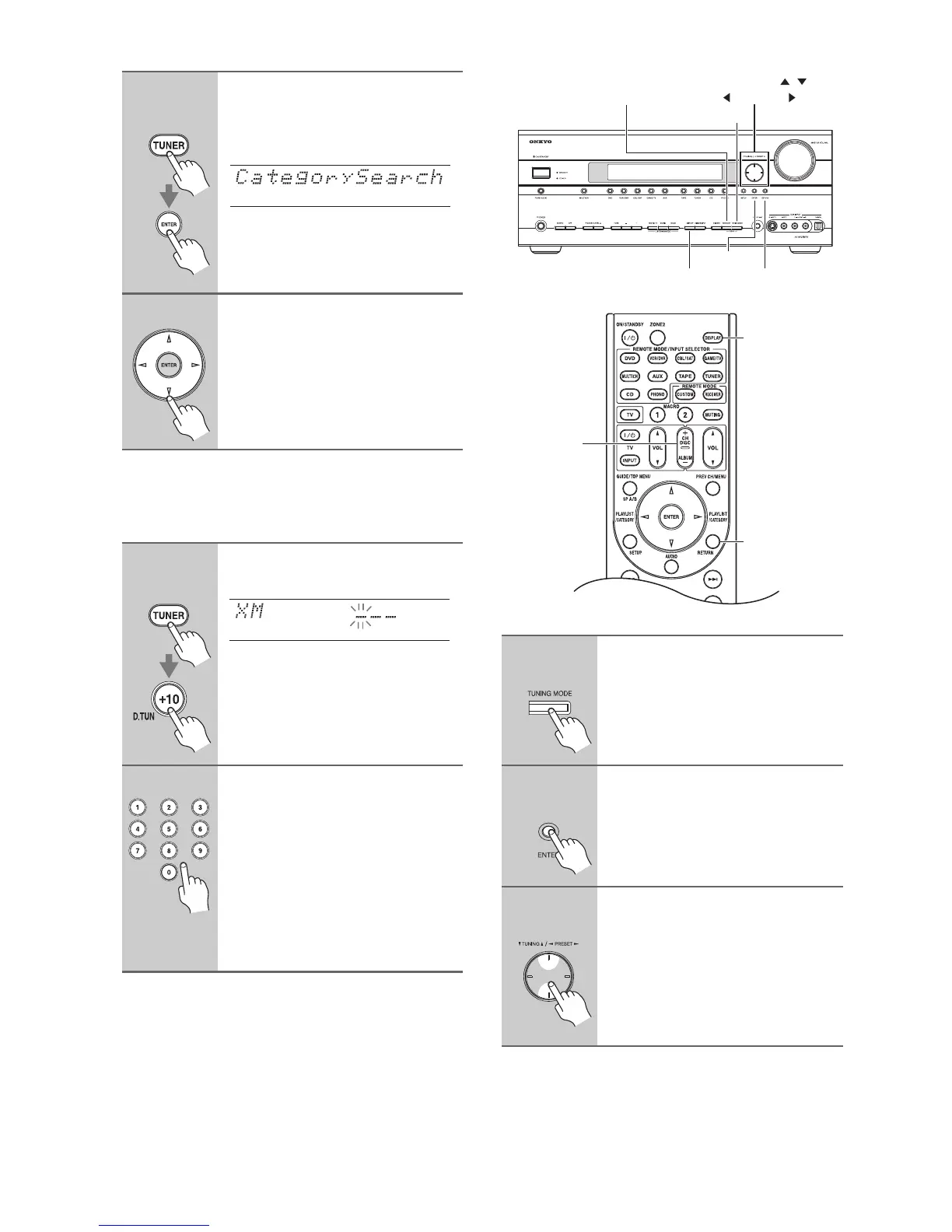
■ Category Search Mode
■ Direct Tuning
You can select an XM radio channel directly by entering
its number.
Selecting Channels on the AV receiver:
1
Remote
controller
Press the [TUNER] button, and
then press the [ENTER] button
repeatedly to select Category
Search mode.
This procedure can also be performed
on the AV receiver by using its
[TUNER] button, and [TUNING
MODE] button.
2
Use the Left and Right [e]/[r]
buttons to select a category, and
use the Up and Down [q]/[w] but-
tons to select a channel in that
category.
1
Remote
controller
Press the [TUNER] button, fol-
lowed by the [D.TUN] button.
2
Within 8 seconds, use the num-
ber buttons to enter the channel
number.
For example, to select channel #20,
press 0, 2, 0, or 2, 0, [ENTER].
Note:
While the [TUNER] button is flashing,
you cannot select another input source
with the remote controller.
1
AV receiver
Press the [TUNING MODE] but-
ton repeatedly to select Channel
Search mode or Category Search
mode.
2
AV receiver
Press [ENTER] repeatedly to
select a category.
3
AV receiver
Use the TUNING Up and Down
[q]/[w] buttons to select a chan-
nel.
In Channel Search mode, you can
select any channel.
In Category Search mode, you can only
select channels from the currently
selected category.
DISPLAY RETURN
ENTER
TUNING MODE
MEMORY
TUNING / ,
PRESET
DISPLAY
RETURN
CH +
/
–


 To Next Page