8
Fitting the wall brackets
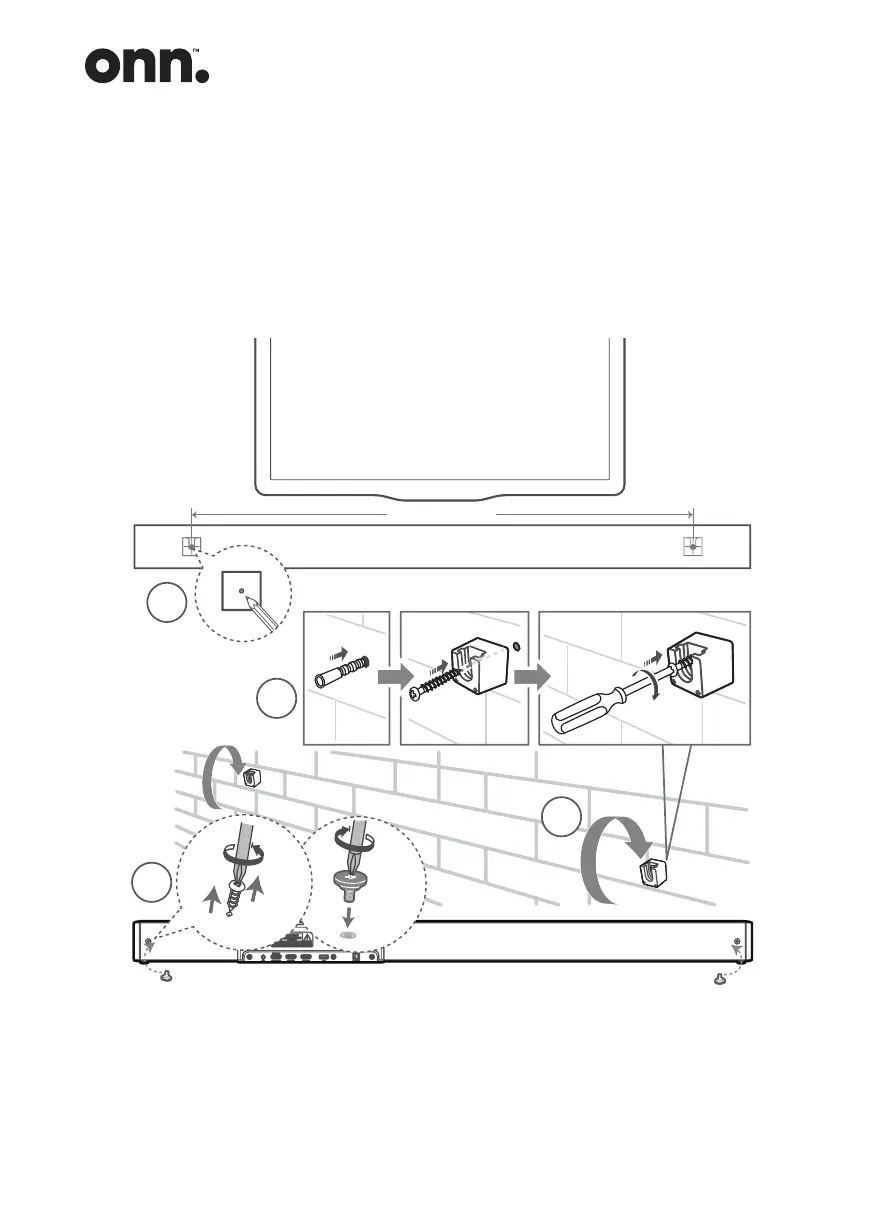
1. Drill 2 parallel holes (Ø 5.5-6 mm each according to wall type) in the wall.
The distance between the holes should be 905 mm (35.6”).
2. Insert the supplied wall anchors into 2 screw holes on the wall. Insert the
supplied wall bracket screws through the wall brackets into the wall anchors.
Fix and tighten the screws on the wall.
1
4
3
2
905 mm (35.6”)
Mounting the Sound Bar
3. Remove the screws at the back of the unit. Install the wall mounting screws
into the back of the unit.
4. Lift the unit onto the wall mount brackets and slot into place.


 To Next Page