EasyManua.ls Logo

Onn ONB18SB001 - User Manual

Onn ONB18SB001
19 pages
Print Icon
To Next Page IconTo Next Page
Loading...
PRODUCT GUIDE
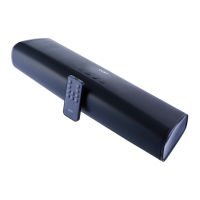
ONN 37" BLUETOOTH SOUNDBAR
MODEL:ONB18SB001

Questions and Answers

  • G
    geraldhamiltonJul 28, 2025
    Why is there no sound coming from my Onn Speaker System?
    • D
      Daniel BrooksJul 28, 2025
      If you're not getting any sound or the sound is very weak from your Onn Speaker System, there might be a few reasons: * The volume might be too low. Try raising the volume using the '+' button on the unit or the remote control. * The connected device might not be playing anything or the volume is too low. Ensure that the paired device is playing music or a movie and that its volume is set to a high level. * The input source might be incorrect. Press the button on the unit or the remote to switch to the correct mode.
  • M
    matthew66Aug 3, 2025
    How to turn on Onn ONB18SB001 if it has no power?
    • K
      Katherine ButlerAug 3, 2025
      If your Onn Speaker System isn't powering on, check these things: * Make sure the adapter is properly connected to both the unit and the wall outlet. * The unit might be in power off mode. Press the / I button on the unit or the power button on the remote control to turn it on.
  • K
    Kevin AveryAug 9, 2025
    What to do if the Onn Speaker System remote control is not working?
    • R
      Rebecca ReynoldsAug 9, 2025
      If the remote control for your Onn Speaker System isn't working, consider these potential causes: * You might be out of range. Ensure that you're pointing the remote control at the remote sensor on the unit and are within 16 feet, at an angle of +/-30 degrees. * The battery in the remote control might be dead. Try replacing it with a new battery.
  • M
    maryjohnsonAug 15, 2025
    Why is the Bluetooth not working on my Onn Speaker System?
    • R
      Rebecca PorterAug 15, 2025
      If you're having trouble with Bluetooth reception on your Onn Speaker System: * The external device might be too far away. Move the Bluetooth device closer to the unit. * The unit might not be paired with your device. Pair the unit with the Bluetooth device following the procedures in this manual.
  • G
    Glenda ArellanoAug 21, 2025
    How to fix sound distortion or rattle on Onn ONB18SB001 Speaker System?
    • J
      jthompsonAug 21, 2025
      If you're experiencing sound distortion or rattling with your Onn Speaker System, it might be because the volume level is too high. Try reducing the volume level by pressing the - Button on the unit or on the remote control. Also, reduce the volume level of the paired device.

Summary

IMPORTANT SAFETY INSTRUCTIONS

PRODUCT OVERVIEW

Soundbar Front View

Identifies and describes the components visible on the front of the soundbar.

Soundbar Top Panel Controls

Details the buttons and indicators located on the top surface of the soundbar.

Soundbar Rear Panel Connections

Lists the input/output jacks and power port on the rear of the soundbar.

REMOTE CONTROL

Remote Control Button Functions

Explains the purpose of each button on the remote control for operating the soundbar.

Remote Control Battery Installation

Step-by-step guide for inserting and replacing the battery in the remote control.

BATTERY PRECAUTIONS

General Battery Safety

Provides essential safety guidelines for using batteries with the device.

Remote Operation Range

Details the effective distance and operational angles for the remote control.

PLACEMENT AND MOUNTING (Tabletop)

Tabletop Ventilation Requirements

Specifies required clearance for airflow when placing the soundbar on a surface.

Recommended Installation Distance

Outlines the optimal distance for setting up the soundbar.

WALL MOUNTING INSTRUCTIONS

Mounting on Wooden Walls

Instructions for securely attaching the soundbar to a wooden wall.

Mounting on Brick Walls

Instructions for securely attaching the soundbar to a brick wall.

GENERAL OPERATION

BLUETOOTH OPERATION

AUX IN OPERATION

LINE IN OPERATION

OPTICAL-IN OPERATION

TROUBLESHOOTING GUIDE

TECHNICAL SPECIFICATIONS

LIMITED PRODUCT WARRANTY

Onn ONB18SB001 Specifications

General IconGeneral
Model NumberONB18SB001
BrandOnn
TypeBluetooth Speaker
ConnectivityBluetooth
Power Output5W
Battery Life10 hours
Bluetooth Version4.2
Charging PortMicro USB

Related product manuals