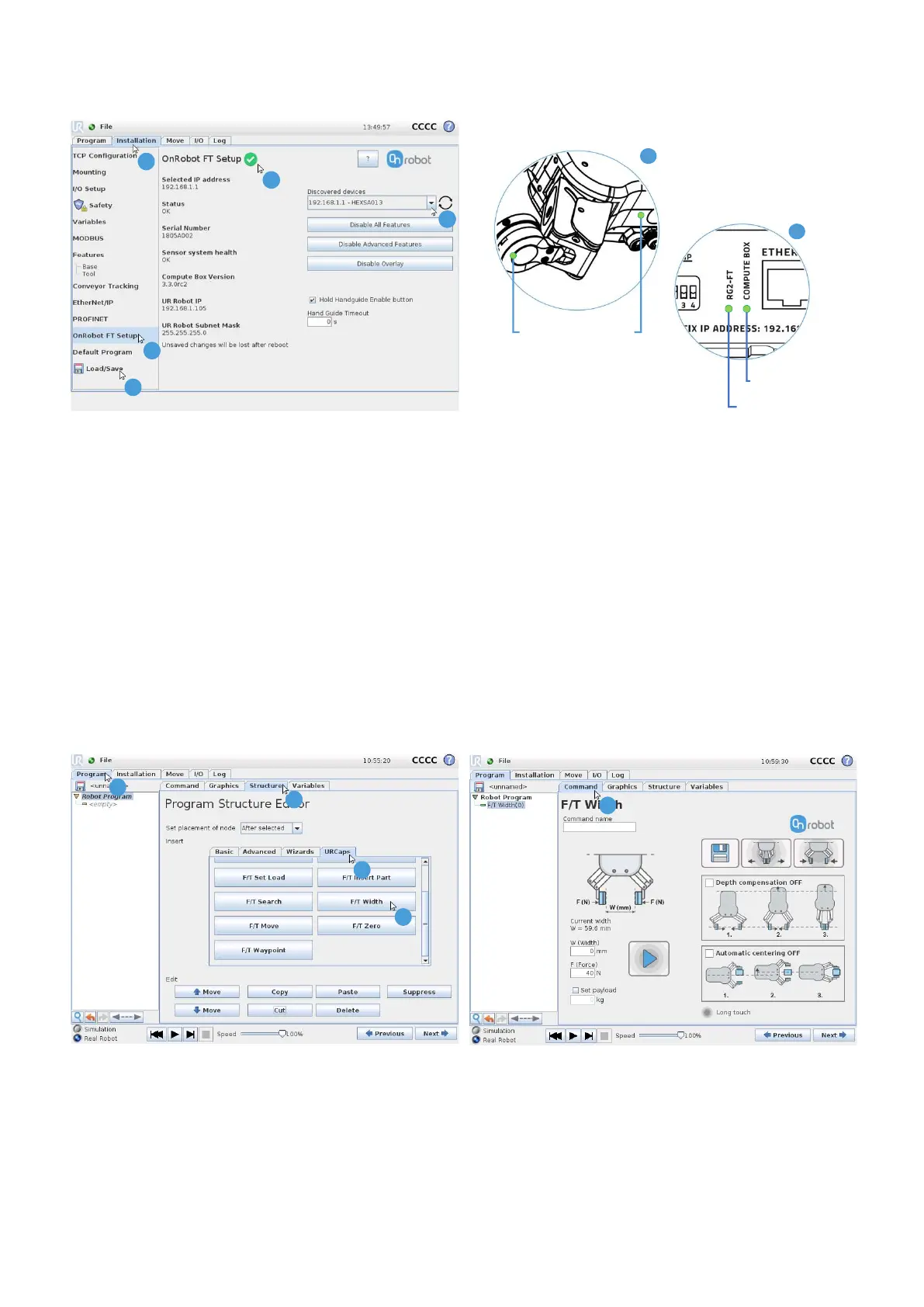
3 Connect to RG2-FT
1. Press the “Installation” tab
2. Press “OnRobot FT setup”
3. Select the RG2-FT from the “Discovered devices”
If there is only one available device it will connect automatically
4. Wait for the green signal
5. Press “Load/Save” to save settings. Your RG2-FT is ready to use!
4 Add an RG2-FT Node – e.g. F/T Width control
1. Press the “Program” tab
2. Press the “Structure” tab
3. Press the “URCaps” tab
1
2
3
4
1
2
3
4
G5 screenshot
V 1.3 Copyright © 2018 by OnRobot A/S. All rights reserved Page 3 of 4
4. Press “F/T Width”
5. Press “Command” tab
5
5
Steady green
Flashing green
Steady green
LED status at normal operation
E
A



 To Next Page