17
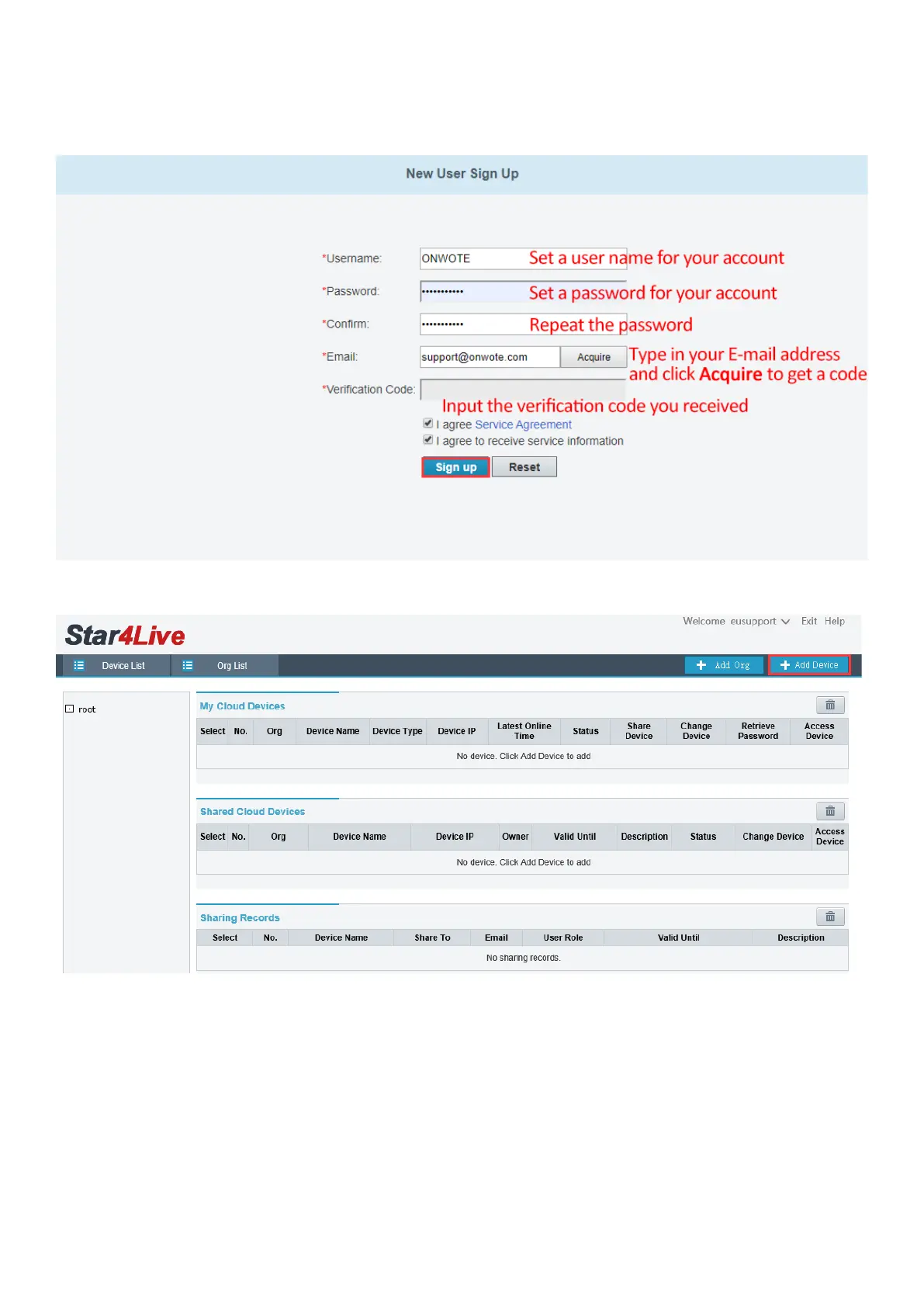
d. Type in user name, password, email address and the verification code, click Sign up to sign
up an account.
e. Click +Add Device to add device.
f. Input the Register Code and set a name for your device. Click Add.
(How to get Register Code? -Right click on NVR monitor, choose Menu-> Network-> Basic->
P2P to get the register code)



 To Next Page