33
Mobile App alarm
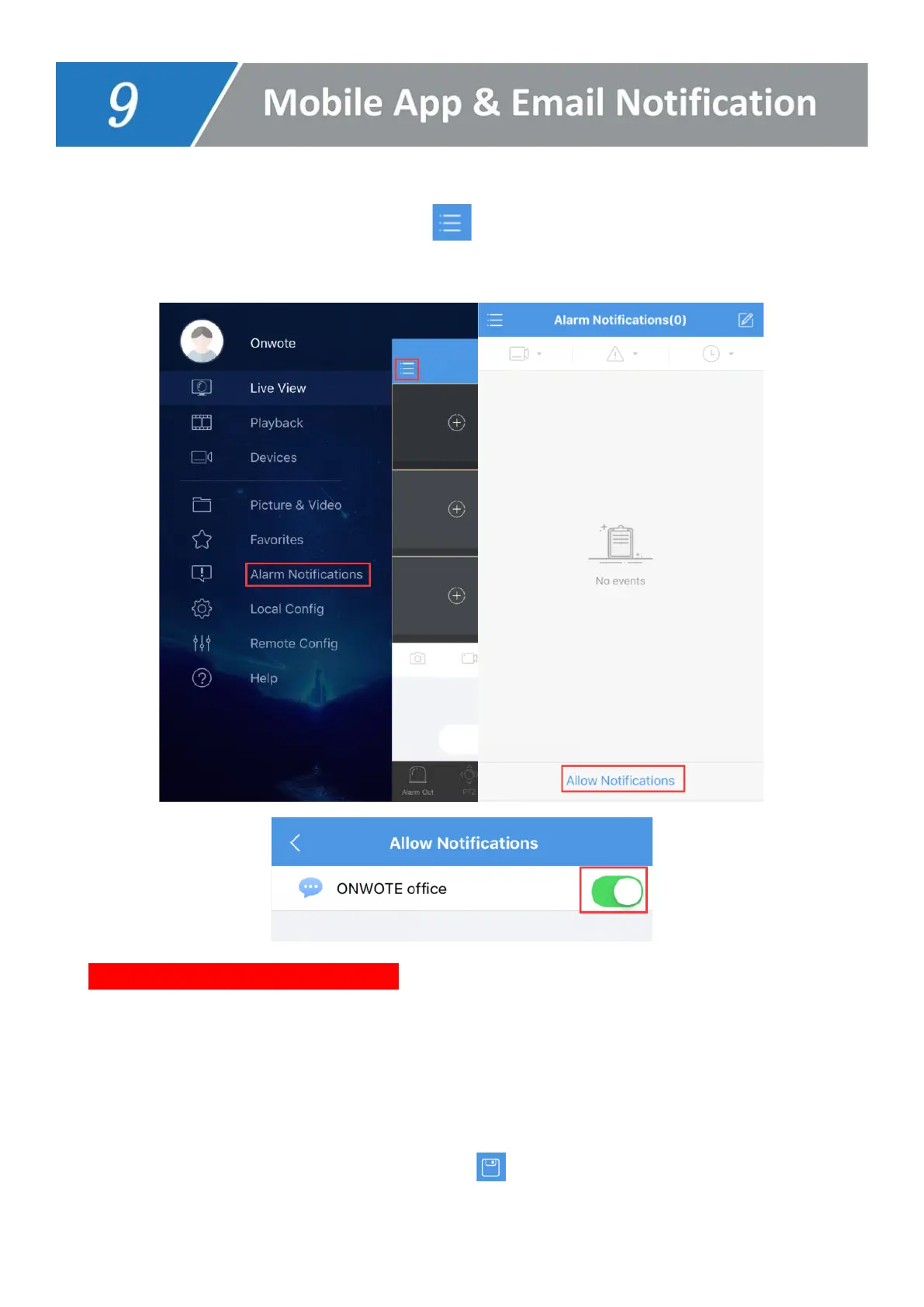
1. Open mobile App- Guard Viewer, click , choose Alarm Notifications, turn on Allow
Notification.
2. Set Alarm Schedule for App Alerts (default is 24*7 for all the cameras, all type of alerts)
Click on Advanced Settings--> Channel to select camera.
Click Time to set Start time & End time (click +Add to add more time period) and select
day.
Click Type to select alarm type and click on the top right corner to save the
schedule.



 To Next Page