23
3. Click Apply to save changes.
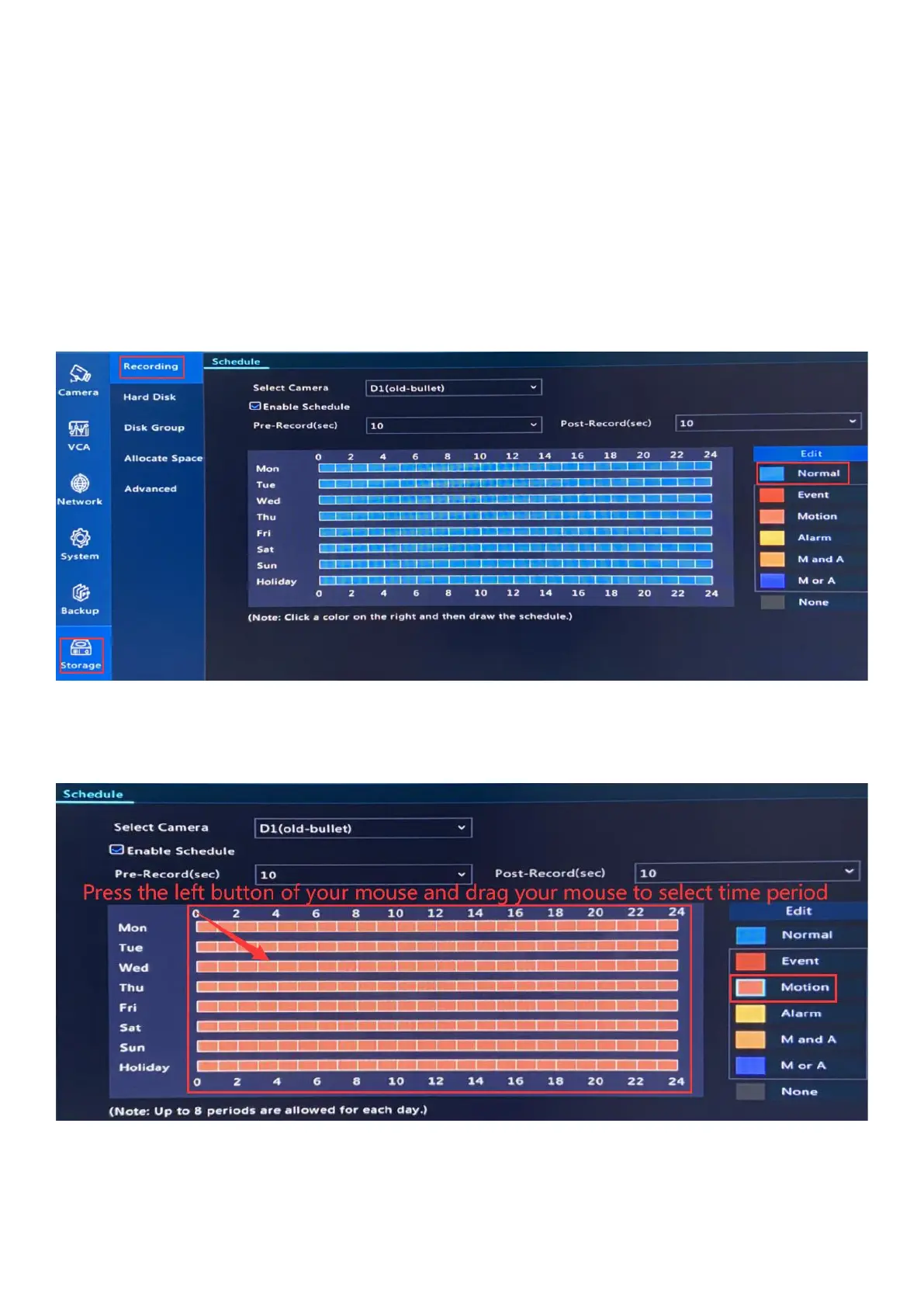
Right click mouse on NVR monitor, choose Menu-> Storage-> Recording to set up recording.
a) Normal Recording (24*7 Full Time Recording + Motion Recording)
The default record mode. Record continuously, but highlight the motion detection records
in a different color.
b) Motion Recording
1. Click Motion, press the left button of your mouse, drag to select time period.
2. Click Copy, choose All and OK to copy settings to all the channels.



 To Next Page