38
Attention: Some ONWOTE camera systems do not support Human Body Detection.
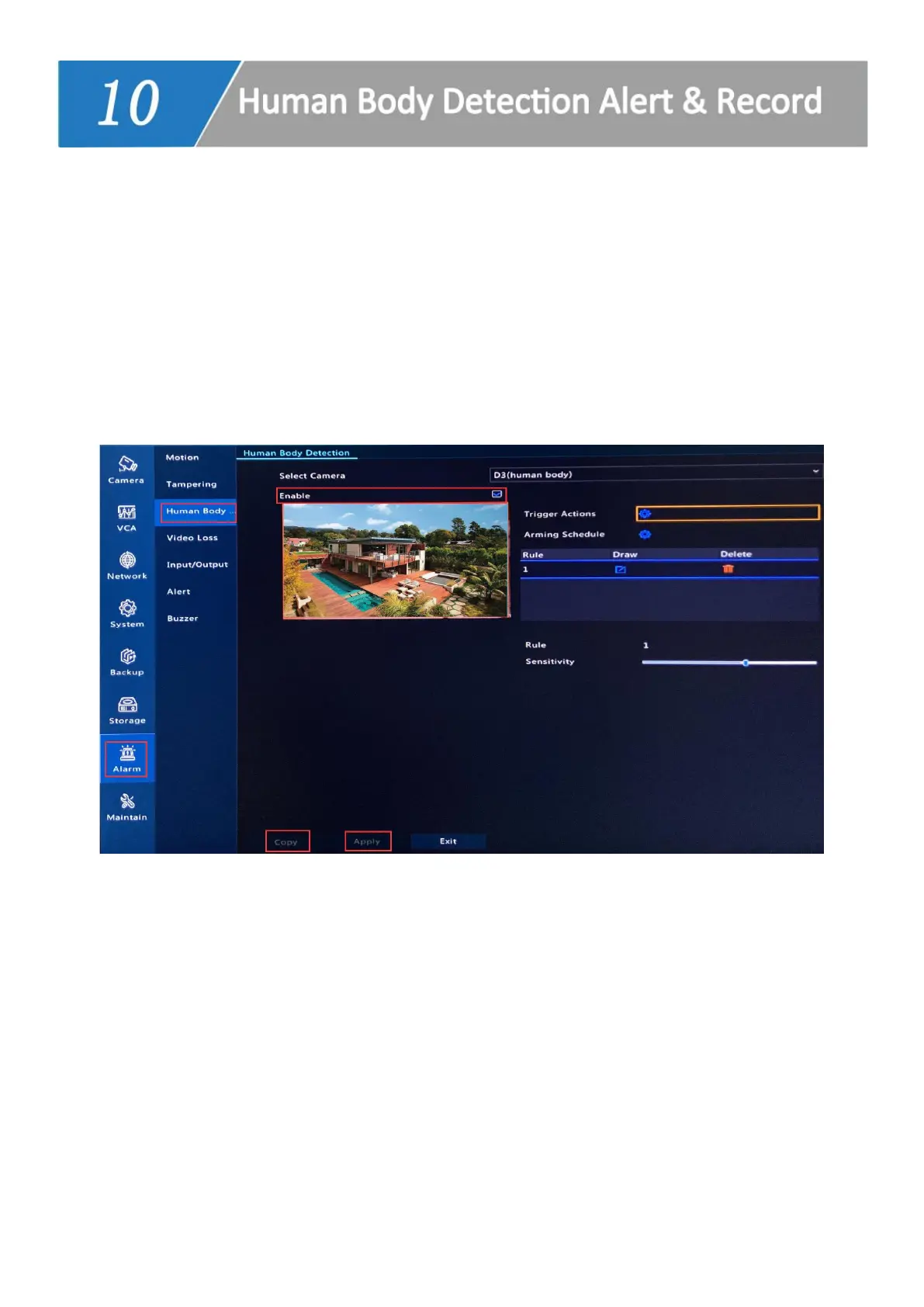
Enable Human Body Detection
1. Right click on the NVR monitor, choose Menu-->Alarm-->Human Body Detection. Select
a camera and check in Enable.
2. Please select other cameras and do the same steps to enable Human Detection for
them.
E-mail Notification
1. Right click on NVR monitor, choose Menu--> Network--> Basic--> Email. Type in the
sender and recipient information and click Apply.



 To Next Page