25
a) Playback on NVR
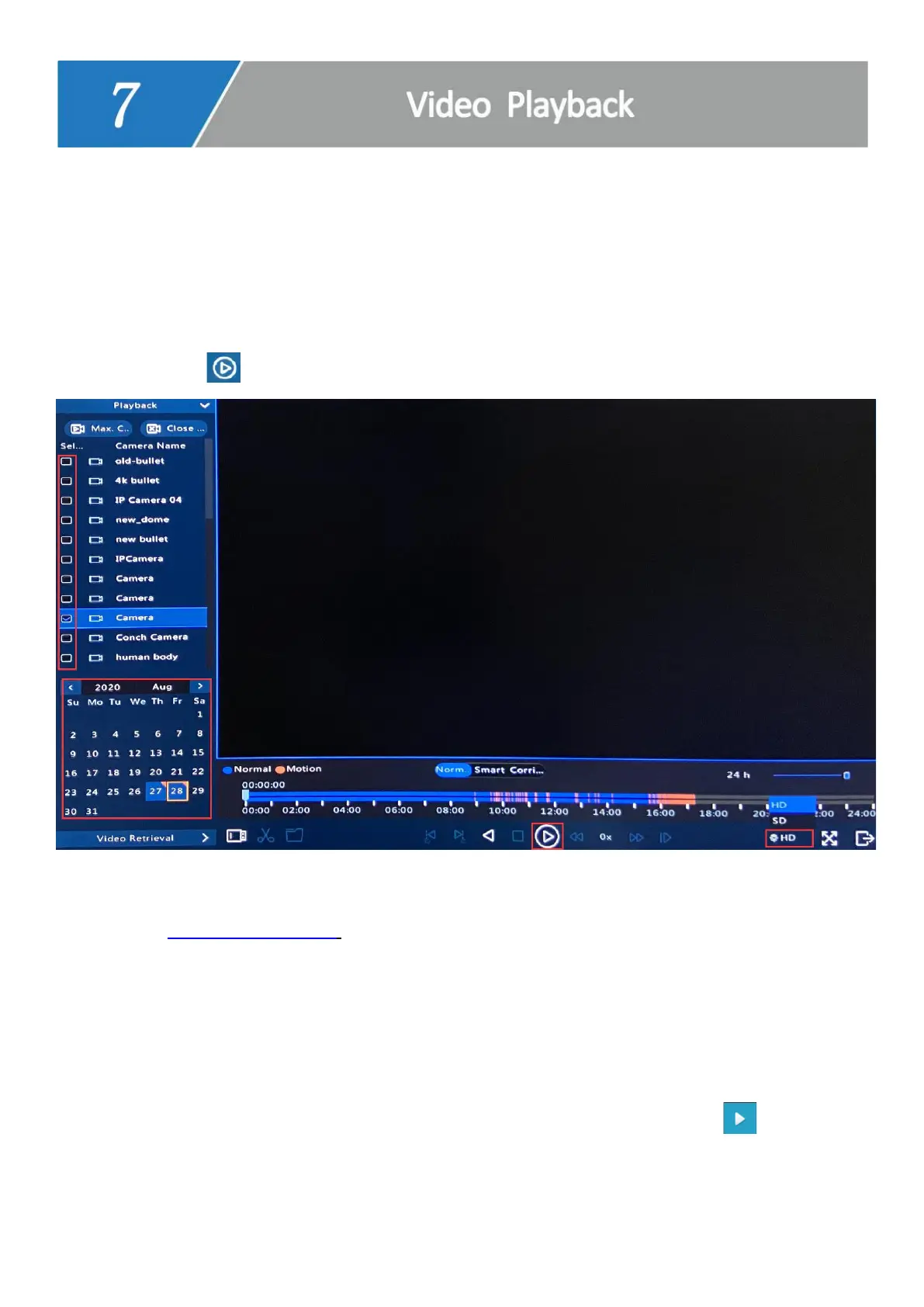
1. Right click on NVR monitor, choose Playback.
2. Select cameras and date, change HD to SD (lower right corner) to view more cameras
simultaneously.
3. Click the to playback.
b) Playback via IE Browser (IE: Internet Explorer, Microsoft Edge doesn’t work)
1. Type www.star4live.com in IE browser bar.
2. Login in with your account.
Tips: If you haven’t registered an account, click Sign up, follow the Step-c to Step-e on
page 13, register an account and add device).
3. Click on Access, go to Playback page, select cameras and date, click to
playback.



 To Next Page