20
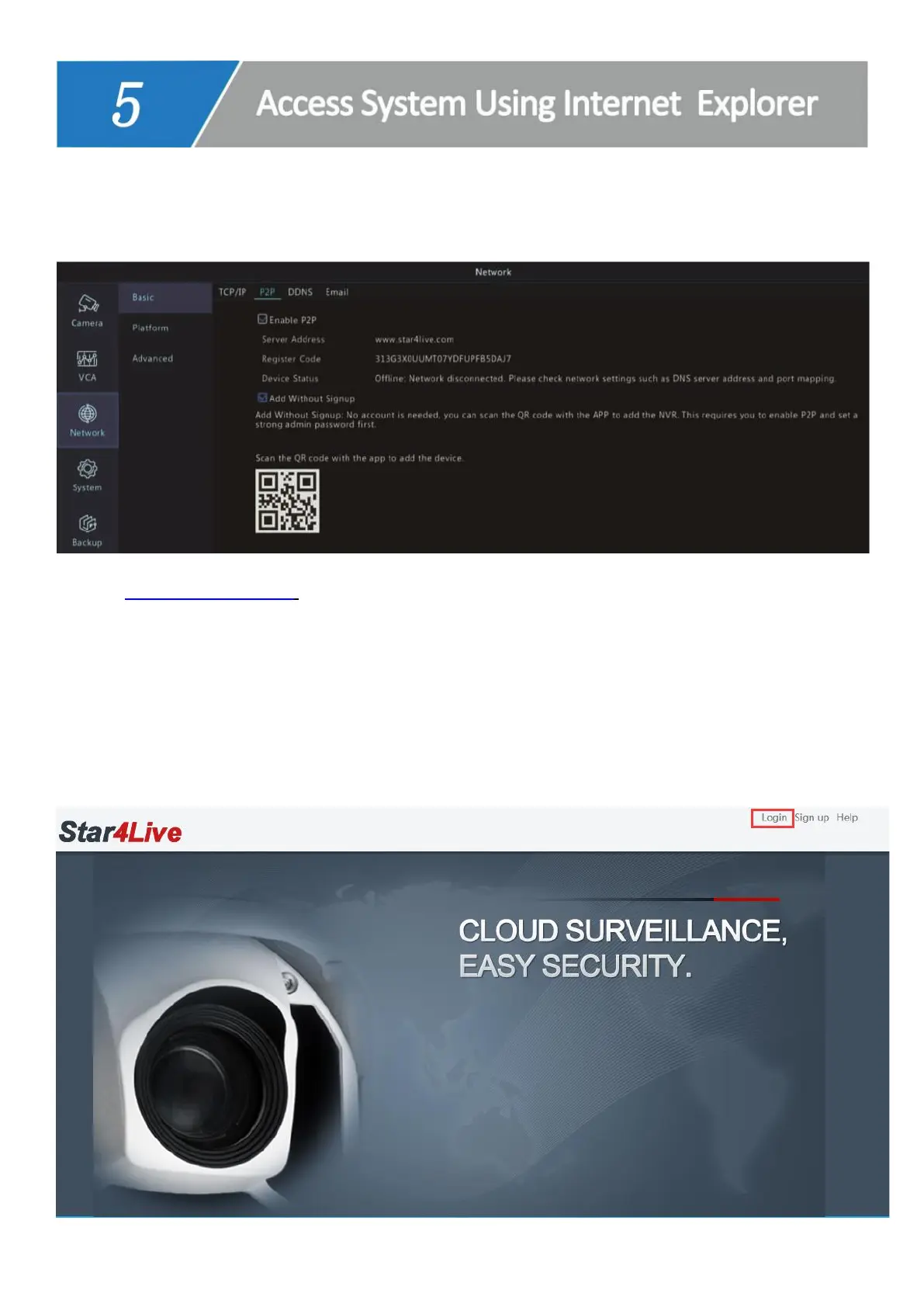
1. Find the Register Code of your device: Right click on NVR monitor--> Menu--> Network-
-> P2P.
2. Type www.star4live.com in your IE browser bar.
3. Login with the account you registered on mobile app- Guard Viewer or PC client
software- Guard Station.
Tips: If you haven’t registered an account before, click Sign up and follow the Step-c to Step-
e on page 13 to register an account and add device)



 To Next Page