7
Please make sure connected NVR to the router directly with an Ethernet cable to get internet.
1. Download “Guard Viewer” on your mobile phone from Apple App Store or Google play.
You can also scan the QR code below to download the mobile app.
Guard Viewer For iPhone For Android
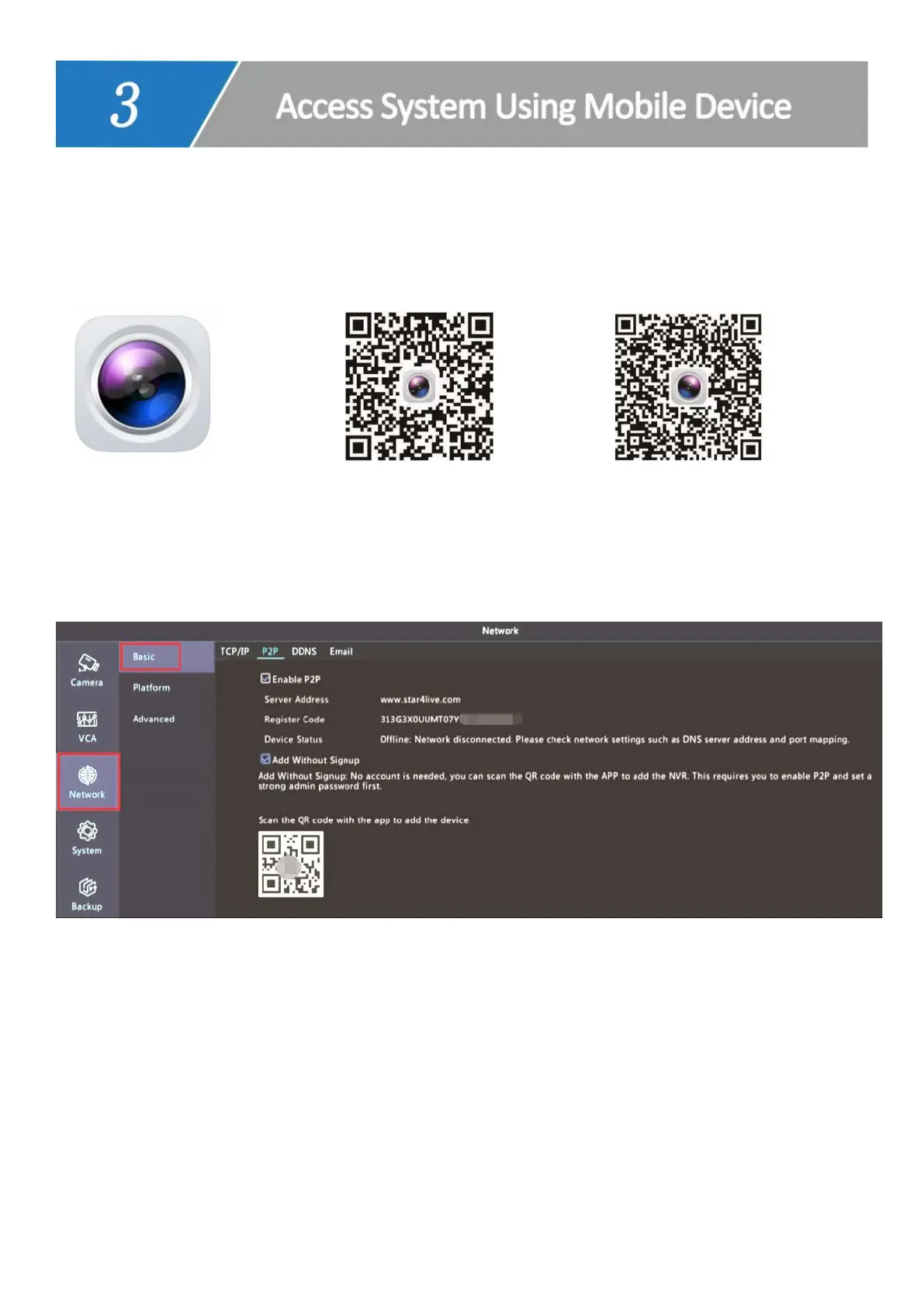
2. Go back to the NVR monitor. Right click, choose Menu--> Network--> Basic--> P2P.
3. Check in Enable P2P and Add Without Signup.
4. Open Guard Viewer and click Sign up to register an account.
5. Type in your E-mail address and click Verify.
6. Type in the verify code received in your email and click Next.



 To Next Page