39
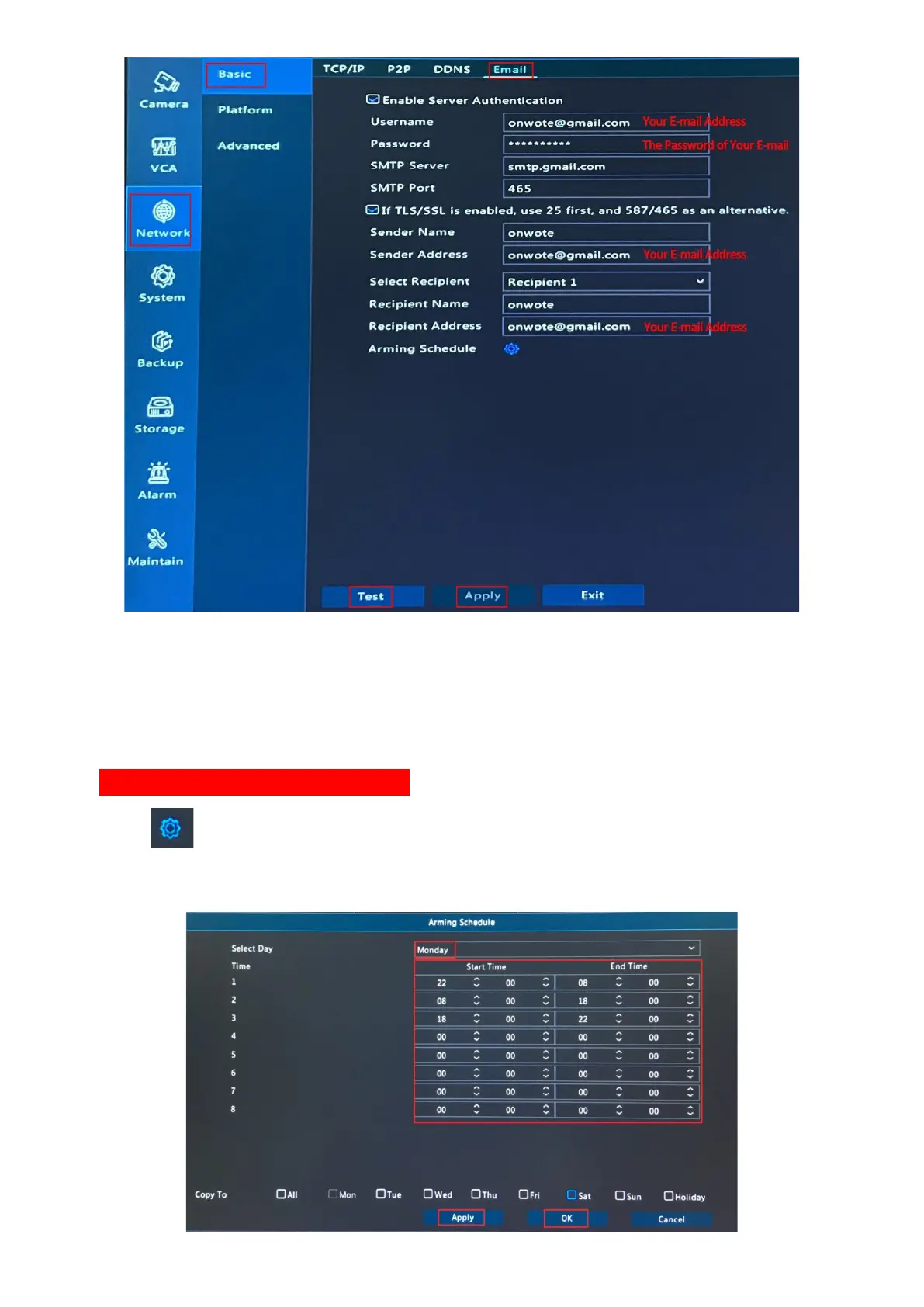
(The information on the picture above is just an example)
2. Click Test to verify the email settings. (please check with your email supplier if you have
troubles in email SMTP configuration)
3. Set Alarm Schedule for Email Alert (default is 24*7 full time)
4. Click behind Arming Schedule; select day, set time period; check in day behind
Copy To to copy schedule to other days; click Apply and OK to save schedule.



 To Next Page