40
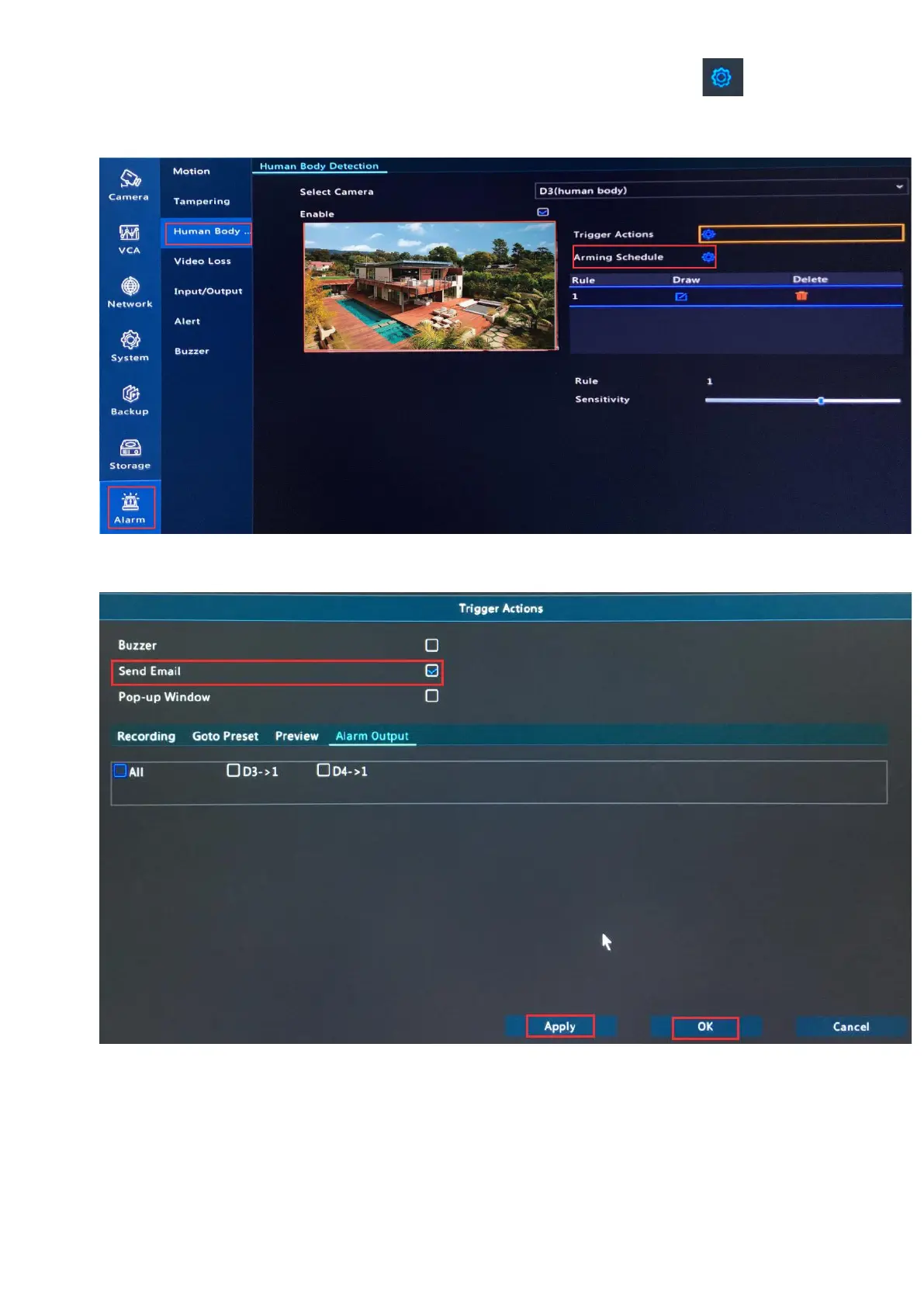
5. Click on Alarm--> Human Body detection, select a camera and click behind
Trigger Actions.
6. Check in Send Email, click Apply and OK.
Tips: You just enabled Send Email for the selected camera, please select other cameras and
do the same steps to enable Send Email for them.
Enable Mobile App Alarm & Set Alarm Schedule for App Alerts
Follow steps on page 33- 35 to enable mobile App alarm, set alarm schedule for App alerts.



 To Next Page