41
Human Body Detection Record
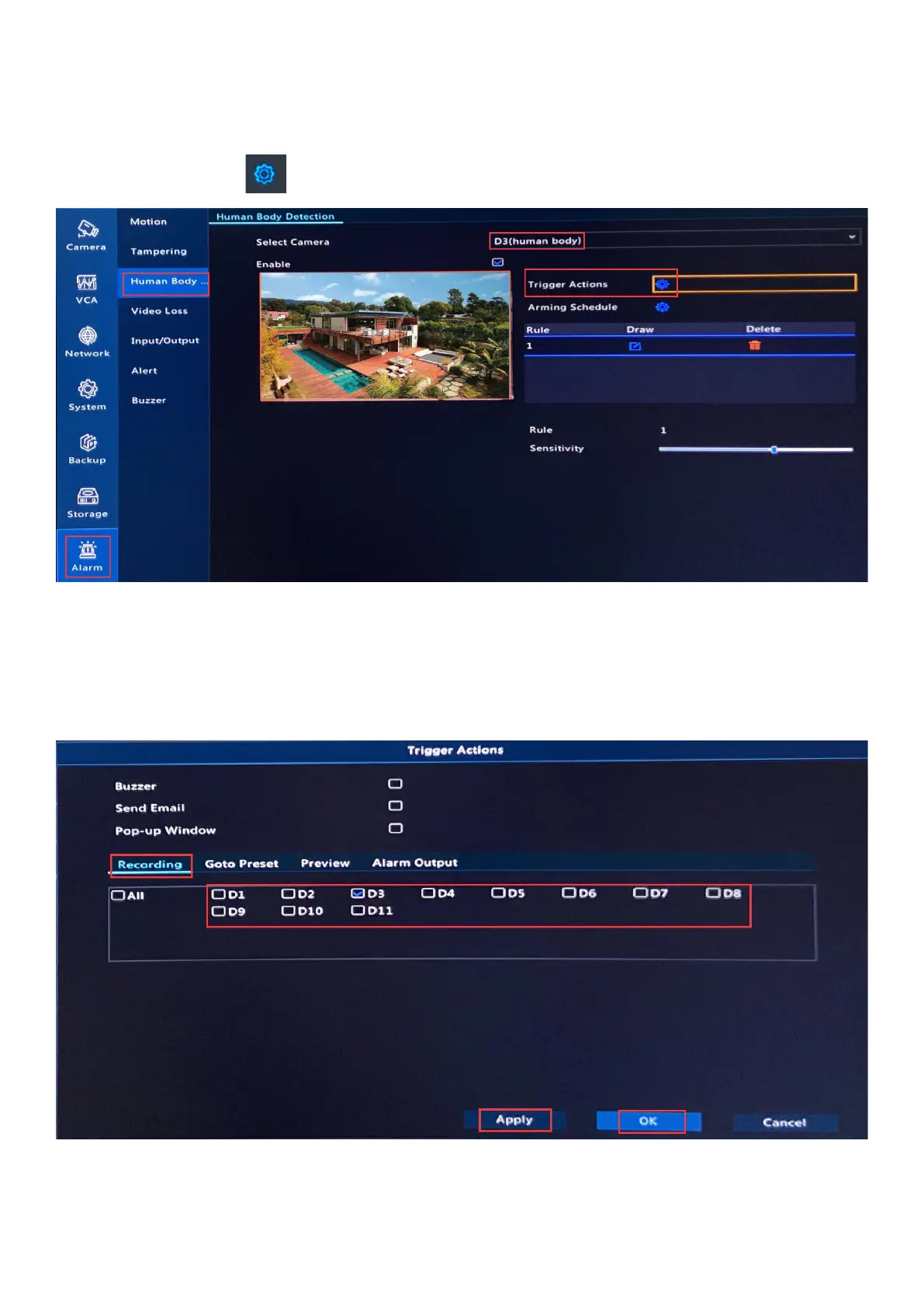
1. Right click on NVR monitor, choose Menu--> Alarm--> Human Body Detection. Select
camera and click behind Trigger Actions.
2. Click Recording, select specific cameras to start recording when human body detected
by the camera.
3. Click Apply and OK to save the changes.
4. Please select other cameras and do the same steps to enable Human Detection
Recording for them.



 To Next Page