Contents [ hide
1 Getting Started
2 Step 1
3 Step 2
4 Step 3
5 √ Quick Reference
5.1 Basic Operation
5.2 Ooma Premier™
5.3 Troubleshooting
5.4 Warranty, Safety and Legal Notices
6 Related Manuals:
Getting Started
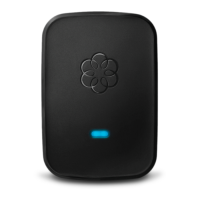
The Ooma Linx device allows you to connect remote telephones and other telephony devices to your
Ooma base unit. Since the Linx operates wirelessly, it can be installed anywhere within range of your
base unit.
To complete the setup process, you will need the following:
IMPORTANT: If you are using the Linx with an Ooma Office system, please go to
office.ooma.com/base_stations, click Register New Device and follow the directions on the screen. For
detailed instructions see ooma.com/office-linx-setup.
Step 1



 To Next Page