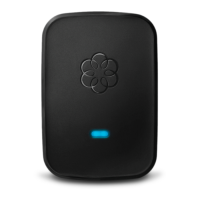
Plug in the Linx device
To register your Linx device with your Ooma base unit, find a power outlet located close to or in the
same room as your Ooma base unit. Plug the Linx in. The system status indicator should light up
amber and then begin to blink as it looks for a base unit to register with.
Step 2
Put your base unit in registration mode
Press the Page key on your Ooma base unit and hold it down for three seconds. The Linx should detect
the base unit and register. Once it is is connected, the system status indicator will turn blue.
NOTE: The Linx device may require a software upgrade the first time it is connected. While it is
upgrading, the system status indicator on the Linx will blink blue and amber.
DO NOT UNPLUG THE LINX WHILE IT IS UPGRADING.
Step 3



 To Next Page