heat registers, stoves, or other fixtures, appliances and products that produce heat or any area
where proper ventilation is not provided.
Unplug with caution the product from power outlets if it emits smoke, an abnormal smell or
makes unusual noise. These conditions may cause fire or electrical shock.
Do not disassemble the device, it contains no user-serviceable parts.
Unplug the product from any power outlet before cleaning. Do not use liquid or aerosol cleaners,
use a damp cloth or a microfiber cloth for cleaning.
Unplug the product from the power outlet if the cable or power adapter prongs are damaged or
frayed, if liquid has been spilled onto the product, if the product has been exposed to rain, water
or any other liquid, if the internal components of device are exposed.
Do not use the product to report a gas leak in the vicinity of the leak as it could ignite the gas.
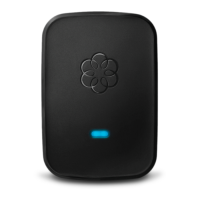
The device is intended to be correctly oriented in a vertical or floor mount position, the prongs
are not designed to hold the power adapter in place if it is plugged upside down, for example do
not use facing down power outlets on a ceiling, under a table or in a cabinet.
Copyright Information
© 2016 Ooma, Inc. All rights reserved. Reproduction in whole or in part without written permission is
prohibited. Ooma, the Ooma logo, Ooma Telo, Ooma HD2 Handset, Ooma Linx, Ooma Premier, Ooma
Office and all other Ooma company, product and service names and slogans are trademarks of Ooma,
Inc. All other product, service or brand names are the property of their respective owners. Patent
pending.
Ooma Linx User Manual – Optimized PDF
Ooma Linx User Manual – Original PDF
Related Manuals:
1. Ooma Linx Setup Guide Ooma linx Getting Started The Ooma Linx device allows you...
2. Ooma Telo User Manual Ooma Telo Getting Started Installing Ooma Telo is easy! In...
3. Ooma AP150 User Manual Quick Start Guide Thank you for using Ooma Managed Wi-Fi®...
4. Ooma AP250 User Manual Quick Start Guide Thank you for using Ooma Managed Wi-Fi®...
5. Ooma Keypad User Manual 1 What’s in the Box Quick Start Guide 2 Install...
6. Ooma Freedom Headset User Manual Step 1 Attach Earpiece Loop, Neckband or Headband Decide if...



 To Previous Page