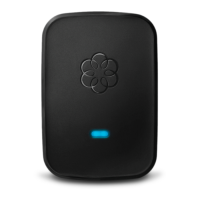
Ooma Premier is a suite of over 25 enhanced calling features that are available on a subscription
basis. A subscription to Premier gives you access to features that help extend the capabilities of
your phone to serve a busy household. Premier subscribers have access to these advanced
features when they connect a telephone to the Linx:
Instant Second Line™
If someone else is on the phone, pick up any unused phone to get a fresh Ooma dialtone and
make a second call. If there’s already one active call and you receive a second call, handsets
connected to a Linx device not currently in use will ring and can be answered normally.
Virtual Number
You can select a second phone number to assign to all phones in your home, or just to the phone
connected to a particular Linx device. Select a number from a remote area code near your loved
ones—now they can call you for free too!
Private Device and Voicemail
Set up your new Linx device with its own phone line that can ring separately from your main
number. Configure this at my.ooma.com/numbers.
Have a Question or Need Assistance?
Here is where you can look for help: Knowledge base: www.ooma.com/support
User manuals: www.ooma.com/userguide
Community forum: www.ooma.com/forums
Live Customer Care: 1-888-711-6662 (US)
1-866-929-6662 (Canada)
Troubleshooting
The phone connected to my Linx device doesn’t get a dial tone
• If the system status indicator is lit steady amber, try moving the Linx closer to the
base unit.
• If the system status indicator is blinking amber, go to ooma.com/linx-setup for
instructions on how to register the device with the base unit.
• Verify that your Ooma base unit is powered on and working properly. The system
status indicator (see diagram on page 6) should be lit blue.
My Linx won’t register with my Ooma base unit
• Move the Linx closer to your base unit and try to register again.
• The Linx is not compatible with the first-generation Ooma Telo Handsets. If you wish to
disable your old handsets so you can use the Linx device, dial *#*#302 on a phone
connected to your Ooma Telo. The base unit will reboot automatically in a mode that
will support the Linx (and Ooma HD2 Handset, Ooma Safety Phone, Ooma Headset).
Ooma Telo Handsets will no longer work.
• Your Ooma base unit supports up to four DECT devices. Ooma Linx, HD2 Handset,
Safety Phone, Headset are DECT devices, which means you may only register a total of
four of these devices.
How do I factory reset the Linx device?
• To perform a factory reset on a Linx device, plug it into a power outlet and then insert
a paper clip through the reset pinhole (see diagram on page 6) to press the reset switch
until the system status indicator blinks amber.



 To Next Page