Option B
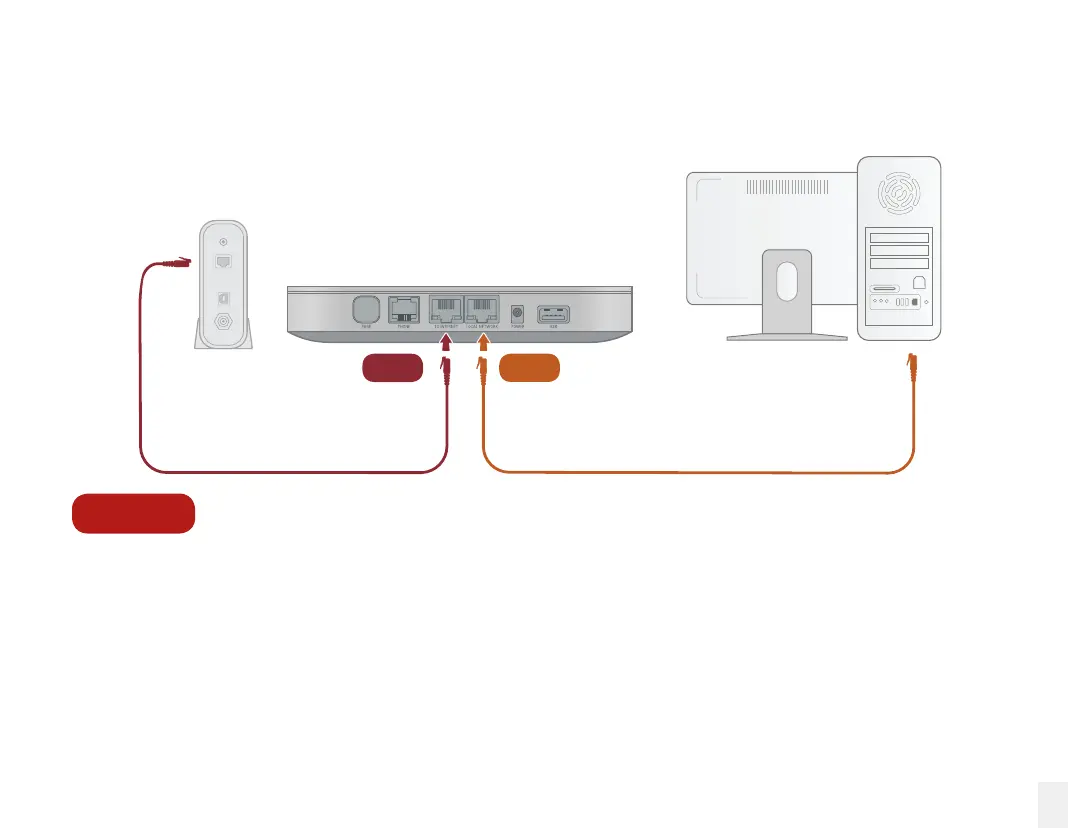
Install the Base Station between modem and PC
If you only have one computer and it is connected directly to your modem, follow these instructions:
1. Locate the Ethernet cable that connects your modem to your computer. Unplug the modem end
of the cable and plug it into the LOCAL NETWORK port.
2. Use the included Ethernet cable and connect the TO INTERNET port to your modem.
3. Reboot your modem and computer.
23
Modem
Computer
Base Station
LOCAL
NETWORK
TO
INTERNET



 To Next Page