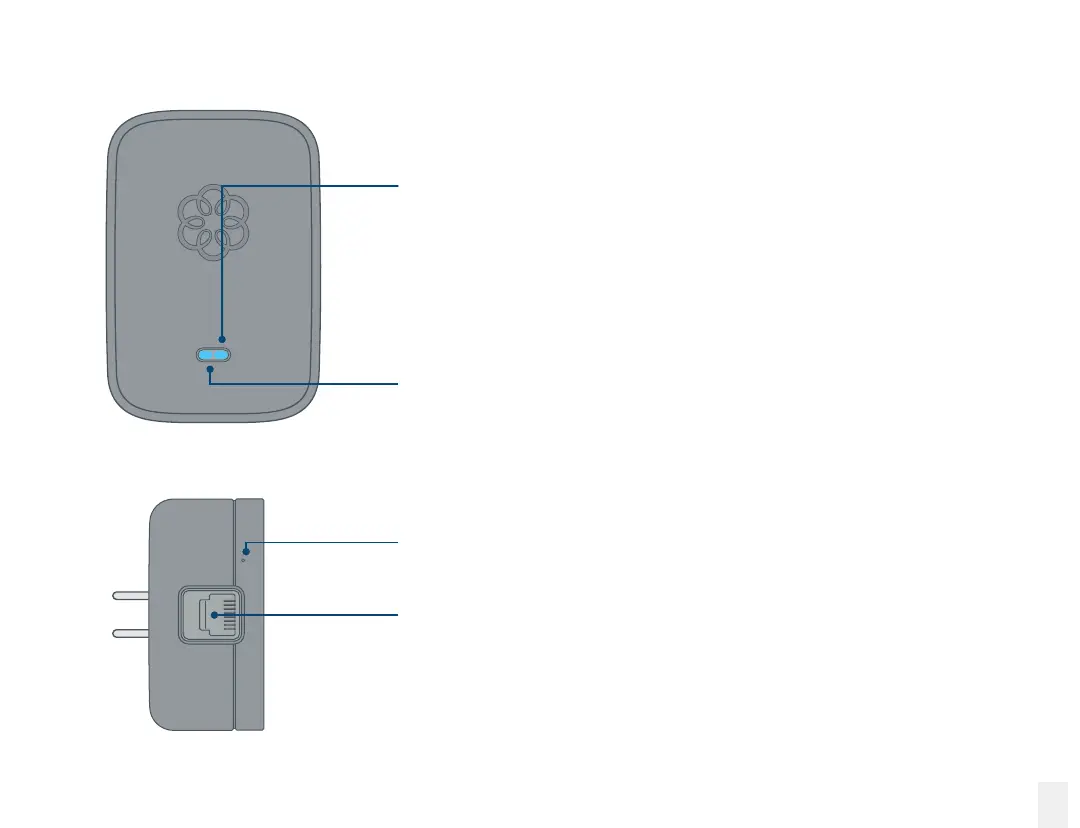
System status indicator
•
Lights up blue when connected to the Base Station
•
Lights up amber when it does not detect the Base Station.
•
Blinks amber when it is attempting to register with
a Base Station.
•
Blinks blue and amber during a software upgrade.
Line status indicator
•
Lights up blue when the line is idle.
•
Lights up amber when the line is in use.
Reset pinhole
Used to factory reset the Linx device.
PHONE port
Connect your telephone or telephony device to the Linx
with a standard telephone cable (not included).
Front view
Bottom view
19
Ooma Linx



 To Next Page