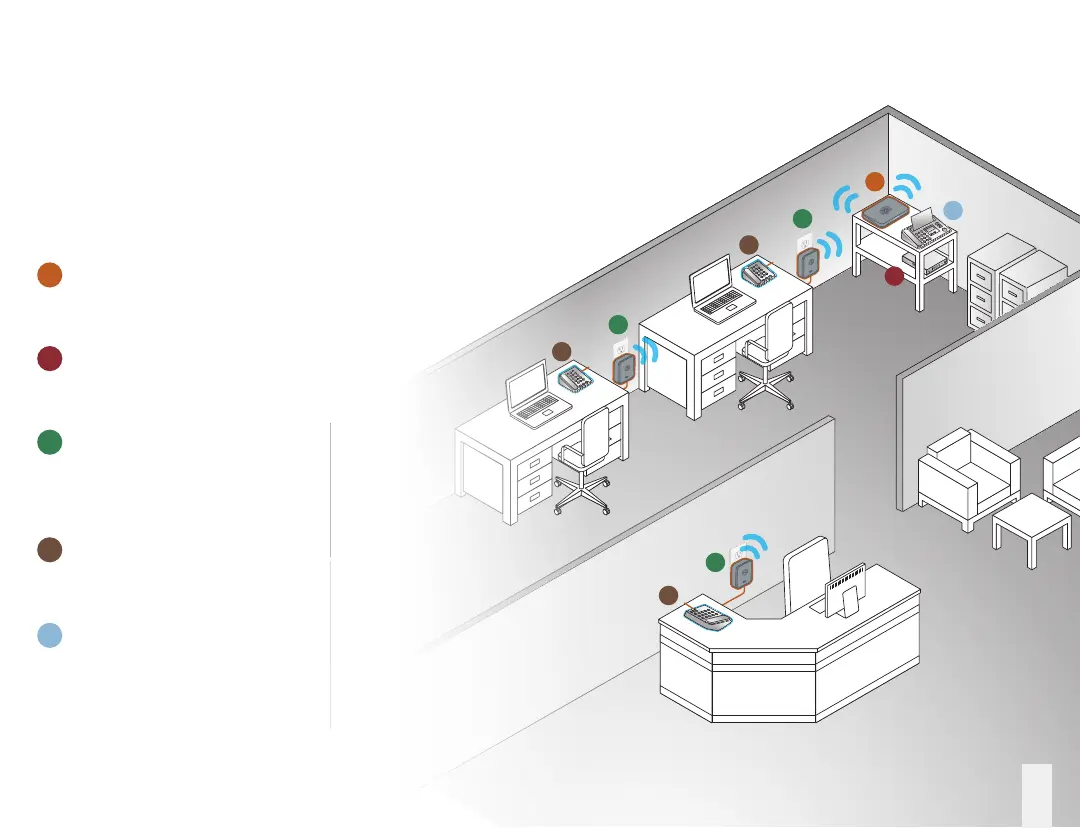
Installation Overview
This illustration depicts the way the Ooma Ofce system
will be installed in a typical ofce environment.
You can use this as a starting point to help
you congure your own ofce setup.
3
A
B
C
D
E
A
B
C
C
C
D
D
D
E
Ooma Ofce Base Station – Installed in
a central location alongside your Internet
modem or router
Modem or Router – This is where your
Internet connection comes into your
place of business
Ooma Linx devices – These are installed
around the ofce and are used to
connect phones and other devices to
your Ooma Ofce system
Desk phone – Each telephone extension
in the ofce will connect to a Ooma Linx
device (or directly to the Base Station)
Fax machine – Connects directly to the
Base Station or to a Linx device



 To Next Page