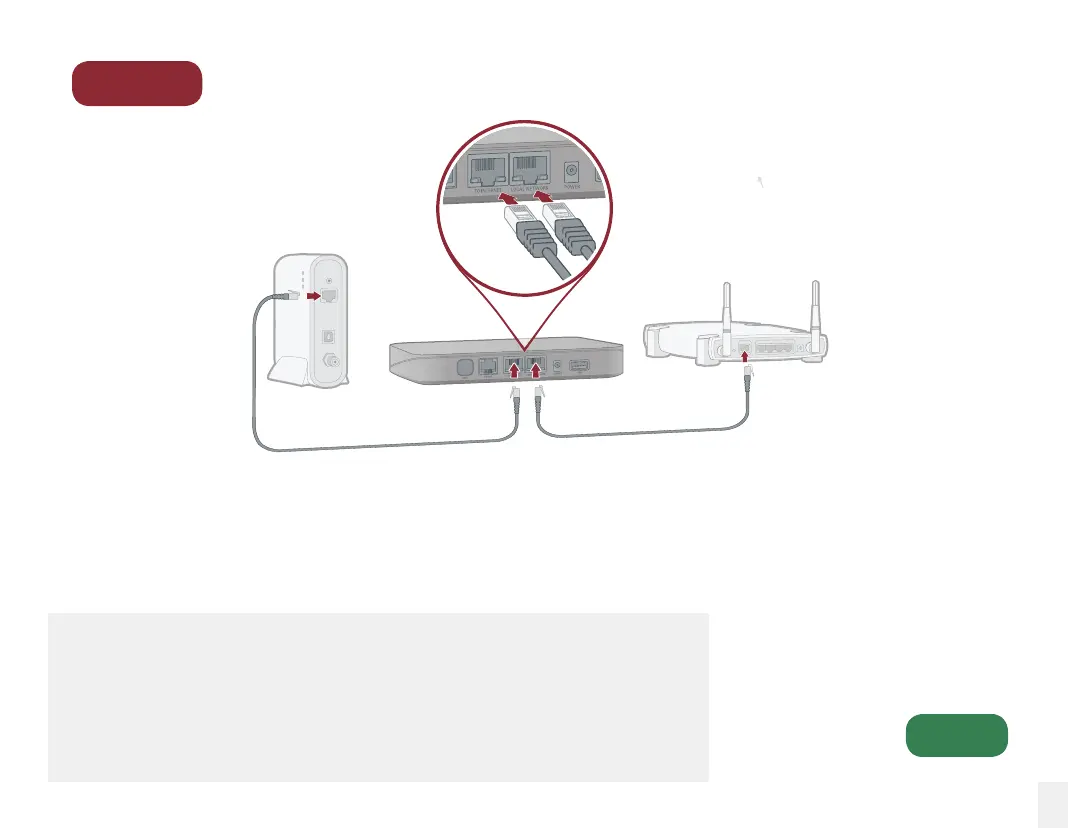
Connect Between Your Modem and Router
Connect Base Station to Router
Using the included Ethernet cable, connect the
LOCAL NETWORK port of the Base Station to
the “WAN” or “Internet” port of your router.
Connect Base Station to Modem
Unplug the Ethernet cable going from your
modem to the “WAN” or “Internet” port of
your router. Plug it into the TO INTERNET
port of the Base Station.
Step 2
Go to
Step 3
9
Alternative setup options
The Base Station will deliver the best voice quality when installed in
between your modem and router. See the Alternative Setup Options
section of this manual for other installation options if you cannot
connect the Base Station in between your modem and router.
RouterModem



 To Next Page