2 3
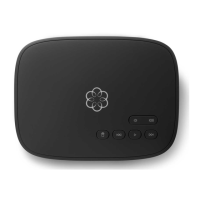
Begin by activating your Ooma Telo device
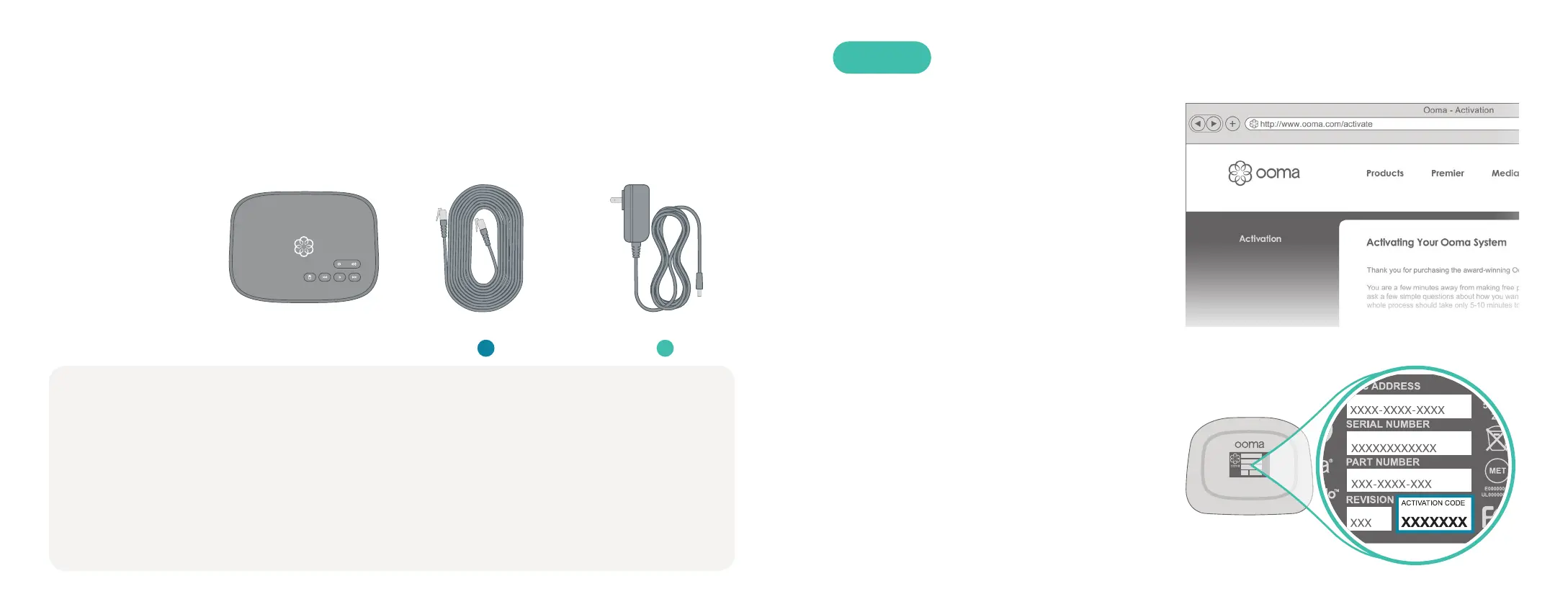
online. Locate the seven-digit activation
code printed on the bottom of the Telo.
Next, navigate a web browser to:
http://www.ooma.com/activate
Activate Online
Have a question or need assistance?
Here is where you can look for help:
Knowledge base: www.ooma.com/support
User manuals: support.ooma.com/userguide
Community forum: www.ooma.com/forums
Live Customer Care: 1-888-711-6662 (US)
1-866-929-6662 (CA)
Installing Ooma Telo is easy! In fact, most users are up and calling in less than 15 minutes.
This guide will walk you through setting up your Ooma Telo and introduce the basics
of using your Ooma service.
Getting Started
■ Ooma Telo
■ Ethernet Cable
■ AC Adapter
Package Contents
STEP 1
Ooma Telo AC AdapterEthernet Cable
The activation wizard will guide you through:
■ Selecting a phone number
■ Registering your 911 address
■ Adding billing information
■ Creating your My Ooma account
You’ll receive an email confirmation once
your device is activated.
A B


 To Next Page