EasyManua.ls Logo

ooma Telo LTE - User Manual

ooma Telo LTE
10 pages
Print Icon
To Next Page IconTo Next Page
Loading...
525 Almanor Avenue, Suite 200
Sunnyvale, CA 94085
Learn more at www.ooma.com
or call 1-877-950-6662
© 2022 Ooma, Inc. All rights reserved. Patent Pending. Ooma, Ooma Telo, Ooma Connect 4G Adapter, Ooma Premier, Ooma HD2 Handset, Ooma HD3 Handset,
Ooma Linx, Ooma Home Security, and the Ooma logo are trademarks or service marks of Ooma, Inc. Other company and product names mentioned herein are
trademarks of their respective companies. Mention of third-party products is for informational purposes only and constitutes neither an endorsement nor a
recommendation. Ooma assumes no responsibility with regard to the performance or use of these products. P/N: 700-0316-100
Have a question or need assistance?
Ooma has a wealth of available resources if you need assistance.
Support articles. Access our comprehensive knowledge base at support.ooma.com
User manuals. Access this guide and all other product manuals at ooma.com/userguide
Forums. Talk with fellow Ooma customers and our support staff at forums.ooma.com
Live chat. Still having trouble? Chat with a service representative at any time at support.ooma.com
Speak with a support specialist M–F, 5am–5pm PST, or Sat/Sun 8am–5pm PST at 1-877-629-1284
Quick Start Guide
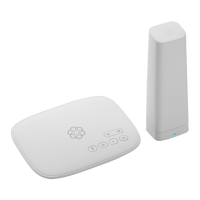
Ooma Telo Base Station
Ooma Battery Backup
(May not be included with
your bundle)
LTE Adapter
Telo LTE Pre-Activated
Question and Answer IconNeed help?

Do you have a question about the ooma Telo LTE and is the answer not in the manual?

Summary

Ooma Telo LTE Quick Start Guide

Getting Started

Overview of the setup process, including package contents and initial connections.

Setup Steps

Instructions for connecting the Ethernet cable and optional battery backup.

Final Setup Steps

Guidance on powering on the Base Station and connecting a phone.

Telo Base Station Quick Reference

A visual guide to the Base Station's ports and button functions.

Status Indicators and Warnings

Base Station Status Lights

Explains the meaning of different status lights on the Base Station.

4 G LTE Adapter Status Lights

Describes the status lights for the 4G LTE Adapter and their meanings.

Ooma Usage Guide Features

Basic Operation

Covers making/receiving calls, call-waiting, blocking caller-ID, and 911 emergency calling.

Advanced Features and Troubleshooting

Troubleshooting Common Issues

Addresses issues like blinking red status lights, no dial tone, and voice quality problems.

Summary

Ooma Telo LTE Quick Start Guide

Getting Started

Overview of the setup process, including package contents and initial connections.

Setup Steps

Instructions for connecting the Ethernet cable and optional battery backup.

Final Setup Steps

Guidance on powering on the Base Station and connecting a phone.

Telo Base Station Quick Reference

A visual guide to the Base Station's ports and button functions.

Status Indicators and Warnings

Base Station Status Lights

Explains the meaning of different status lights on the Base Station.

4 G LTE Adapter Status Lights

Describes the status lights for the 4G LTE Adapter and their meanings.

Ooma Usage Guide Features

Basic Operation

Covers making/receiving calls, call-waiting, blocking caller-ID, and 911 emergency calling.

Advanced Features and Troubleshooting

Troubleshooting Common Issues

Addresses issues like blinking red status lights, no dial tone, and voice quality problems.

ooma Telo LTE Specifications

General IconGeneral
Device TypeVoIP Phone Adapter
Wireless Standard802.11 b/g/n
Cellular TechnologyLTE
ConnectivityEthernet, Wi-Fi, LTE
PortsEthernet
Power SupplyAC adapter (included)

Related product manuals