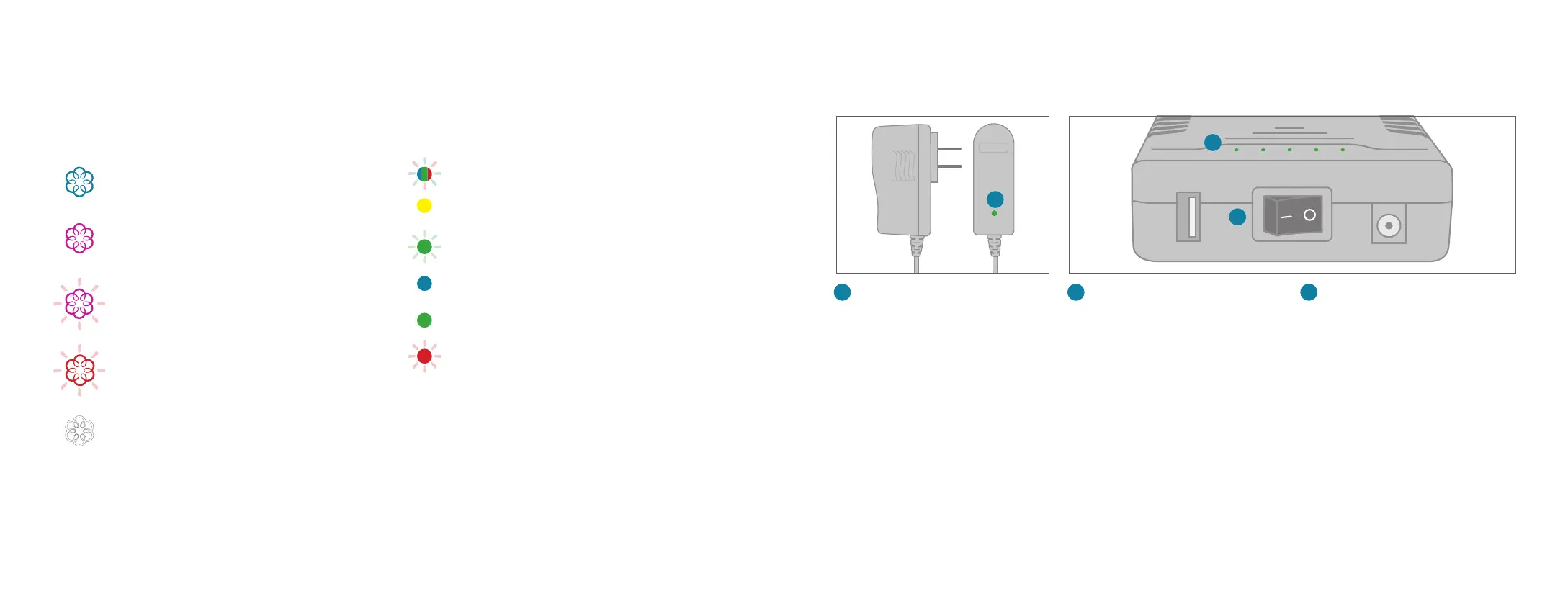
Blinking Blue, Green, and RedAdapter is
completing its first boot cycle.
Solid YellowAdapter is booting up after its first
boot cycle.
Blinking GreenAdapter is powered on but
searching for signal.
Solid BlueAdapter is connected with excellent
signal strength.
Solid GreenAdapter is connected with good
signal strength.
Blinking RedAdapter is missing its SIM or the SIM
is inserted incorrectly.
4G LTE Adapter
Status Lights
Solid Blue System StatusIndicates that all
Ooma services are operational. You will hear the
Ooma dial tone when you pick up the phone.
Solid Purple System StatusIndicates that
your Ooma service is working and Do Not
Disturb is enabled. All incoming calls will be
directed to voicemail.
Blinking Purple System StatusIndicates that
your Base Station is not connected to an Ooma
account, or that it must update its software.
Blinking Red System StatusIndicates that your
Ooma service is not working. All services are
unavailable. You will not hear any dial tone and
will not be able to make or receive calls.
White System StatusIndicates that your
Ooma Base Station is not powered on or that
brightness is turned all the way down.
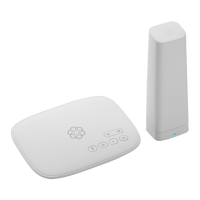
Base Station
Battery Backup Quick Reference
A
Charging LED (AC adapter)
Lights up red when Battery Backup is
charging, lights up green when Battery
Backup is fully charged
A
Power Switch
Turn to the | (ON) position to use
the Battery Backup as a backup and
the O (OFF) position to circumvent
the Battery Backup.
C
B
C
LED Power Gauge
Show the Battery Backup’s
approximate power level. More LEDs
indicates a higher power charge.
B
Warnings
■ Take care to avoid exposure to extreme
temperatures, fire, and water.
■ Do not jostle the Battery Backup or subject it
to undue force.
■ Do not throw the Battery Backup.
■ Store the Battery Backup in a cool, dry,indoor area.
■ Do not modify or disassemble the Battery Backup.
■ Ensure that all cables are plugged in correctly
and that they are inserted without force.
■ Use only the provided AC adapter to charge
the Battery Backup.
■ If any liquid from the Battery Backup gets into
your eyes, do not rub. Instead, rinse your eyes
with water and consult a doctor immediately.
1312



 To Next Page