Pair & Connect -- Step 2 --
-- From Your Amazon Echo Dot
Page 10
- Open the Alexa app
- Go to the ‘Home’ menu by pressing the 3 horizontal lines in the upper left corner next to ‘Home’
- Press ‘Settings’
- Select your Amazon Echo Dot under ‘Devices’ by pressing it
- Press ‘Bluetooth’
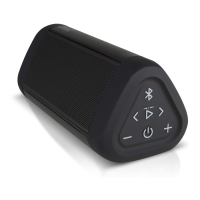
- Press ‘Pair a New Device’. In a few seconds the ‘OontZ Angle 3 PLUS’ will appear in the list of ‘Available Speakers’
- Select ‘OontZ Angle 3 PLUS ‘
- In a few seconds you will hear Alexa’s voice coming through the OontZ Angle 3 PLUS: “Connected to OontZ Angle 3 PLUS”
- The audio from the Amazon Echo Dot will now play through the OontZ Angle 3 PLUS
First make sure to disconnect any other Bluetooth device from the Amazon Echo Dot.
The Amazon Echo Dot can only connect to one Bluetooth device at a time.
Turn on your OontZ Angle 3 PLUS first and make sure it is in pairing mode (refer to Page 8)
To pair and connect your OontZ Angle 3 PLUS the first time from the Amazon Echo Dot
you need to use the Alexa app on your iPhone, iPad, Smartphone, or Tablet.



 To Next Page