12 Introduction
Mute
Press and hold the e knob to mute
the audio sources.
■ When TP is switched on, traffic
announcements continue to be
heard.
■ When navigation is active you will
continue to hear the voice
announcements.
To cancel mute again: turn the e
knob or press and hold the e knob
again.
AUX input
An external audio source, e.g.
a portable CD player, can be
connected via the AUX input of your
vehicle 3 34.
Multifunction knob
The multifunction knob is the central
control element for the menus.
Turn:
Select commands, menu options or
letters.
Press:
Confirm the displayed selection.
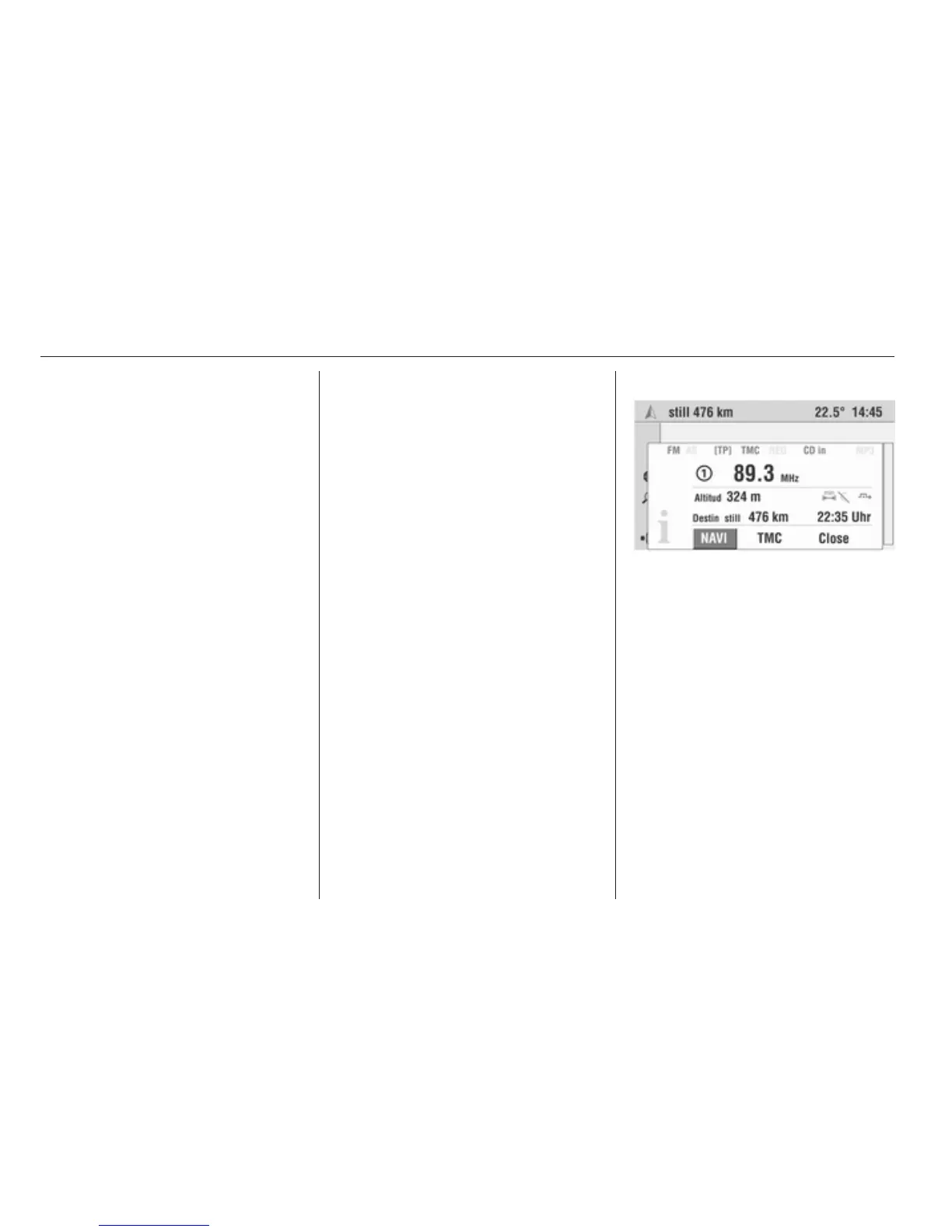
Info Menu
Pressing the INFO button displays
a summary of the most important
information on the selected audio
source, navigation and the current
traffic situation via RDS TMC.
The following information is available
in the info menu:
Audio parameters
The top two lines show information
about the audio function.
Symbols for the audio source settings
(e.g. FM/AM for the selected
waveband, [TP], REG, etc.).
Set radio station or current CD/MP3
track.
Display symbols 3 6.
Navigation parameters
The lower area of the info menu
displays information on the
navigation.
■ Current altitude above sea level
(provided adequate GPS reception
is available).
■ Selected route option, e.g. y.
■ Avoidance of toll roads C.
■ Dynamic guidance active B.
■ Distance remaining to destination.
■ Arrival or remaining travel time,
depending on navigation settings.
Display symbols 3 6.








 To Next Page