38 Navigation
Usage
Activating the navigation system
Press the NAVI button.
or:
Select the K function in the main
display and confirm the selection.
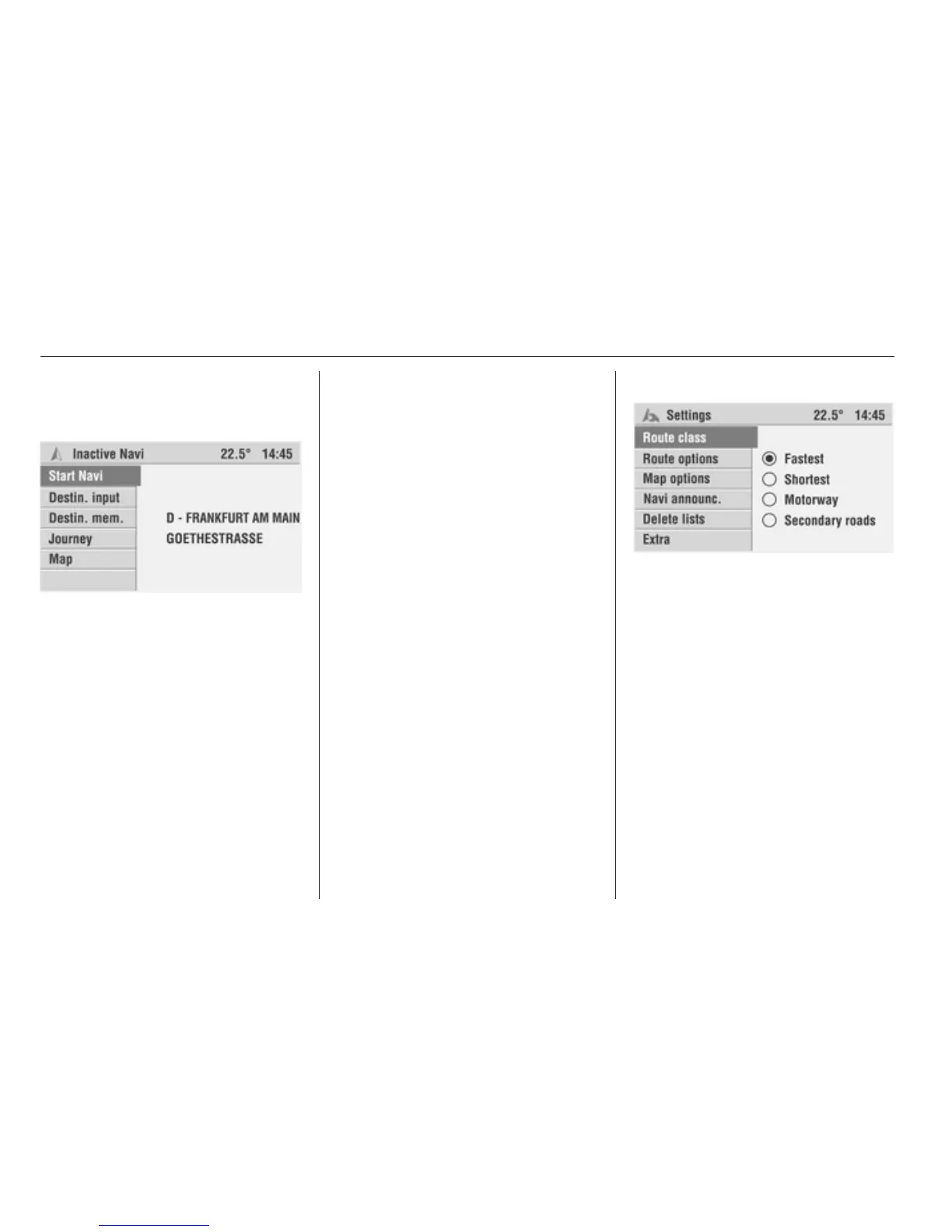
If navigation is inactive:
The Navigation main menu is
displayed. The last destination
address entered is displayed.
If navigation is active:
Depending on the previously selected
display type, the guidance screen
shows the directional arrow, the
navigation map or the split screen
with directional arrow and navigation
map.
Inserting navigation DVD/CD
Push the navigation DVD/CD, label
side up, into the DVD/CD slot until it
is pulled in automatically.
Removing a map DVD/CD
Press the b button. The DVD/CD is
pushed out of the DVD/CD slot.
If the DVD/CD is not removed after
ejection, it will be pulled back in again
automatically after a few seconds.
Setting the language
You can change the language of
navigation prompts 3 11.
Navigation settings
If you are not yet in the navigation
function:
Press the NAVI button to switch to the
navigation function.
Press the SETTINGS button.
The Settings menu for the navigation
is displayed.
The following settings can be made:
Route class
This submenu allows you to influence
the behaviour of the navigation
system when a route is being
calculated.
The following options are available:








 To Next Page