14 Introduction
When the Infotainment system is off
and the ignition is on, the outside
temperature, time of day and date (if
available) are displayed.
Mobile phone portal
(if available)
Mobile phone portal information.
Menu concept
The menu structure of the
Infotainment system consists of
different types of menu pages:
■ Selection pages
■ Feature pages
■ Settings pages
The different pages have different
functionalities:
Selection pages
Selection pages have a selection
menu with a preview of each menu
item on the left margin of the screen.
Selection pages lead you to feature or
settings pages.
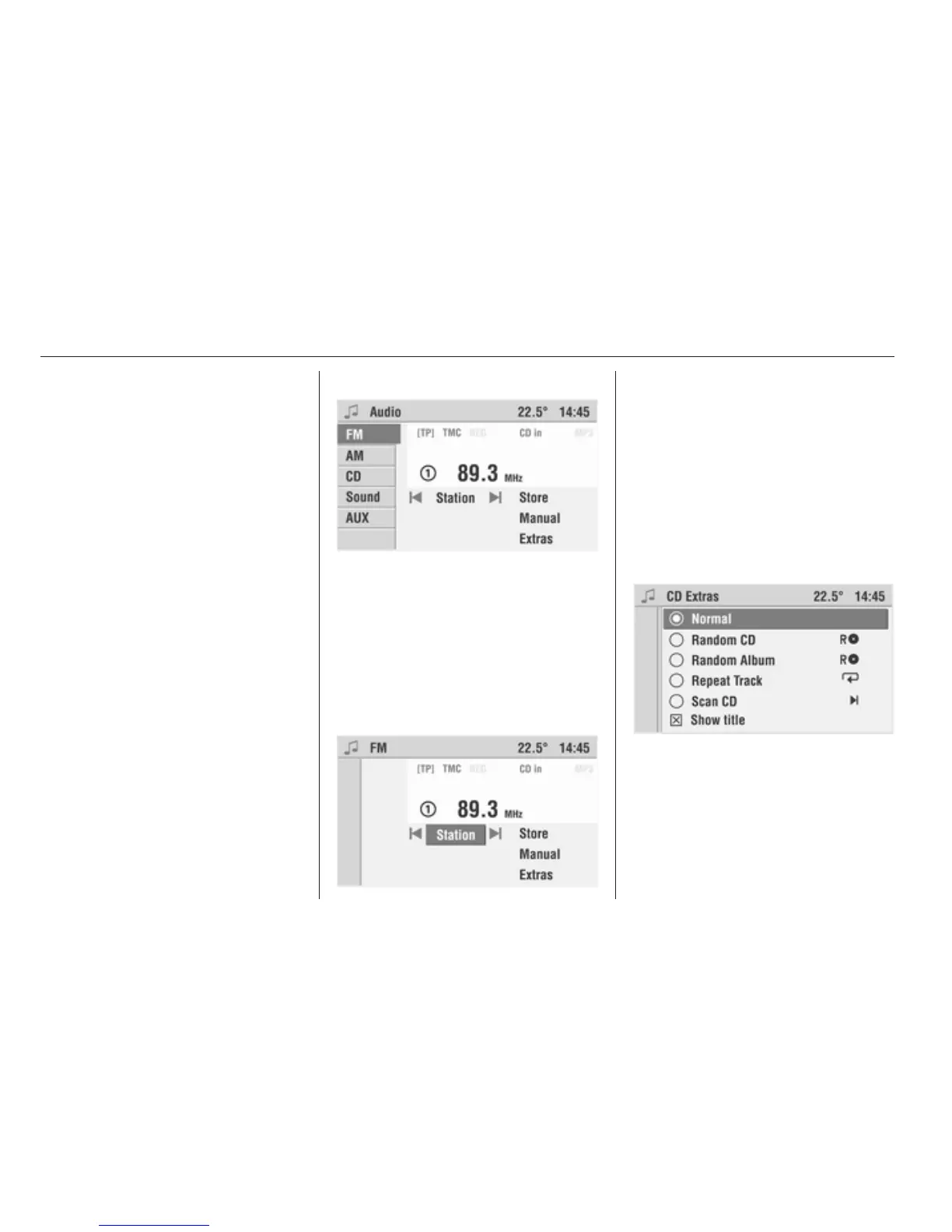
The Audio menu is an example of
a selection page.
Feature pages
Feature pages are menu pages
where you stay, e.g. when you are
listening to the radio or a CD.
Feature pages also have menu items
that can be executed and that will lead
you to further feature or settings
pages.
The FM menu is an example of
a feature page.
Settings pages
Settings pages are menu pages
where you can make settings, e.g.
sound, system settings, etc.
The CD Extras menu is an example
of a settings page.








 To Next Page