56 Navigation
Using the browser
1. Use the rocker switch m or n
to jump from one option to
another.
The selected option is then
highlighted (in different ways
depending on layout of search
pages and supplier).
2. Press the search button d or c to
scroll up or down page by page.
3. Press the multifunction knob to
confirm the selected option or the
activated link..
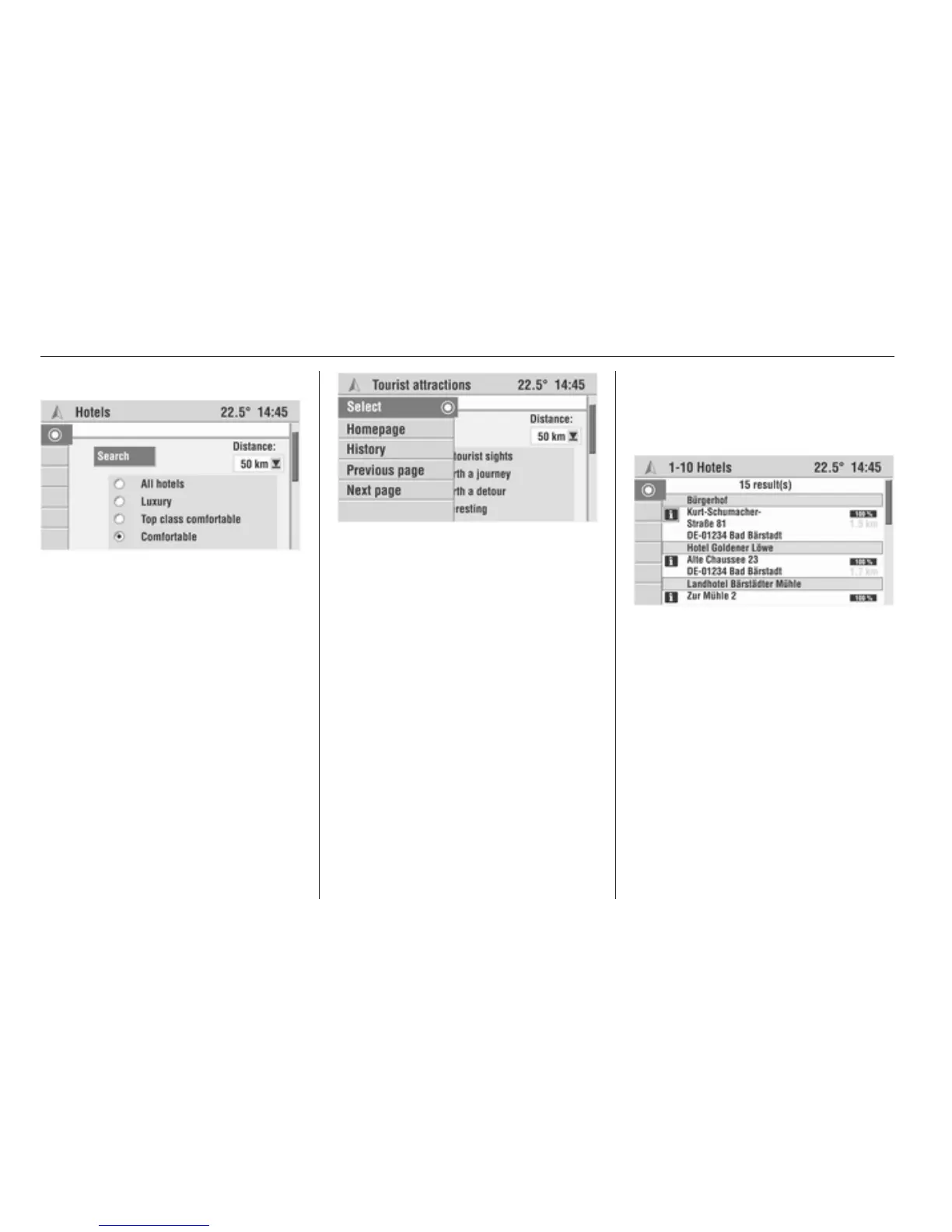
The browser also has a dynamic
menu. As soon as the multifunction
knob is turned, the following menu
items are available:
■ Select H: Confirms the selected
option.
■ Homepage: Goes to the overview
page for the selected supplier (if
available)
■ History: Displays the list of
previously viewed pages.
■ Previous page: Retrieves the
previous page in the history.
■ Next page: Retrieves the next page
in the history.
Display of the results
After you have started a search, the
Infotainment displays the results of
the search in the form of a list.
The results include the address of the
facilities, the hit percentage and the
distance from the current location.
To display detailed information on the
facilities use the O symbol.
To open the next/previous page of
results use the arrow symbols.
Transfer to navigation system
In the detail view, you can transfer the
selected facility to the navigation
system as a new destination via the
↱ symbol.








 To Next Page