Ref1109 User Manual • • • 9
2.5 Control Indicator Lights on the Hoist (Figure 2:11)
Green indicator on-off
The green indicator will light up when the cassette is activated. The cassette will automatically deactivate
when it has not been used for 10 minutes. The green indicator will dim. The cassette will automatically
reactivate when the hand-held control is being used.
Orange battery indicator
The battery indicator tells when the batteries need to be charged. When this indicator starts to blink, the
batteries will have to be charged following the description in paragraph 2.1. When the hoist is being
lowered while loaded, the battery will charge and therefore the orange indicator will light up.
Red failure indicator
When the red failure indicator lights up there is a failure inside the cassette. Immediately alarm your
technical service department.
2.6 Connecting the Hand-Held Control
The plug of the hand-held control has to be connected to the cassette by screwing the threaded plug into
the cassette (Figure 2:12).
2.7 Connecting the Powered Hanger Bar
When the cassette is equipped with a powered hanger bar, the threaded plug of the
hanger bar has to be screwed into the cassette (Figure 2:14). When the hanger bar is
connected correctly it can be controlled with the hand-held control.
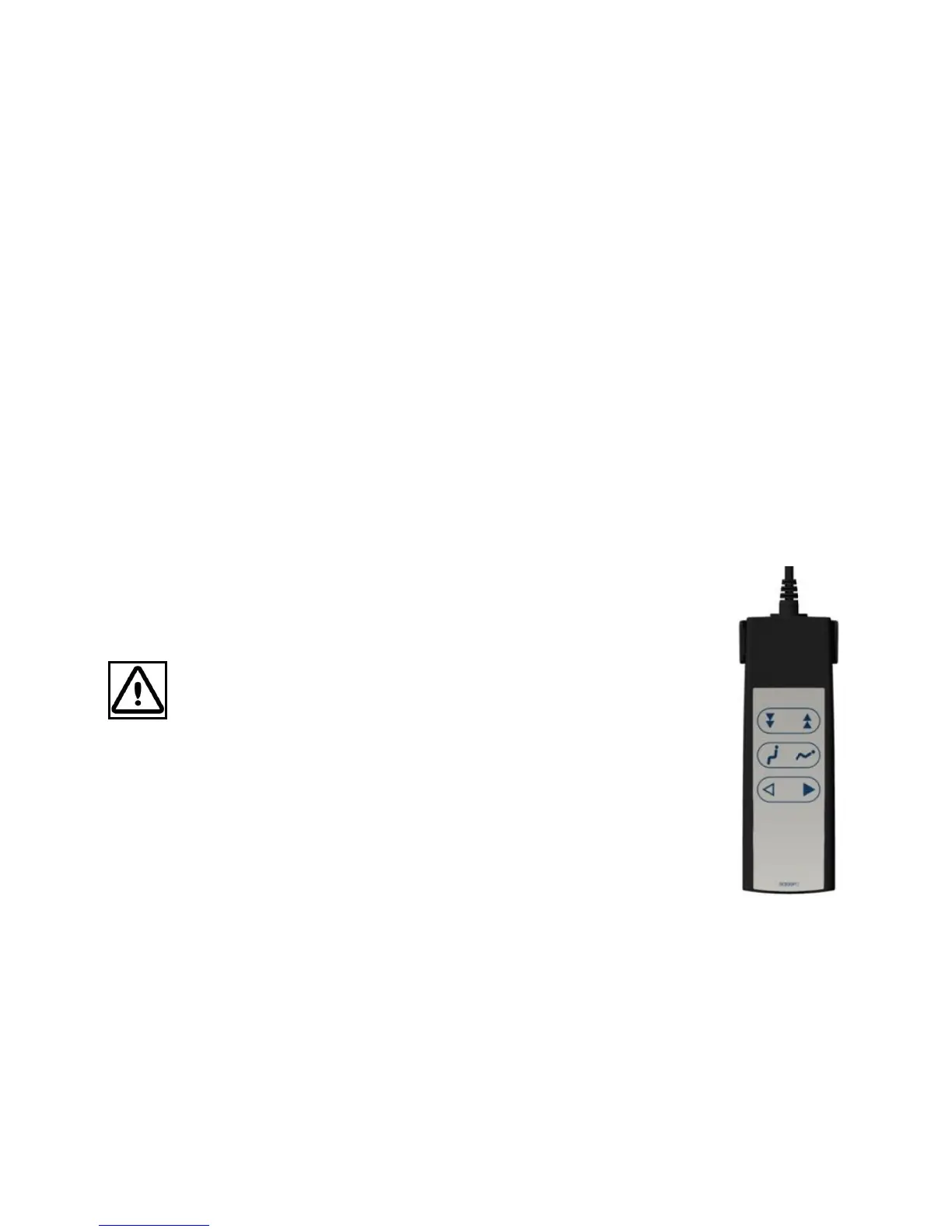
2.8 Hand-Held Control
Do not use the hand-held control as a towing line!
Stand behind the
caretaker and steadily push him or her along the rail. The hanger bar can be
used as a handle for transfers.
The OT200 is operated with either a hand-held control or the optional infra-red hand
control. This control is used to:
• Move the hoist up or down.
• Bring the hanger bar from a lying position into a sitting position (only with powered
hanger bar).
• Move the cassette along the rail (only with powered drive of the cassette).


 To Next Page