Safety 61
Sure Sort™ Operator Manual
OPEX Corporation
2.4. Emergency stops and interlock switches
For operator safety, the Sure Sort™ incorporates Emergency-Stop buttons and
door interlocks to stop the machine in the event of an emergency.
2.4.1. Emergency stop buttons (E-Stops)
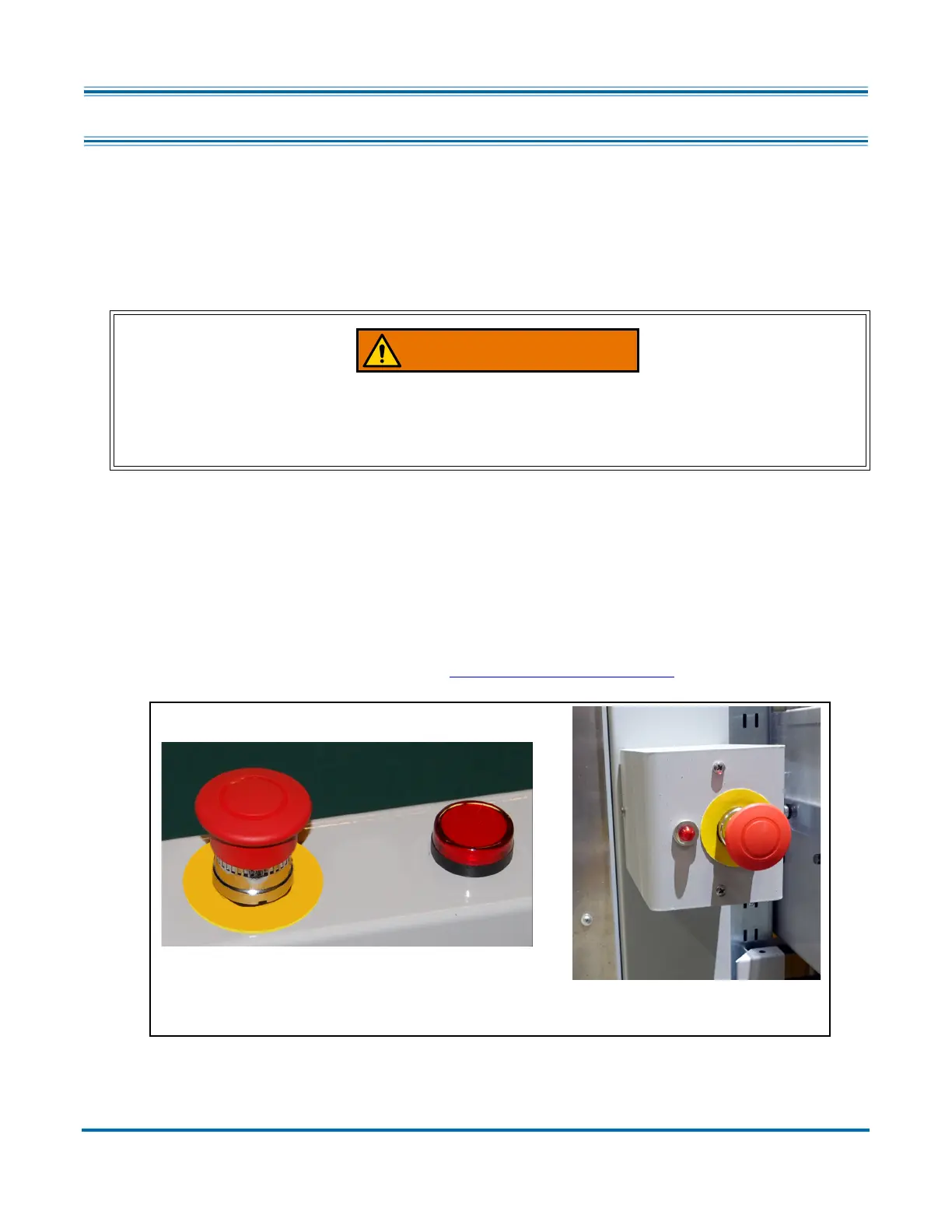
The big, red, mushroom-shaped Emergency stop (E-stop) buttons (shown in
Figure 2-3) can be used to stop the machine in an emergency. One E-Stop is
located at the operator station of the Sure Sort, and another behind the return
conveyor. If necessary, push one of the E-Stops and the machine will stop
immediately.
Note: E-Stops should not be used for normal stopping. For more on proper
operations of the machine, refer to “Operation” on page 111
.
Figure 2-3: Sure Sort E-Stops
Emergency stop switches do not remove power from all electrical devices
within the Sure Sort. Power to the computer and other AC devices remains
energized after the E-Stop switch is pushed.
E-Stop behind
Operator Station E-Stop
Return Conveyor



 To Next Page