64 Safety
Sure Sort™ Operator Manual
OPEX Corporation
2.4.2. Interlock system
The operator and any other Affected Employee should not ever enter the
machine. The Authorized Employee should not enter the machine while it is
running, since the rapidly-moving iBOTs can pose a safety hazard. For
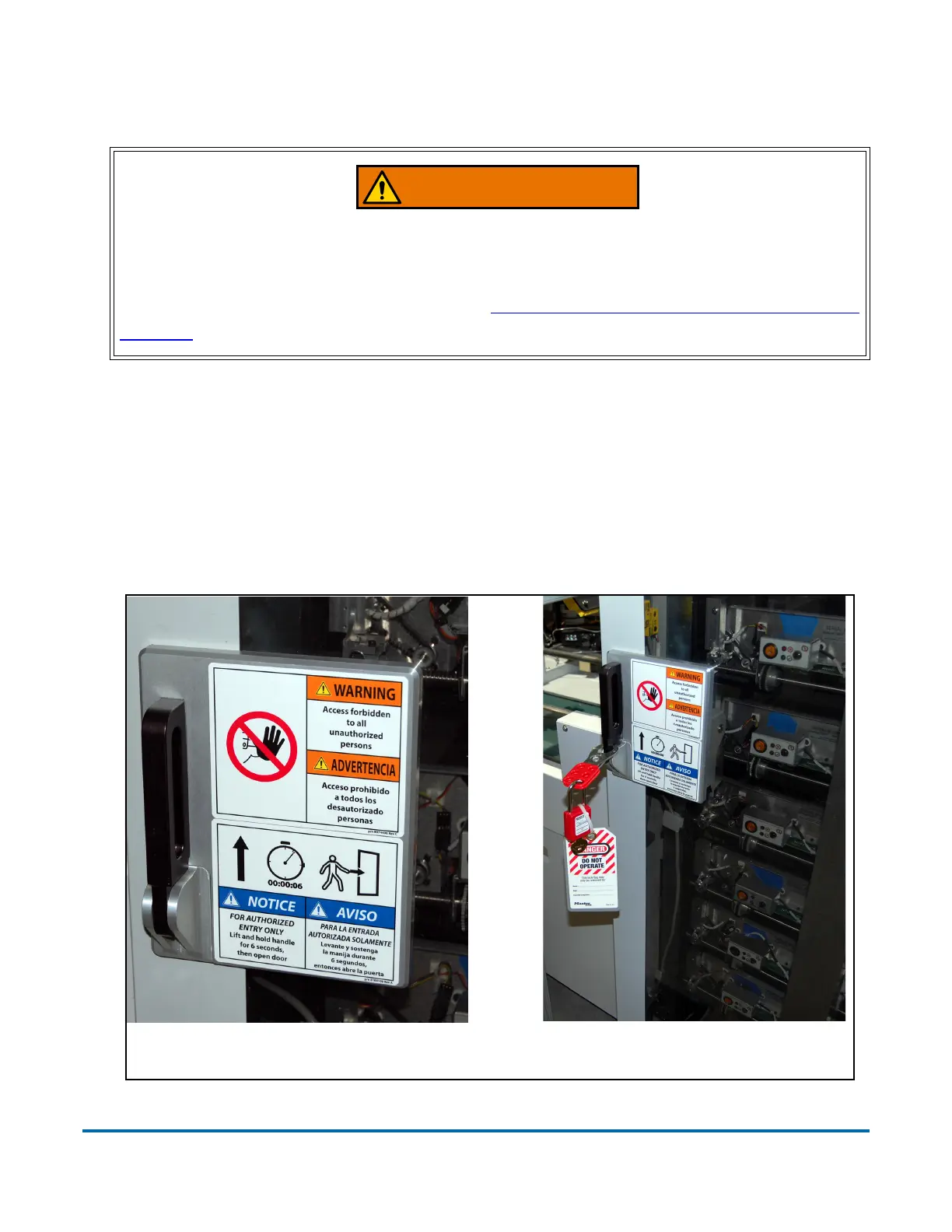
everyone’s safety, interlocks have been installed on the front and rear doors of
the Sure Sort™ machine. The interlock system (Figure 2-5) will stop the
machine whenever a door is opened. The operator and/or other Affected
Employees should not operate the machine or plug it in while the machine is
tagged out.
Figure 2-5: Safety Door interlock
Door interlock switches do not remove power from all electrical devices within
the Sure Sort. Power to the computer and other AC devices such as power
supplies remains energized after an interlock has been opened. To remove
all power from the machine, follow the “Lockout-Tagout (LOTO) Procedures” on
page 69.
Authorized employee has insertedDoor latch - closed position
a hasp, lock & tag in the door latch.



 To Next Page