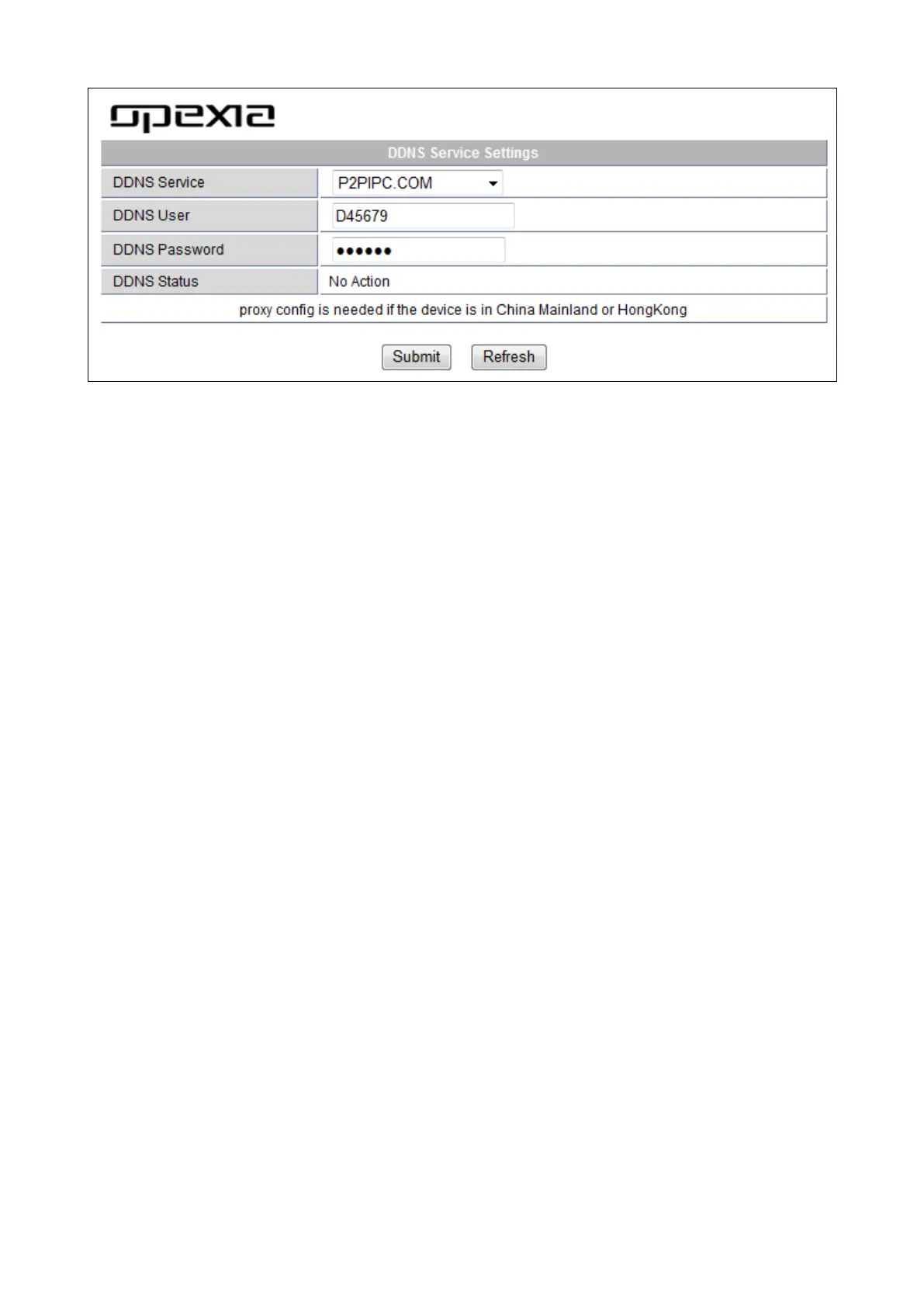
Otherwise, the 3
rd
party DDNS is also available.
The 3
rd
Party DDNS: this domain is provided by a 3rd party such as Dyndns, Oray,
3322...etc. In case a 3
rd
Party DDNS is chosen, simply pick the server preferred such as
“3322.org” or “dyn.com” as below:
For 3
rd
party DDNS, it is requested to register an account first. Do remember the
user, password, host to fill in the requested fields when setting DDNS.
Note: Only one DDNS can be chosen, either manufacturer or 3
rd
party. If manufacturer
DDNS is chosen, the 3
rd
party DDNS will not work. If 3
rd
party DDNS is chosen,
manufacturer DDNS will not work.
b) Port Forwarding Settings
This is for setting the IP address of the camera.
[Search Tool] software will be needed (refer to the installation CD included inside the box)
In “Camera Information” (right side) Default IP address is : Http://192.168.1.99:99
It can be changed according to network, for example: 192.168.0.109:109. or
192.168.0.99:90 etc...
Click “Apply” , fill in the user name and password of the device. Click “OK” then the
camera will reboot. Wait about 30 seconds and IP address will be changed as requested.


 To Next Page