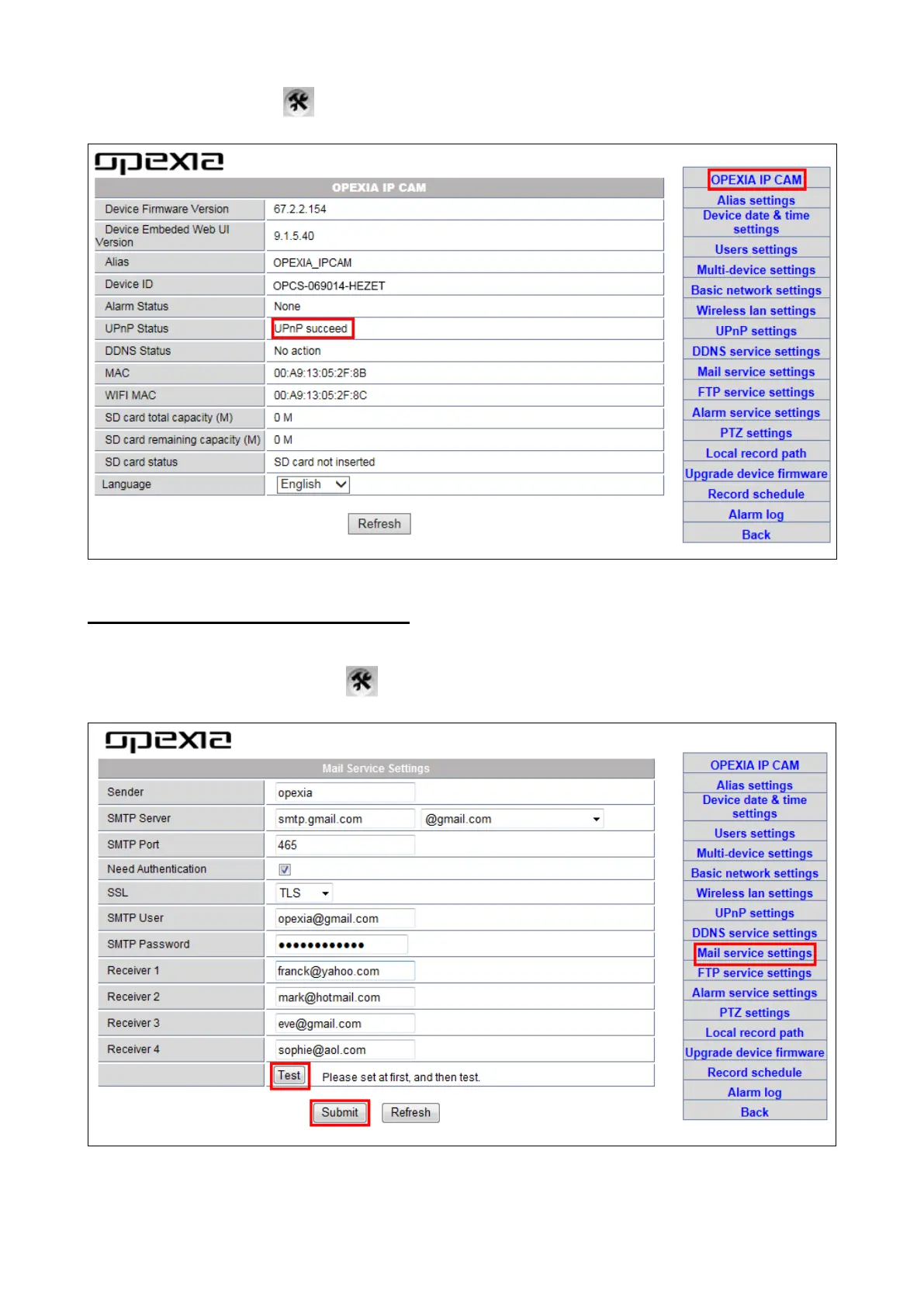
Login the camera, click >“OPEXIA IP CAM" and check DDNS Status.
3.3-5 Email and FTP service settings
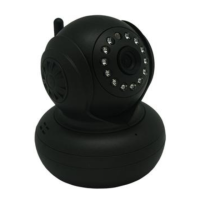
a) E-mail Service Setting: this function is normally for alarm notify purpose.
Step 1. Login the camera, click >“Mail service settings".
Step 2. Input information requested in the empty fields.


 To Next Page